
OEM by lock type
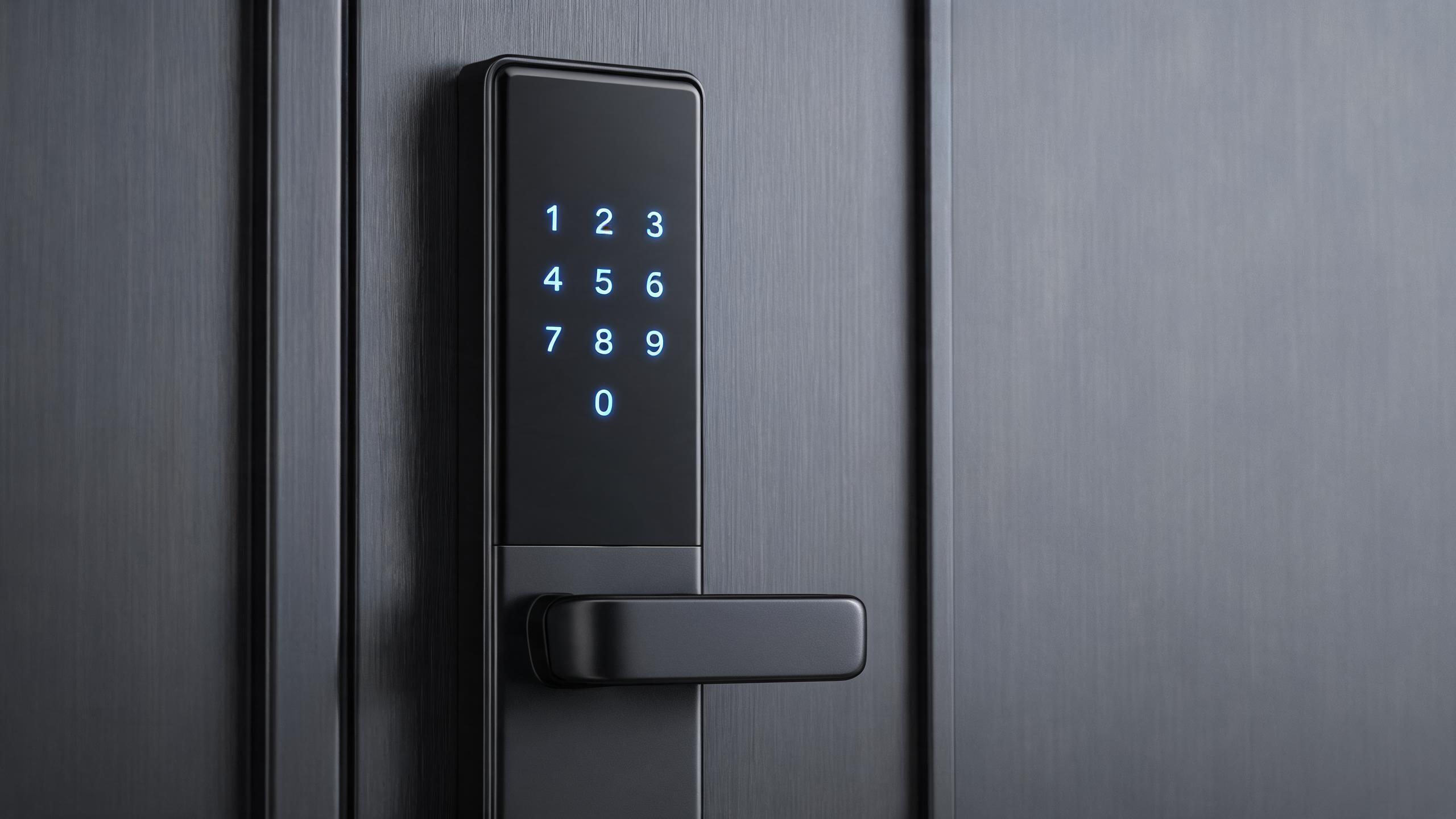
OEM keypad door locks: code-first access with your brand
Touch and button code locks built on in-production platforms, branded and configured for rental, residential and light-commercial channels — with card, app and mechanical backup intact.
A keypad lock program sells on code-first access: no card to carry, easy visitor entry, simple turnover for rentals and small offices. OEM production takes covered keypad platforms — touchscreen or physical-button, indoor or weather-sealed — and layers your logo, color box, manuals, firmware presets and packaging onto the same validated hardware. Keypad-specific configuration includes passcode capacity, anti-peep (virtual password) behavior, backlight, auto-lock timing and whether the model pairs with card, fob or app credentials. As always, MOQ thresholds and lead times are confirmed in writing per quotation rather than published as fixed figures.
OEM keypad locks at a glance
| Base platforms | In-production keypad locks: touchscreen and physical-button forms, deadbolt and latch configurations |
| Primary credential | Numeric passcodes, with model-dependent anti-peep entry, temporary codes and code capacity |
| Backup credentials | Mechanical key on covered SKUs; RFID card and app available on selected platforms |
| Standard OEM layer | Logo, color box, manual and install guide, default settings, auto-lock timing, language packs |
| Keypad hardware choices | Capacitive touch versus raised buttons; backlit versus non-backlit; outdoor-rated sealed keypads for exposed doors |
| Software layer | Code rules, privacy mode, passage mode and lockout defaults configured per supported SKU; deeper firmware work scoped separately |
| Typical buyers | Rental operators, retail chains, hardware brands, online sellers and light-commercial installers |
Answer unit
Touchscreen or button keypad for your market?
The touch-versus-button decision is driven by users, door environment and price band — both run the same class of passcode logic, but the field experience differs.
| Dimension | Touchscreen keypad | Physical-button keypad |
|---|---|---|
| User profile | Design-led residential and rental guests | Families, heavy-use rentals, trade buyers |
| Gloved or wet use | Capacitive surfaces are less predictable with gloves | Tactile buttons remain operable in more conditions |
| Wear pattern | Flat wipeable surface; no raised edges | Buttons show wear on high-use doors over years |
| Backlight | Standard on most covered touch SKUs | Backlit and non-backlit options by SKU |
| Price position | Upper-mid and premium lines | Volume and value lines |
| Outdoor exposure | Only on weather-sealed, rated SKUs | Rated outdoor button models available |
| OEM identity layer | Logo below the glass, premium packaging | Laser logo, durable inks, value packaging |
How a keypad OEM program proceeds
- Model shortlistChannel, door type and price band narrow the covered SKUs; specification sheets show keypad type and code features per model.
- Configuration sheetCode rules, auto-lock timing, passage and privacy defaults, language pack and credential mix are fixed before samples.
- Branded samplesLaser or printed logo, color box proof and manual draft produced on the actual SKU for sign-off.
- Pilot runProduction-intent batch with end-of-line keypad and lock function testing; third-party inspection welcomed.
- Mass supplyScheduled production runs with spare lock bodies and keypad assemblies, plus reorder planning.
Which keypad programs work for which buyer
| Channel | What they configure | Start point |
|---|---|---|
| Rental operators | Temporary codes, auto-lock, passage scheduling, app pairing | Rental scenario |
| Retail and chains | Reliable button SKUs, shelf-ready packaging, predictable spares | Retailers program |
| Online sellers | Market-compliant files, content support, trial-to-reorder batches | Marketplace guide |
| Installers | Door-fit templates, standard latch backsets, documentation | Installers guide |
Related programs
Adjacent OEM and category pages
OEM keypad door locks: common questions
What MOQ applies to custom-logo keypad locks?
The threshold depends on the SKU and the customization layer — logo and packaging on a stock model starts lower than firmware changes or new tooling. State the target model and channel in the RFQ form for the current written threshold.
Can users enter codes with an anti-peep virtual password?
Anti-peep entry — where extra digits may be typed around the real code — is supported on selected covered SKUs. It is a specification-sheet feature, not a category-wide guarantee, so confirm it on the exact model rather than the lock type.
What happens if the batteries die or someone forgets the code?
Covered keypad SKUs provide low-battery warnings, emergency power contacts on selected models and a mechanical-key override on models that include one. The backup methods are listed per SKU; never assume every keypad lock has a key cylinder.
Can temporary codes work without an app or internet connection?
Offline keypad models support codes programmed directly at the lock, while time-windowed codes that are sent remotely require the connected app/cloud architecture. Decide which operation your rental or office scenario needs during model selection — see the OEM app page.
Are outdoor keypad locks available for OEM branding?
Yes. Weather-sealed keypad SKUs are rated for exposed doors and must be specified instead of indoor models; the outdoor OEM page explains IP ratings, cold and salt-air considerations and the documentation to request.
Brand a keypad range your channel will trust
Send channel, door types, target SKUs and volumes — receive written MOQ, lead time and configuration terms.
Request OEM termsOrder samplesLast updated: October 31, 2026 · Reviewed by the Smart Lock Factory editorial team