
Technology
Zigbee and Z-Wave locks: battery locks on a smart-home mesh
Both radios build low-power mesh networks around a coordinator, extending reach through repeater nodes. Their frequency choices shape congestion, range and certification geography.
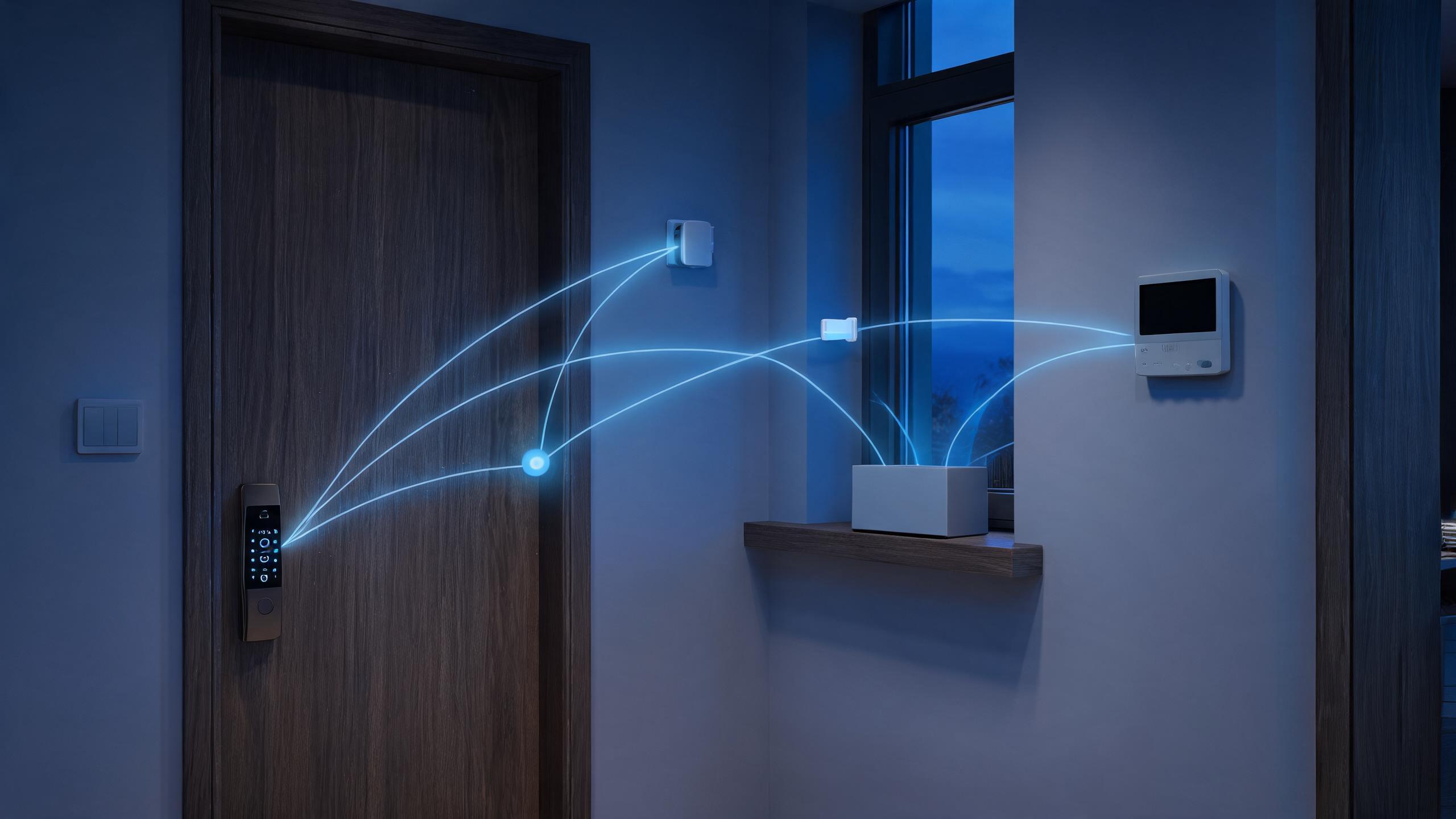
Zigbee and Z-Wave made their names in whole-home automation rather than standalone locks, allowing a smart lock to join a mesh of bulbs, sensors and relays behind a single coordinator. Both networks rely on a hub that holds the network — without it the lock may still operate by keypad or fingerprint, but automations and remote control stop. Zigbee operates in the globally crowded 2.4 GHz band with large device ecosystems and many interoperable profiles, while Z-Wave uses region-specific sub-GHz bands (around 868 MHz in Europe and 908/915 MHz in North America) that avoid Wi-Fi congestion, under a certification program managed around Silicon Labs technology. Battery locks join as sleepy end devices that wake to talk, while mains-powered devices repeat messages. This guide explains topology, lock behavior, geography and realistic fit. Current supported hubs and radio regions for each model are confirmed per quotation.
Zigbee and Z-Wave at a glance
| Mesh topology | Mains-powered nodes repeat messages toward the coordinator; battery locks sleep and do not repeat, so hub location still matters. |
| Coordinator required | A Zigbee or Z-Wave hub forms the network and bridges to apps and clouds; there is no direct-to-router mode. |
| Frequency split | Zigbee shares the 2.4 GHz band with Wi-Fi and Bluetooth; Z-Wave runs on regional sub-GHz bands with less congestion. |
| Region matters | Z-Wave frequencies and certifications differ by market, so a regional device variant is required and cannot be assumed portable. |
| Ecosystem pairing | Locks join platforms such as smart-home controllers and branded hubs; supported device handlers and features vary by ecosystem. |
| Local operation | Keypad, fingerprint and key access never depend on the mesh; only remote and automation features do. |
| Our policy | We state radio type, supported hubs and regional variants per SKU; lock compatibility claims are limited to tested pairings. |
Answer unit
Where do mesh-radio locks make sense?
They fit homes and light-commercial sites already invested in a smart-home controller with good mesh density. Buyers without a hub, or needing standalone remote access, are better served by BLE gateway or direct Wi-Fi locks.
| Installation profile | Mesh lock fit | Design note |
|---|---|---|
| Automation-focused smart home | Strong fit with an existing controller | Lock events trigger lights, scenes and announcements locally. |
| Installer-served retrofit | Good where the technician manages the mesh | Professional pairing prevents weak-route support tickets. |
| Z-Wave preference markets | Sub-GHz lock in North America or EU variant | Less Wi-Fi congestion, but region-specific hardware is mandatory. |
| Dense 2.4 GHz apartments | Consider Z-Wave or BLE carefully | Wi-Fi-heavy buildings can challenge Zigbee link quality. |
| Rental without a hub | Poor fit as delivered | BLE-gateway or Wi-Fi locks avoid requiring landlord automation hardware. |
| Commercial access projects | Generally not the primary choice | Wiegand/OSDP and managed cloud platforms scale better than home mesh. |
Projects, products and evidence
Mesh does not remove placement discipline. Locks are sleepy nodes and cannot extend the network, so the coordinator and repeating mains nodes must still offer a solid route from the door.
| Opening | Typical door | Lock approach |
|---|---|---|
| Detached smart home front door | Timber door with mains repeaters nearby | Zigbee or Z-Wave lock joined to a centrally located hub. |
| Apartment with home controller | Metal entrance close to living room | Short route to the coordinator, BLE fallback for local use. |
| Installer-managed townhouse | Multiple doors and sensors across floors | Mesh lock plus repeaters planned during the automation survey. |
| Small office with smart lighting | Entrance door in a controller-based fitout | Lock joins the existing automation network, cards remain for staff. |
| Holiday home with remote care | Entrance under one coordinator with internet | Mesh lock reports via the hub for caretaker monitoring. |
| Property without automation | Standard entrance, no hub planned | Choose BLE-gateway or Wi-Fi rather than adding mesh complexity. |
Mesh lock specification checklist
Returns on mesh locks usually trace back to hub expectations or regional variants. The documentation pack below helps sellers and installers pre-qualify each order.
| Component | Typical logic | Notes |
|---|---|---|
| Radio and region | Zigbee or Z-Wave variant and the target market frequency. | Prevents importing a Z-Wave lock on the wrong regional band. |
| Hub compatibility | Tested coordinators, device handlers and supported features. | Joining a network is not the same as full feature support. |
| Battery role | Sleepy end-device behavior and expected check-in cadence. | Sets realistic status-refresh expectations in the app. |
| Local fallback | Credentials available when the mesh or hub is offline. | Reassures users that the door never depends on automation. |
| Range planning | Coordinator and repeater placement guidance for the survey. | Avoids a lock stranded behind a weak single route. |
Specifying Zigbee or Z-Wave locks in five steps
- Confirm the ecosystemIdentify the coordinator and verify tested lock support.
- Choose the regional radioMatch Z-Wave variants to the destination market frequency.
- Survey the mesh routePlace repeaters and the hub so the door has a strong path.
- Pair and validateJoin the lock professionally and test status, scenes and alarms.
- Document fallback useTrain users on keypad and key operation when the hub is down.
Related technology guides
Mesh and connectivity guides related to these locks
Questions about Zigbee and Z-Wave locks
What is the practical difference between Zigbee and Z-Wave for a smart lock?
Both build low-power mesh networks around a coordinator and let the lock participate in home automation, but they occupy different radio space. Zigbee runs at 2.4 GHz, the same crowded band as Wi-Fi and Bluetooth, which makes hardware widely available but links vulnerable in dense apartments; Z-Wave uses regional sub-GHz frequencies with less congestion and often steadier range through walls, at the cost of region-specific devices and a more controlled ecosystem. Both treat battery locks as sleepy nodes that cannot repeat messages, so neither magically solves a door far from the hub. Choosing between them usually follows whatever controller the installer already runs, and for Z-Wave the destination market frequency is mandatory.
Do Zigbee or Z-Wave locks work without buying a hub?
They join an existing mesh network, so a compatible coordinator is required for remote control and automation: branded smart-home hubs, USB sticks on a home server or professional controllers all serve that role. Without one, the lock still operates perfectly as a lock through its keypad, fingerprint, card or mechanical key, and many models also offer direct Bluetooth phone access for configuration. What disappears is remote status, voice-platform integration and scene triggering. Buyers who do not already own a controller are usually better served by a BLE lock with its own gateway or a direct Wi-Fi lock, because buying a hub only for one lock rarely pays off.
Can I take a Z-Wave lock from the US to a European house and pair it there?
Generally not cleanly. Z-Wave operates on different sub-GHz frequencies in different regulatory regions — roughly 908/915 MHz in North America and around 868 MHz in Europe — and devices are certified for their market, so a US lock will not join an EU Z-Wave network and may violate radio rules overseas. Zigbee at 2.4 GHz travels more easily across regions, though ecosystem and power-plug details still vary. The safest procurement rule is ordering the correct regional variant for the destination address and checking the radio compliance marks on the named SKU. Our order documents state the regional variant and relevant radio certification for each lock rather than assuming global portability.
Why does my mesh lock sometimes show as unavailable in the app?
Because battery locks are sleepy end devices: they wake on a schedule or after local events to check in, rather than listening continuously, to conserve power. An app may briefly report the lock as offline between check-ins even though local unlock works instantly. Truly long outages usually indicate a weak route to the coordinator, interference on 2.4 GHz Zigbee, or a hub issue rather than a lock failure. Adding mains-powered repeater nodes between hub and door, moving the coordinator away from Wi-Fi routers on Zigbee installations, and keeping hub firmware current resolve most cases. Expected check-in cadence and troubleshooting steps are documented per platform.
Are Zigbee and Z-Wave locks suitable for hotels or office buildings?
Not usually as the primary access layer. These ecosystems grew around home automation, and buildings need features that home controllers rarely provide at scale: floor-by-floor rights, thousands of credentials, PMS or AD integration, professional audit and managed spares. Hotels use offline RFID or online lock platforms with BLE mobile keys, while offices use readers on Wiegand or OSDP controllers; smart-home mesh may still appear in a manager apartment or a small owner-occupied guesthouse. We recommend treating mesh radios as a residential feature and matching commercial buildings to purpose-built access platforms; current hospitality and commercial ranges can be discussed per RFQ.
Offering mesh-radio locks to an automation market?
Share the destination region, hub ecosystem and typical home layout with your RFQ. We confirm radio variants, tested coordinator pairings, sleepy-node behavior and local fallback credentials for each model and advise when BLE or Wi-Fi is the better fit.
Request Spec Sheet + QuoteTechnology overviewLast updated: October 31, 2026 · Reviewed by the Smart Lock Factory editorial team