
Solutions
Smart locker systems: each compartment is its own access event
One-time pickup codes, carrier and resident delivery flows, asset-locker assignments for staff, logged overrides and hardware sized to a full compartment bank.
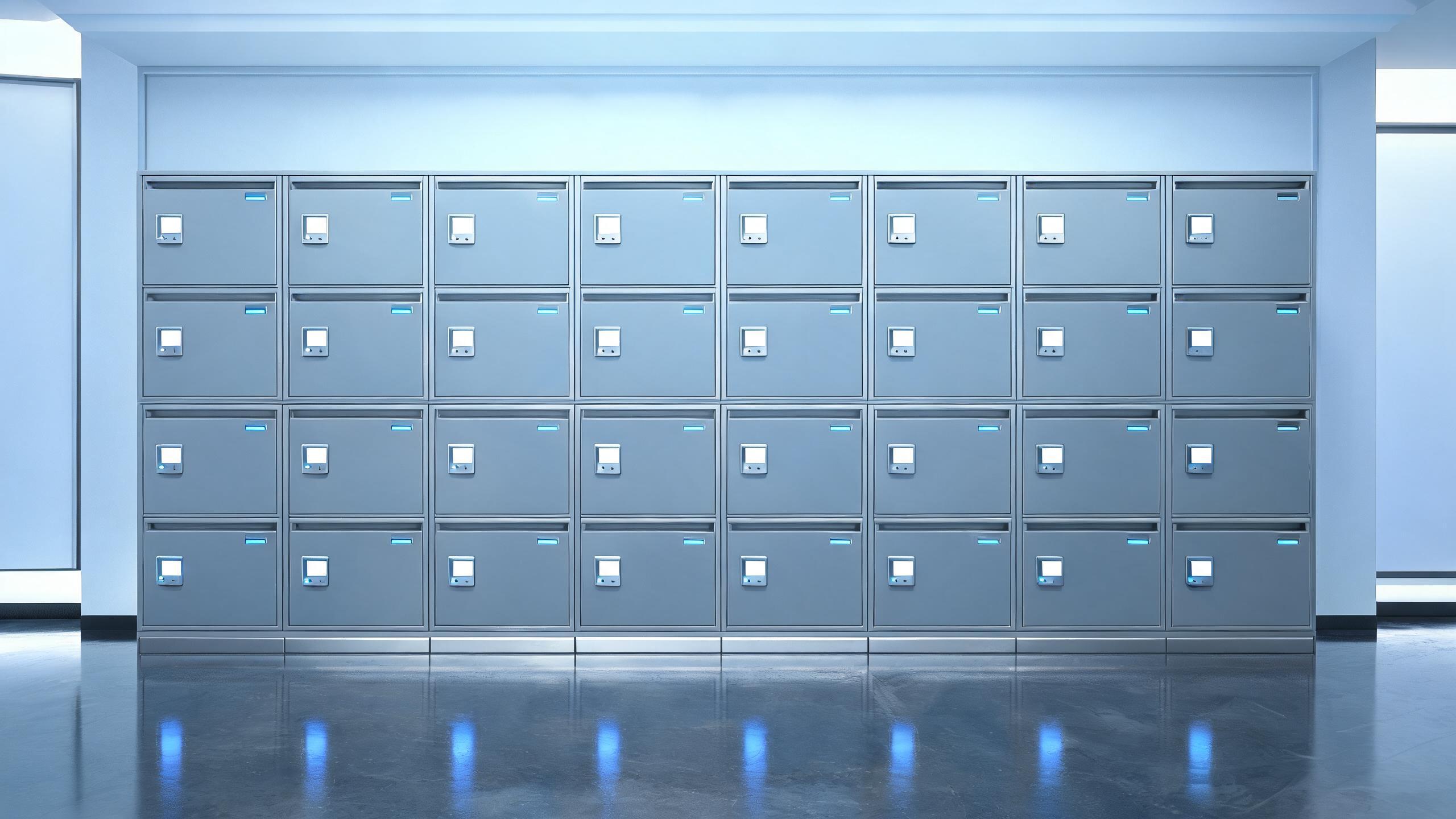
Electronic lockers turn access control into a transaction: every compartment opens for exactly one recipient for one pickup window, whether the locker holds a parcel, a click-and-collect order, a shared device or a resident amenity. A smart locker lock system issues a one-time credential against the deposit event, records collection, and returns the compartment to the pool, while staff or building teams hold a separate, fully logged override capability for problems and mis-sorts. Banks in lobbies, retail entrances, university halls and workplaces differ in throughput and environment, so the BOM is sized to compartment count, ambient conditions and the carrier or reservation systems involved. The electronic locker guide covers operating models, the self-storage solution covers rented units, and the bike storage page covers rider lockers.
Smart lockers at a glance
| One-time pickup | Each deposit generates a recipient credential valid for the pickup window and that compartment only |
| Delivery flow | Carriers authenticate into the deposit workflow without opening other compartments or the building |
| Asset lockers | Shared devices and equipment are assigned and returned per booking, with overdue visibility |
| Override | Staff overrides are a separate recorded role used only for mis-sorts and exceptions |
| Environments | Indoor, sheltered and outdoor banks use hardware rated for moisture, dust and temperature |
| Integration | Carrier, property or reservation links are scoped in writing, including a manual fallback |
| BOM shape | Compartment locks by bank size, controller, deposit screen or reader, and site spares |
Answer unit
Staffed pickup desks, or self-service electronic locker banks?
High-throughput and after-hours sites choose self-service lockers; low-volume or high-value handling may remain staffed or combine both.
| Dimension | Staffed pickup desk | Self-service locker bank |
|---|---|---|
| After hours | Pickup limited to desk hours | Collection within the pickup window around the clock |
| Staff cost | A person handles every item | Staff intervene only on exceptions |
| Mis-sorts | Searched manually at the desk | Logged compartment history supports resolution |
| Scale | Desk capacity caps throughput | Banks added by compartment count and site |
| Carrier flow | Items handed to a person | Deposit workflow isolated from building access |
| Typical fit | Concierge or high-value counters | Lobbies, retail, campus and workplace banks |
Door types and lock-body match
The compartment door carries the one-time credential; the bank controller and deposit point carry the carrier integration and override boundary.
| Opening | Typical door | Lock approach |
|---|---|---|
| Locker compartment | Small, medium and large compartment doors | One-time recipient credential tied to the deposit event |
| Deposit point | Carrier-facing screen or reader on the bank | Authenticated deposit workflow with compartment assignment |
| Oversized bay | Larger doors for bulky parcels | Same transaction logic with oversized collection codes |
| Asset locker | Device and equipment compartments | Booking-based assignment with return and overdue tracking |
| Refrigerated bay | Temperature-controlled compartments where offered | Specified for the environment and power continuity |
| Service / control | Controller and staff override access | Separate recorded role, never the recipient credential |
Example BOM shape for a lobby locker bank
This example illustrates a typical configuration, not a specific customer project. Compartment count, carriers and site conditions drive the list.
| Component | Typical logic | Notes |
|---|---|---|
| Compartment locks | One lock per compartment across small to oversized bays | Rated for the expected open-close frequency |
| Bank controller | Deposit and pickup control with reader or screen | Carrier and recipient workflows with local resilience |
| Integration scope | Carrier, property or reservation system links | Fields and manual fallback agreed in writing before build |
| Override capability | Separate staff role for exceptions and mis-sorts | Every override recorded with reason and operator |
| Site spares | Compartment locks and controller parts per bank | Swap restricted to named staff under the current MOQ policy |
How a locker program rolls out
- Throughput and site auditExpected parcels, carriers, compartment sizes, hours and environment are measured before bank sizing.
- Pilot bankOne bank runs deposits, after-hours pickups, a mis-sort override and an oversized item end to end.
- Site rolloutAdditional banks commission by location without disrupting existing desk or lobby flow.
- Staff adoptionTeams rehearse deposits, recipient support, overrides and reconciliation against carrier data.
- Assurance handoverOverride policy, fallback process, audit export and spare custody are documented for the operator.
Related solutions
Related locker and storage pages
Smart locker systems: common questions
How does a recipient open the correct compartment?
When an item is deposited, the system assigns a compartment and issues a one-time credential to the recipient — a code or mobile link — that opens only that compartment during the pickup window, after which the compartment is available for the next item. The recipient never chooses a compartment, which prevents collisions, and a collected item is recorded against the deposit so both carrier and operator see the chain. If the code expires before collection, the operator issues a fresh credential through a controlled step rather than sharing a master compartment code. The pilot bank includes an after-hours collection and a code-expiry case to verify the recipient experience without staff present.
How do carriers deposit without accessing the building?
Carriers authenticate at the bank’s deposit point, not the building entrance, and the system assigns an available compartment and records the deposit, so a driver credential never opens lobbies, residential floors or other compartments. Multiple carriers can share the bank under the deposit workflow while remaining anonymous to each other’s items. In apartment settings this replaces the practice of buzzing every carrier into the lobby. Where a building still requires a carrier to cross a controlled door, that door follows a separate delivery-window rule covered in the multifamily solution, distinct from the locker credential.
How are staff overrides and mis-sorts handled?
Overrides exist because parcels are occasionally mis-sorted, codes fail or items jam, but they are deliberately separate from recipient credentials: a named staff role opens a compartment under an exception reason, and the action is recorded with the operator and item for reconciliation. Override use is reviewed so the capability does not become an informal way to hand out items. High-value or controlled compartments can require additional authorization. The pilot runs a real mis-sort to confirm the exception workflow protects both the recipient and the staff member, and reconciliation against carrier deposit data closes the loop.
Can lockers work outdoors or with carrier and reservation systems?
Outdoor or sheltered banks use compartment and controller hardware rated for the local moisture, dust and temperature range, with battery or power continuity planned for refrigerated or exposed sites. Carrier, property-management or reservation integration is scoped around which system triggers a deposit, how recipient details arrive, and what the manual fallback is when a link is unavailable, with those points agreed in writing before build. Banks can operate standalone with staff-entered deposits where no integration exists. The site survey confirms network coverage at the bank location, since a lobby with poor coverage changes the controller choice.
How is a locker BOM and MOQ scoped?
The BOM is built from compartment count by size, the bank controller and deposit point, any oversized or refrigerated bays, environment rating and site spares, with MOQ and lead time confirmed in writing per quotation. Operators pilot one bank through deposits, after-hours pickup and an override before scaling to additional locations. Send the expected daily parcels, carrier list, compartment-size mix and indoor-or-outdoor location, and the quote maps each line to a bank configuration rather than pricing single locks.
Turn every pickup into a tracked self-service transaction
Send the daily parcel volume, carrier list and compartment-size mix — receive a bank-configured BOM with written MOQ and lead-time terms.
Discuss your project (RFQ)Project configurationsLast updated: October 31, 2026 · Reviewed by the Smart Lock Factory editorial team