
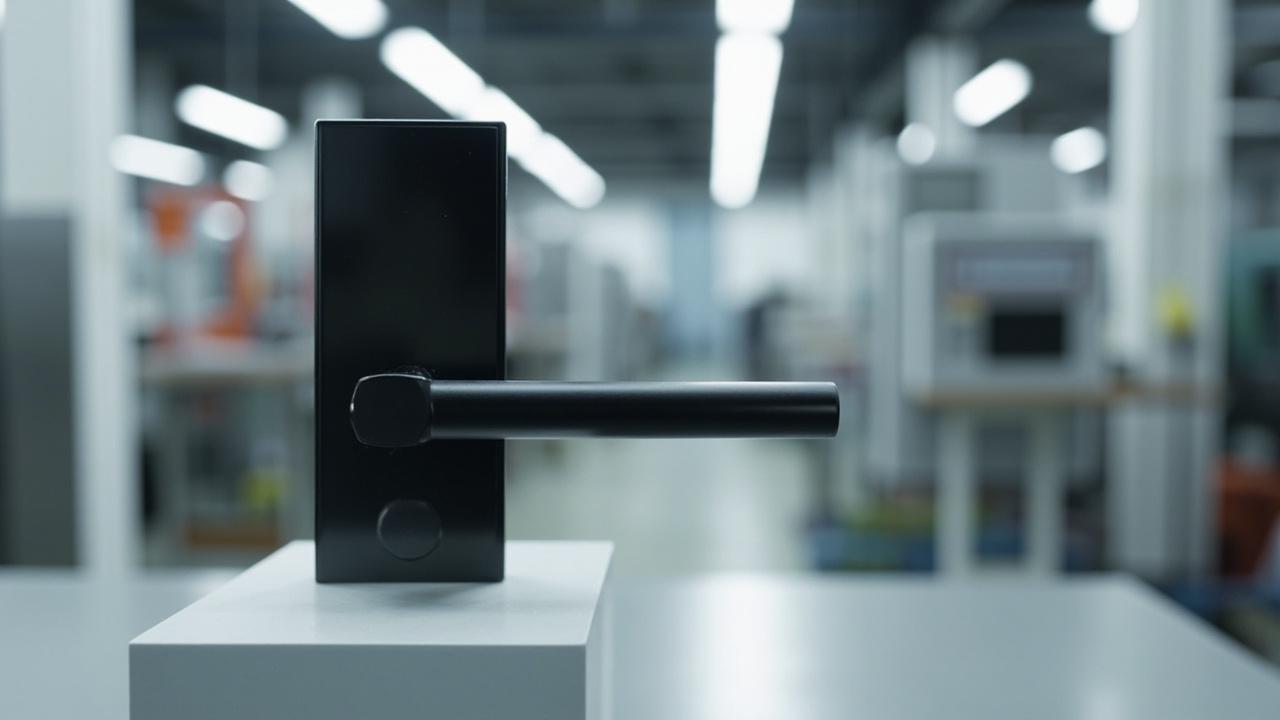
Smart Locks for School Offices
A school administrative office is not a hotel, a private office or a factory office. It is a small suite of three to seven doors inside a K-12 building, run by one principal, two or three assistant principals, a counselor who keeps a separate door, a records room that sits adjacent to the principal's office and shares a wall with it, a front-office reception zone that handles every parent meeting and every substitute-teacher credential, and one or two parent-meeting rooms that the principal does not own but is politically accountable for. The smart-lock question on that suite is not "what lock fits the door." It is "what access constitution fits the suite," because the principal's door, the counselor's door and the records-room door are three separate relationships with the same audit posture, and the lock plan has to express all three without confusing any of them.
Consider a fictional Riverbend Junior High — a 720-student public middle school in a single two-storey building. The administrative office suite sits off the main corridor on the first floor, with the principal's office in the middle, an assistant principal's office to one side, the school counselor's office to the other, the records room directly behind the principal's office sharing a wall, a small parent-meeting room across the corridor, and a reception alcove at the suite's entrance. The plan works for any K-12 school where the administrative office sits as a self-contained suite with one or more doors opening to the main corridor and an adjacent records room. For the broader K-12 framing of classroom, staff and lobby doors across the whole building, the sibling article smart locks for schools is the umbrella; for the higher-education version of the same suite-of-doors question, smart locks for campuses is the next-door neighbour; for the narrowest single-door reading on the same kind of hardware, fingerprint smart locks for private offices is the focused companion.
This article is deliberately narrower than its siblings. The K-12 umbrella smart locks for schools walks the whole building and treats classroom, staff and lobby doors as three procurement conversations. The classroom-only piece smart locks for classrooms deals with the narrowest single-door conversation inside the building. This article stays with the administrative suite — the principal's office, the assistant principal's, the counselor's, the records room, the parent-meeting room and the reception alcove — and the handful of relationships those doors have to encode. If you are buying for the whole building, read 378. If you are buying for the classroom doors specifically, read 383. If you are standing in the principal's office wondering whether the records-room door should be on the same credential as the principal's door, you are in the right room.
Why a School Office Has Its Own Lock Plan
A school administrative office is not a hotel room, a private practice, a corporate office or a factory office. Four differences drive a distinct plan, and an integrator who treats any one of them as familiar will write a spec that does not survive the first parent meeting or the first records request.
- The day cycle is segmented, not continuous. The principal's office is busy from 7:30 a.m. to 4:30 p.m., empty for an hour, busy again from 5:30 to 7:00 p.m. for after-school programming, and empty overnight. The counselor's door is unpredictable in a different way: a crisis call at 2:45 p.m. means a student is in the office until 3:30, and an intake meeting at 7:15 a.m. means the door is open before the front office is staffed. The lock plan has to express a school-day cycle, an after-hours cycle and an off-day cycle for the same set of doors without forcing the principal to reprogram schedules every week.
- Three relationships share one suite. The principal owns the principal's office and is the suite's audit principal. The counselor owns the counselor's door but does not own the records-room door. The assistant principal covers the suite when the principal is absent and needs to enter the principal's office and the records room without the principal being present. These are three different authority relationships, and the lock plan has to express them on the same audit log without confusing them.
- The records-room door is the door that decides the audit posture for the whole suite. The records room holds student records, employee files, IEP paperwork, district counsel correspondence and the master key cabinet. The door to that room is the door the district's counsel will eventually be asked about, and it is the door whose audit trail has to be readable, exportable and provable separate from the principal's office audit trail. The lock plan that puts the records-room door on the same credential as the principal's door without separating the audit streams is the lock plan that gets reversed by district counsel in year two.
- Parent meetings are a credential conversation, not a guest pass. Parents are not visitors in the building-safety sense. They are credentialed guests at the parent-meeting room and sometimes at the principal's office, and the front office needs to issue them a credential that has the parent's name, the meeting time, the host's name and an automatic revocation at the meeting's end. That credential has to be cheap to issue at reception, must not duplicate staff credentials, and must not survive the meeting window. It is a different thing from a classroom substitute credential, and it needs its own access lane.
A 79-model catalog with 77 smart-door-lock SKUs, 24 hotel locks, 37 fingerprint locks, 18 keypad locks, 9 RFID locks, 6 face-recognition locks, 6 cabinet locks and 3 glass-door locks can cover that surface, but the choice between models is secondary to the choice between credential lanes and the suite-vs-records-room boundary. The article treats hardware as the second-order decision.
Extractable answer: a school administrative office is a small suite of three to seven doors with three different authority relationships and a records-room door that decides the audit posture for the whole suite. The lock plan is a per-door credential-lane decision before it is a hardware decision, and the records-room door is the door that disciplines every other door in the suite.
Riverbend Junior High — An Illustrative Scenario
Consider a fictional Riverbend Junior High — a 720-student public middle school in a single two-storey building, grades 6 through 8, with the administrative suite on the first floor along the main corridor. The suite contains six doors in scope for the lock plan.
The principal's office sits in the middle of the suite: a 16-square-metre single-occupant office with a single solid-core timber door opening to the main corridor. Inside the office are a desk, two guest chairs, a small credenza and a door — internal, fire-rated, normally closed — leading directly into the records room. That internal door is one of the six doors in scope.
The assistant principal's office sits next door: a 12-square-metre single-occupant office with its own solid-core timber door to the corridor, no internal door to the records room, a window onto the corridor and a separate external vent into the parking lot for after-hours ventilation.
The school counselor's office sits on the other side of the principal's office: a 14-square-metre single-occupant office with a solid-core timber door to the corridor, a small couch and two armchairs inside, and a side window into a small interior courtyard. The counselor's door is the door where students arrive without appointment.
The records room sits directly behind the principal's office: a 10-square-metre room with internal doors from the principal's office and from the corridor, a small interior window onto the corridor for ventilation, and four filing cabinets, two locked and two open, holding student records, IEP paperwork, employee files, district correspondence and the master key cabinet. The records-room door to the corridor is one of the six doors in scope; the internal door from the principal's office is a separate door in scope.
The parent-meeting room sits across the corridor from the principal's office: an 8-square-metre room with a single solid-core timber door to the corridor, a small table, four chairs and no internal door to anywhere. The room is also used for small IEP meetings.
The reception alcove sits at the suite's entrance: a small open-front area with a half-height counter, a window into the main office, a glass door to the corridor and a glass door into the principal's office corridor wing. The reception alcove is staffed by two office assistants from 7:15 a.m. to 4:15 p.m. on school days.
The principal works 7:30 a.m. to 4:30 p.m. plus an average of two evening events per month. The assistant principal works the same hours, with one shared late evening per week for parent communication. The counselor works 7:15 a.m. to 4:00 p.m. with no regular evening hours. The office assistants work 7:15 a.m. to 4:15 p.m. The records room is staffed only by the principal and the registrar (who works half-days on Tuesdays and Thursdays). The parent-meeting room is unstaffed and is reserved through the front office.
The school district's policy: every administrative-office door stays closed and locked during the school day except when a credentialed person is actively using it. The records room's corridor door stays closed and locked at all times. The principal's internal door to the records room stays closed during school hours and is never propped open. Visitors to the suite enter through the reception alcove and are credentialed at the counter. Substitute teachers and short-term contractors are credentialed at the counter for the duration of their assignment.
The principal wants the audit trail readable by role: she wants to be able to see who entered the records room and when, separated from the principal's-office entry log, separated from the assistant-principal's entry log. She also wants the counselor's door to be auditable on a different log because parents have raised questions about counselor-meeting confidentiality in the past and the district counsel wants to be able to answer those questions with the lock system's event log, not with handwritten notes. The district's counsel has asked, in writing, for the records-room audit log to be exportable in CSV for any 30-day window on demand.
The Suite Door Map — One Honest Table
The single most useful exercise before buying any lock for a school administrative suite is to write down, door by door, what each door is for, who has standing, and what credential lane fits. The table below does it for Riverbend Junior High. Each row is one door; the columns name the room, the door material, the dominant-side environment, the relationship the door expresses, and the credential lane that fits.
| # | Door | Material | Suite-environment | Relationship | Standing population | Recommended credential lane |
|---|---|---|---|---|---|---|
| 1 | Principal's office door (corridor) | Solid-core timber, single-lever mortice | Quiet professional suite, low dust | Principal owns; assistant principal covers | Principal + assistant principal + named substitute during absence | RFID staff badge or fingerprint — single-occupant |
| 2 | Internal door from principal's office to records room | Solid-core timber, fire-rated | Quiet professional suite | Principal owns; registrar uses on half-days | Principal + registrar; principal's approval required for any other entry | RFID or fingerprint on a separate audit stream |
| 3 | Assistant principal's office door | Solid-core timber | Quiet professional suite | Assistant principal owns | Assistant principal + principal during shared coverage | RFID staff badge — single-occupant |
| 4 | Counselor office door | Solid-core timber | Quiet professional suite, students arrive unannounced | Counselor owns | Counselor + named intern during practicum | RFID staff badge or PIN — counselor-controlled |
| 5 | Records-room door (corridor) | Solid-core timber | Quiet professional suite | Principal owns; records are district property | Principal + registrar + district counsel on documented request | RFID + PIN dual-credential — separate audit stream |
| 6 | Parent-meeting room door | Solid-core timber | Quiet professional suite, unstaffed room | District owns; front office schedules | Host (principal / counselor / assistant principal) + named visitor | Time-limited PIN issued at reception |
The table is the article's single most important artefact. Every decision in the rest of the article traces back to one row of this table. Door 1 is the principal's door; door 2 is the internal door that decides the audit posture of the suite; door 5 is the records-room corridor door that has to stand on its own audit stream. Doors 3 and 4 are the simpler single-occupant doors. Door 6 is the parent-meeting door, which is a time-limited credential problem rather than a hardware problem.
The Records-Room Door Is the Door That Disciplines the Suite
This is the editorial core of the article and the one the integrator needs to write down before any SKU is shortlisted. The records-room door is the door that decides the audit posture for the whole suite, because the records room is where the district's counsel will eventually send a request, and the answer to that request has to come from the lock system's event log, not from the principal's memory.
Three design consequences follow from that single observation.
First, the records-room corridor door (door 5) and the principal's internal door to the records room (door 2) are two different audit events, even though they admit to the same room. The corridor door is the door the registrar uses on Tuesdays and Thursdays; the internal door is the door the principal uses every day. If both doors land on the same lock with the same audit stream, the registrar's entries are mixed into the principal's entries and the log cannot answer the question "who was in the records room on Tuesday morning." If the two doors are two different locks with two different audit streams, the question becomes answerable in five minutes. Check the model’s published specification for every shortlisted SKU that two locks of the same model can run on the same management software with separate audit streams, and that the management software can export each stream independently.
Second, the records-room door is the door that needs a dual-credential rule, not a single credential. The principal alone should not be able to enter the records room without a witness, and the registrar alone should not be able to enter the records room without the principal's knowledge. The honest dual-credential rule for a records room is: principal + registrar can each enter on their own credential during staffed hours, and any other entry requires both credentials presented within a five-minute window. That rule is a software policy, not a hardware feature, and it has verified in writing on the product page for the shortlisted software, not assumed from the lock's brochure.
Third, the records-room audit log has to be exportable, retention-clear and time-stamped. District counsel has asked for CSV export of any 30-day window on demand. That is a software requirement, not a lock requirement, and it is the requirement that disqualifies the largest number of consumer-grade app-only locks. Check the model’s published specification for the shortlisted software: CSV export of audit events, retention period (product-page-documented audit/event records up to 1,000 is the published anchor for the SLK-9936S class; the actual retention period at the lock is the period before rollover, not the period before the school year ends), time-stamp format, and the language used to read the export. Do not assume any of these from the catalog page.
Extractable answer: the records-room door is the door that disciplines the suite's audit posture. Two records-room doors on separate audit streams, a dual-credential rule written into the management software, and a CSV-export path that district counsel can run on demand are the three requirements that turn the records room from a storage closet into an evidence room. None of them is a hardware feature in any catalog brochure; all three are documentation questions for the shortlisted software.
The Counselor Door Has a Different Day Cycle
The counselor's door is the second-most-politically-loaded door in the suite and the one most often mishandled by a smart-lock program. The counselor's day does not look like the principal's day. Students walk in without appointment; parents call ahead and arrive at a window the counselor names; practicum interns sit in during specific hours in the spring; crisis calls hold the counselor in the office past the end of the school day without warning. The lock plan has to express that cycle without forcing the counselor to reprogram schedules every week.
The honest design is a single-occupant credential (RFID staff badge for the counselor, plus a PIN for the practicum intern) on a lock that supports a weekday schedule with two open windows (the counselor's arrival window and the counselor's departure window) and one weekend closed state. The schedule is a starting point, not a control system: the counselor can override the lock from inside without a credential and can hold the door closed without network connectivity. Check the model’s published specification for the shortlisted SKU that the lock supports weekday and weekend schedules, that the inside thumbturn overrides the schedule without a credential, and that the audit log records each open event with the credential used.
The counselor's door is also the door where parent-meeting confidentiality overlaps with student-meeting confidentiality. A parent meeting and a student meeting are two different credential events with two different audit implications, and the lock product has to record both without conflating them. Check the model’s published specification that the audit log distinguishes credential class (staff badge vs PIN vs time-limited PIN) and that the management software can filter by credential class for any given window. If the lock product cannot distinguish credential class in the log, the lock cannot answer a confidentiality question with the precision district counsel will eventually need.
The Parent-Meeting Room Is a Time-Limited Credential Problem
The parent-meeting room is the door in the suite that most catalogs under-describe. Parents are not visitors in the building-safety sense; they are credentialed guests at a specific room for a specific window, and they are not walking around the building. The credential the front office issues for a parent meeting has four properties that the lock product has to support.
It has to be cheap to issue at reception. The front office assistant has to be able to issue the credential at the counter in under a minute, without leaving the counter to call the principal or walk to the records room. That means the credential is a printed PIN or a tap-card that the front office generates from the management software on the front-office terminal. Check the model’s published specification that the management software supports reception-terminal PIN generation with a single named-host field and a single time-window field.
It has to be automatically revoked at the meeting's end. The PIN expires at the meeting's end time and cannot be re-used. Check the model’s published specification that time-limited PINs cannot be extended by the front office assistant and that the lock rejects the PIN after the window has closed. Confirm also that the audit log records the meeting's host, the meeting's start time and the meeting's end time as a single credentialed event, not as three separate entries the parent-meeting host has to reconstruct.
It has to be auditable separately from staff credentials. The parent-meeting credential is not a staff credential and should not appear in the same audit stream as staff entries. Check the model’s published specification that the management software supports a separate credential class for time-limited guest PINs and that the audit log can be filtered to show only guest-class entries for a given window.
It has to be visible to the host. The principal, the counselor and the assistant principal each need to be able to see, on the day of the meeting, who has been issued a parent-meeting credential for their office and when the credential expires. Check the model’s published specification that the management software supports a host-facing view of issued guest credentials, with the host's name as the filter.
A parent-meeting room that does all four of these is the difference between a front office that runs parent meetings on schedule and a front office that runs parent meetings on handwritten paper and trust.
The Substitute Principal Is a Real Access Event
The assistant principal covering for an absent principal is the access event most often missed in a school-office smart-lock program. The principal is on a district meeting day; the assistant principal needs to enter the principal's office to retrieve a document the district counsel has asked for; the principal's records-room internal door is on the principal's side of the corridor and the assistant principal needs to use it to get a specific file.
The honest design is a credential class for the assistant principal that grants access to the principal's corridor door (door 1) and the records-room corridor door (door 5) but not to the internal records-room door from the principal's office (door 2). That credential is a permanent lane for the assistant principal — every assistant principal needs it, every year — but it is a separate credential class from the principal's own lane. Check the model’s published specification for the shortlisted software that the role structure supports per-door permissions and that the audit log records which credential class was used for each entry.
A related access event is the substitute principal — a retired administrator who comes in to run the building for a single day while the principal and both assistant principals are at a conference. The substitute principal needs full access to the suite for the duration of the assignment, with automatic revocation at the end of the assignment. The credential is a time-limited badge or PIN with the same expiry logic as a parent-meeting credential, but with the full access permissions of the principal's role. Check the model’s published specification that the management software supports time-limited roles (a role that exists only for a specified window) and that the audit log records the role's grant and revocation as discrete events.
The Lockdown Conversation Has a Different Shape at the Office Door
The K-12 umbrella article smart locks for schools names the editorial core: the door-lock product is not the lockdown system. That sentence is true at the classroom door, the main entrance and the office-suite door, and the school-office integrator has to write it into the office-suite spec the same way the classroom integrator writes it into the classroom spec.
The lockdown question at the office door, however, is narrower than the lockdown question at the classroom door. The classroom door has to lock from inside without a credential, without a phone and without network connectivity. The office door has to lock from inside without a credential, but the office door also has to lock from outside during a partial-lockdown condition the principal initiates from her desk. The honest design is two inside behaviours and one outside behaviour: lock from inside by thumbturn or button (no credential required); lock from outside by the principal's credential during a declared partial lockdown; stay locked from outside during a full lockdown the principal cannot override without district-level authorization.
Check the model’s published specification for the shortlisted SKU that the lock supports inside-only thumbturn override, that outside-only lock-by-credential is supported, and that the lock will not auto-unlock at the end of the schedule during a declared lockdown condition. None of these are features any brochure names. All three are documentation questions the integrator has to put in writing before binding the SKU to the district's bid.
The shelter-in-place question is the third office-suite lockdown condition and the one most often missed. A shelter-in-place is not a lockdown and is not an evacuation: it is a stay-put condition that may last for hours, during which the office suite continues to function and the records-room door continues to admit the principal. The lock product on every office-suite door has to behave the same way during a shelter-in-place as it does during a normal school day: credentials work, the schedule works, the audit log works, and the front office continues to issue parent-meeting credentials inside the shelter-in-place window. Check the model’s published specification that no part of the management software's normal operation is degraded by a declared shelter-in-place condition; if any part is degraded, that fact has to be in the bid before the SKU is finalized.
The Front-Office Reception Door Is the Suite's First Conversation
The reception alcove's door to the corridor is the first door a parent or a substitute teacher meets, and it is the door the front-office assistant staffs every school day. The honest design for this door is a glass door with a mechanical lock the front office controls from the counter — the same design the school has probably had for twenty years — and a single smart credential the front-office assistant uses to release the door when a parent or substitute needs to enter the suite.
The lock plan for this door is the simplest door in the suite. The front-office assistant has a credential that opens the corridor door from inside (release) and from outside (entry) during staffed hours. After hours, the corridor door stays locked and is opened only by the principal's or assistant principal's credential. Visitors do not receive a credential for the corridor door; they enter through the corridor door as escorted guests of the front office and proceed to the parent-meeting room or the principal's office on a parent-meeting credential issued at the counter.
Check the model’s published specification for the shortlisted SKU that the lock supports an inside-only release mode (the front-office assistant can press a button to release the door without a credential during staffed hours) and that the audit log records the release as a credentialed event attributed to the front-office assistant's credential. Confirm also that the lock's outside reader is hidden or low-profile so a parent approaching the door does not see a reader they are supposed to tap; the front-office assistant is supposed to be the one who decides when the door opens.
The Lock Plan for the Suite, in One Table
The second most useful table in this article maps the suite's six doors to credential lanes and to the specific product-page questions each door forces. The table is the spec the integrator hands the supplier; the prose around it is the rationale.
| Door | Recommended credential lane | Lock-class candidate from a 79-model catalog | Confirm-on-product-page questions |
|---|---|---|---|
| Principal's office (corridor) | RFID staff badge or fingerprint, single-occupant | Hotel-lock class (e.g. SLK-9936S) or fingerprint lock class | Role structure per user; inside thumbturn override; audit-record capacity; door-fit range; finish options; mechanical key override |
| Internal door from principal's office to records room | RFID or fingerprint on separate audit stream | Hotel-lock class (e.g. SLK-9936S) — paired with door 5 | Whether two locks of the same model can run on the same management software with separate audit streams; CSV export of each stream independently |
| Assistant principal's office | RFID staff badge, single-occupant | Hotel-lock class (e.g. SLK-9936S) or keypad lock class | Per-door role permissions; inside thumbturn override; finish options |
| Counselor office | RFID staff badge for counselor, PIN for practicum intern | Hotel-lock class (e.g. SLK-9936S) or keypad lock class | Weekday/weekend schedule support; credential-class separation in audit log; inside thumbturn override |
| Records-room corridor door | RFID + PIN dual-credential, separate audit stream | Hotel-lock class (e.g. SLK-9936S) — paired with door 2 | Dual-credential rule support in software; CSV export; audit-record capacity; mechanical key override for emergency access |
| Parent-meeting room | Time-limited PIN issued at reception, host-named | Keypad lock class or hotel-lock class | Time-limited PIN support; automatic revocation at window end; guest-class separation in audit log; host-facing view of issued credentials |
| Reception alcove corridor door | Inside-only release by front-office staff credential | Mechanical with single smart credential for front-office assistant | Inside-only release mode; low-profile outside reader; audit log attributing release to the front-office assistant's credential |
The table is what the integrator sends to the supplier as the suite's spec. The prose around it is what the integrator sends to the principal and the district counsel as the suite's rationale. Both are necessary, and both should be in the same package.
What the Spec Has to Say About Fire, Egress and ADA
This is the second editorial core and the one the school-office integrator has to write down before the SKU is finalized. The lock product is not a fire-rated product, is not an ADA-conforming product, is not an egress-rated product and is not a FERPA-conforming product. The lock product is a credential reader, an actuator and a small event log — three ordinary things wrapped in a housing. Fire, egress and ADA conformance belong to the door, the frame, the wall, the panic hardware and the local authority having jurisdiction; FERPA conformance belongs to the district's records-management policy and the district's counsel.
The honest integrator sequence is therefore in three moves, not one. First, identify the district's records-management policy and where the lock audit log sits inside it. Second, write the lock spec to the role the policy assigns the lock — a credential reader, an actuator and an event log — and to that role alone. Third, refuse in writing to certify anything about fire, egress, ADA or FERPA conformance that the lock manufacturer has no competence in.
This third move is professionally protective. Most fire codes and ADA standards are written in language the lock product has no way of satisfying by itself. A records-room door that closes against a fire-rated frame is not, by itself, a fire-code-compliant egress device; the door, the frame, the panic hardware and the rated wall are part of that conversation, and the local authority having jurisdiction — usually a fire marshal or a building official — is the body that signs off. The lock manufacturer, including ours, will not provide a fire-rating certificate on the lock product; will not provide an ADA conformance certificate; and will not, on a single product data sheet, claim that the lock satisfies any specific district's records-management policy. None of those claims is achievable from inside the lock product's competence, and any supplier who provides them in writing is signaling the wrong thing about how they treat evidence.
What the lock product can do, and what a defensible spec should pin on paper, is the operational substrate: credential methods, read distance and read time on the credential side, audit record capacity, battery operating cycles, mechanical key override behavior, software role structure, and the languages supported in the management interface. For a typical staff-side RFID smart lock in our catalog, the published first-party spec block looks like this, and the integrator should confirm every row on the product page for the specific SKU before binding it to a district bid:
| Published line for a typical staff-side RFID smart lock (e.g. SLK-9936S hotel-lock class) | Value | Confirm-on-product-page for school-office use? |
|---|---|---|
| Door thickness fit | 36–100 mm | Yes — match to the suite's door population |
| RFID standard | Mifare 1 @ 13.56 MHz | Yes — match to the district's existing staff badge format |
| Read distance / read time | 0–5 cm / <0.25 s | Yes — match to the reception alcove's expected tap distance |
| Power | 4 × AA | Yes — battery-format match to the district's existing battery contract |
| Battery operating cycles | >15,000 | Yes — operating-cycles floor for the school-year horizon |
| Audit / event records | up to 1,000 | Yes — retention period before rollover; export cadence |
| Cylinder | 5-pin | Yes — keyway compatibility with the district's master-key system |
| Latch | 3-point | Yes — door-prep compatibility with the existing frames |
| Body | Stainless steel + alloy | Yes — finish options matching the suite's existing hardware |
| Mechanical emergency access | Yes (key override) | Yes — single-action override path for emergency services |
| Software mode | Standalone or centralized database, multilingual | Yes — centralized mode preferred for CSV export to district counsel |
Every value above is product-side data. None of it is a fire, egress, ADA or FERPA claim. The door the lock is mounted on, the door's fire rating, the corridor's ADA geometry, the suite's role inside the district's records-management policy and the role of the lock inside the audit plan are all conversations that sit outside the table, and a serious spec writer keeps them outside the table on purpose.
Extractable answer: the lock product is a credential reader, an actuator and a small event log. Fire, egress, ADA and FERPA conformance sit outside the lock product's competence. A defensible school-office spec names the lock product's three ordinary functions and refuses the rest, in writing.
The Suite's Mechanical Key Is Still the Suite's Last Resort
A second honesty point that is often quietly negotiated out of school-office specs: the mechanical key still has a job. Every digital credential system fails some days. The network goes down. The batteries die. The credential database loses sync. The lockdown event itself disrupts the wireless environment. A school administrative suite whose six doors have no mechanical key override is a suite whose principal has to break a window when the system fails, and a district lawyer will eventually have feelings about that.
The lock product side of this conversation is straightforward to write. Confirm, on the product page for the shortlisted SKU, that the lock retains a mechanical-key override path, that the keyway is compatible with the district's existing master-key system, and that the override is single-action from the outside (key) and deadbolt-only from the inside, without a credential, for the records-room door and the principal's office door. The keying side of the conversation — who owns what blanks, who can authorize a duplicate, how the district's records custodian tracks issued keys — is policy, not product, and it is the integrator's responsibility to surface it for the facilities director before the procurement closes.
The records-room door is the door where the mechanical key policy is most carefully written. The records-room key should be held by the principal and a single named alternate (typically the registrar), should be signed out under a written log, and should never leave the suite's custody chain. Confirm with the district's records custodian that this key custody policy is in the records-management policy before the lock SKU is finalized.
The Procurement Paths That Matter for School Offices
Public K-12 procurement in most jurisdictions runs through cooperative purchasing contracts, public-bid statutes and prevailing-wage rules that differ from a private hotel procurement. Two practical consequences follow.
First, the integrator's roadmap to a closed deal is rarely the direct factory quote. It is the cooperative contract piggy-back, the state-approved vendor list or the public RFP. That changes which catalog slugs the integrator presents first, because a SKU that is missing from an approved vendor list will not close even if it is the best technical answer. Confirm the cooperative contract status of any shortlisted SKU with the school's procurement officer before promising it on paper.
Second, customization at SKU level — district logo on the management software, district-tinted finish on the reader, district-named software roles — runs through our own OEM/ODM program rather than through a stock catalog. The honest articulation is to treat the district's logo and software role structure as the contract that the OEM step moves, and the lock hardware as the underlying commodity that satisfies the contract's mechanical claims. Our OEM/ODM page and become-a-distributor page describe the procurement side of that conversation.
A third path that is increasingly common — and increasingly expensive when it goes wrong — is the retrofit program. Converting an existing administrative suite from a legacy mechanical system to a smart-lock system is a door-prep exercise as much as a lock exercise: many older administrative-suite doors were not reinforced for continuous read/write cycles, frame reinforcement was not specified for the new latch, and the wired power run was never roughed in. Confirm per-door door-prep requirements on the product page for every shortlisted SKU, and budget for the door-prep line as a separate cost category in the RFP.
What to Write Into a Defensible School-Office Spec
The honest vendor's spec list looks less like a brochure and more like a list of disambiguations, because most school-office RFP ambiguities are not technical ambiguities about the lock; they are categorical ambiguities about what the lock is supposed to do. The list below is the one we use when an integrator asks for the shortest defensible version.
- The lock SKU is identified per door, and the specific product-page reference for each shortlisted SKU is appended as an exhibit. Every value the spec cites — credential type, read distance, read time, audit capacity, power format, app platform — is taken from that product page, not from a general catalog page.
- The suite's six doors are partitioned into their population — principal's corridor, principal's internal to records, assistant principal, counselor, records-room corridor, parent-meeting, reception alcove corridor — and a different sub-spec is written for each.
- The records-room sub-spec names, in writing, the dual-credential rule, the separate audit stream for the corridor door and the internal door, the CSV export path, and the mechanical-key custody chain.
- The counselor sub-spec names the weekday/weekend schedule, the inside thumbturn override, and the credential-class separation in the audit log.
- The parent-meeting sub-spec names the time-limited PIN, the host-named field, the automatic revocation at the meeting's end, and the guest-class separation in the audit log.
- The mechanical-key override path is named per door, the keyway standard is named, and the district's key-custody chain is named.
- Fire, egress, ADA and FERPA conformance is not asserted by the lock manufacturer. The district's counsel and the local authority having jurisdiction own that conversation, and the integrator's role is to leave that conversation explicit, not to absorb it.
- The audit-log retention, the role structure and the language set are recorded in the spec. These are not safety features; they are operational features, and they are the features a district counsel will eventually need.
- The scheduling scope is recorded, the schedule editor is named by role, and the after-hours population is named explicitly.
- The substitute-principal credential workflow is named, with the time-limited full-access role and the automatic revocation at the assignment's end.
- The parent-meeting credential workflow is named, with the same-day issuance path, the meeting-window field and the dismissal-time revocation path.
- The cybersecurity posture — credential format, app platform binding (TTLock / Tuya / Doodle / hotel PC software lanes; check the model’s published specification, not asserted here), firmware update path, network segmentation — is named, because a school district that puts a connected lock on its network inherits the district IT department's standards.
- The retrofit door-prep requirement is named per door, or the new-construction spec is appended as the reference and the field-prep variance is recorded separately.
That list is long because school-office RFPs are long. It is the shortest form that survives a public-record challenge without embarrassing the district.
Where the Records-Management Conversation Actually Lives
Because this is a scenario-anchored guide, I will add one more opinion. The most important sentence a district can write is not in any lock spec. It is in the records-management policy that the lock spec is appended to. The sentence reads roughly: Our district's records-management policy governs who may enter the records room, when, under whose authorization, and with what audit trail. The smart locks and access-management systems we procure on the administrative suite are operational substrates for routine credential management; the authority for any records-room access decision rests with our written policy, our registrar and our district counsel. When that sentence is in the policy, the lock manufacturer's role is honestly defined, the integrator's role is honestly defined, and the parent or counsel question after an event is anchored to the policy rather than to a product brochure that made a claim the product never earned.
A useful working assumption is that no school ever regrets procuring a smaller, more boring suite lock program that ran on time and stayed inside policy. Plenty of schools have regretted the opposite.
Bringing the Conversation to the Factory
For an integrator or a distributor moving a school-office program from evaluation to RFQ, the practical next step is short and procedural. Pull the district's existing records-management policy and the cooperative contract that will govern the bid. Identify the doors in the suite and the sub-spec for each, written in the form above. Shortlist two to four SKUs per door population, and for each shortlisted SKU confirm the published product page against the spec lines. Send the consolidated package — suite door map, populated sub-specs, confirmed SKU references, policy clarifications about fire/egress/ADA/FERPA — to our request-a-quote page, or to the distributor partner that has already been authorized for the cooperative contract. We respond with a quoted package against the OEM/ODM scope and the bill of materials, on the cadence the procurement officer sets. Sample orders for a pilot suite are routed through order-samples, and the catalog-side context for the lock families most often used on school administrative doors lives on keypad door lock, RFID door lock and fingerprint door lock for cross-reference during the pilot.
The intent of this article is not to sell a category. The intent is to keep the school-office door-lock conversation honest, separated from the records-management conversation a manufacturer cannot make, and pointed at the principal and the district counsel who actually own the policy. A district that runs that conversation well procures a smaller program with fewer surprises and a longer operational life. A district that runs it poorly ends up with a brochure and a hearing. The factory's contribution to the former is to write the lock spec narrowly and to refuse the parts of the conversation that are not ours to claim.