
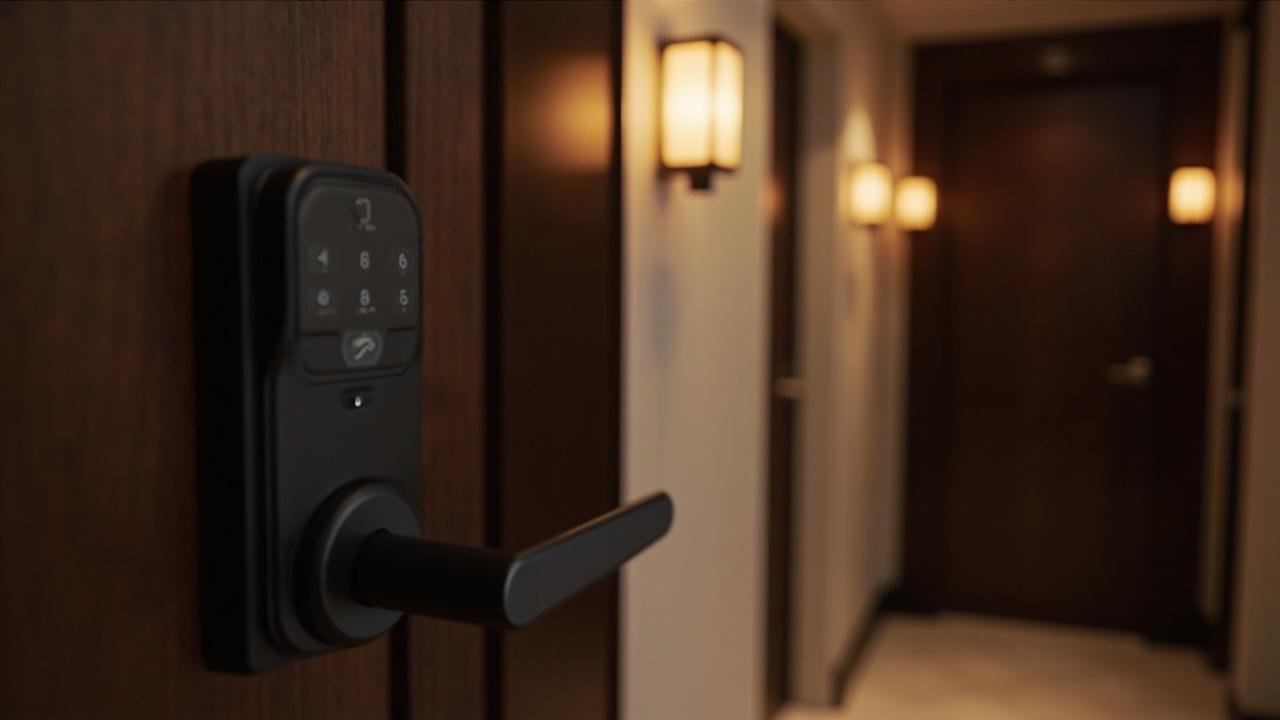
What Smart Lock Is Best for Mobile Access?
Consider a 60-unit apartment building where the manager has stopped issuing spare keys. Staff turnover runs high, tenants lose things, and every re-key is a weekend nobody wants to work. The management company asks us a question that arrives weekly in some form: which smart lock is best if everyone should just use their phone?
The short, honest answer: on this catalog, the best smart lock for mobile access is a Bluetooth model that lives inside an app ecosystem your operation can actually administer — TTLock-class or Tuya-class — and the hardware is the easier half of the decision. The real choice is the platform, because the phone never unlocks anything alone. It unlocks through an app, and the app dictates how credentials get issued, shared, and revoked across your whole fleet of doors. Among published models, multi-method units such as the SLK-8831 (fingerprint, password, card, key, and app) and the Tuya cylindrical-latch grip-to-open model represent the mobile-first end of our range; every lock listed under the bluetooth smart lock category follows the same logic. What this catalog does not offer — and this matters for anyone reading consumer reviews written around a different market — is wallet-native keying such as Apple Home Key, ultra-wideband proximity unlock, or any Matter, Thread, Zigbee, or Z-Wave integration. If your specification requires those, this is the wrong factory, and you deserve to hear that before you fill in a quote form.
The decision most buyers get backwards
Buyers compare locks. That is natural; locks are the thing on the pallet. But in mobile access, the lock is a Bluetooth radio with a motor behind it, and the difference between two competent models is small next to the difference between two app ecosystems you will live inside for five or six years of operation.
A procurement manager once asked me which of our models has "the best app." The question contained the assumption I want to dismantle in this article: that mobile access is a feature you buy, like a fingerprint reader or a brushed-steel finish. It isn't. Mobile access is an operating arrangement between a phone, an app, a cloud account, and a lock. The lock is the least replaceable-looking and most replaceable part of that chain. The app ecosystem is the part that quietly decides your daily workload: how a temp worker's access dies when their contract ends, whether a guest receives a key without anyone installing anything, whether your maintenance vendor can be scoped to one door and two hours on a Tuesday, and whether a lost phone is a three-minute phone call or a locksmith visit.
So the buying sequence flips. Step one: choose the ecosystem. Step two: choose which doors get Bluetooth models and which get something else. Step three: run a trial small enough that failure is cheap. Hardware selection comes last, and that is a genuinely different process from the way most RFPs in this category get written.
What "mobile access" actually means on this catalog
Strip away marketing language from the industry generally, and mobile access here has one concrete meaning: the phone talks to the lock over Bluetooth, through an app, and the app account structure determines who may issue that command. The catalog's documented unlocking methods include app/Bluetooth paths through three ecosystems — TTLock, Tuya, and Doodle. When a spec sheet here says "app," this is what it refers to. A staff member or resident opens the app, walks within Bluetooth range, and taps unlock. A tenant can, on ecosystem-dependent models, generate a passcode inside the app and send it to someone who does not have the app installed at all.
That is the whole promise at the door itself. Everything else people imagine when they hear "mobile access" belongs to a different industry segment, and I would rather list what is missing than let a buyer discover it during a pilot:
- No Apple Home Key or Google Wallet key. Your phone's native wallet app cannot hold a credential from this catalog. Access runs through the TTLock or Tuya app, installed and signed in.
- No ultra-wideband (UWB) "walk up and it opens" proximity behavior. Bluetooth unlock is a deliberate two-handed action: unlock the phone, open the app, tap. It is one second slower than the consumer brochures promise, every single day, forever.
- No Matter, Thread, Zigbee, or Z-Wave radio on any catalog model. If a systems integrator's smart-building standard mandates those protocols, these locks will not join that network layer.
- No vein-recognition anything, and that is a fingerprint-category topic anyway, but it keeps surfacing in RFQs copied from consumer articles, so it belongs on this list.
- Wi-Fi: unclaimed territory. The comparison of Bluetooth and Wi-Fi approaches for B2B doors covers the architecture question properly; the short version here is that this article asserts no catalog model as Wi-Fi-equipped. Whether Wi-Fi or bridge connectivity is offered for any specific SKU needs verified in writing on that model's product page before it enters your specification.
None of these absences makes the catalog wrong for a mobile-first building. They make it a different product tier — one where the credential flows through a manufacturer-adjacent app rather than through a phone operating system. For most commercial and multifamily buyers, that tier is workable, and honestly cheaper to operate than the wallet-key tier. But a facilities team that expected iPhone-Wallet behavior from reading consumer reviews will experience the pilot as a disappointment. The disappointment is avoidable. This paragraph exists to make it avoidable.
Platform choice: TTLock, Tuya, or the brand-owner road
Three ecosystems appear across this catalog's app-connected models. Their practical differences for a facility buyer are not about unlock speed — Bluetooth is Bluetooth — but about administrative shape: what the app is built to do repeatedly, at fleet scale, by non-technical staff.
| Dimension | TTLock-class models | Tuya-class models | Doodle-class models | White-label path (OEM/ODM) |
|---|---|---|---|---|
| Primary mental model | Lock-centric app: keys, eKeys, passcodes per lock | Smart-device platform: lock is one node in a broader device fleet | App ecosystem tied to specific product lines | Your brand's app, built on a licensed platform |
| Typical buyer | Property managers, landlords, rental operators | System integrators, smart-building contractors, mixed-device sites | Distributors whose range includes Doodle-ecosystem hardware | Brand owners, regional distributors with software ambitions |
| Guest/temp sharing | App-generated eKeys and shareable passcodes on supported models | Shared device access and account invitations within the Tuya app | Ecosystem-dependent; confirm per model | Whatever your licensed app implements |
| Revocation at offboarding | Remove the user or expire the key inside the app account | Same pattern, managed at platform-account level | Confirm in the app documentation | Designed by you; defined in the ODM software scope |
| Multi-brand device estates | Locks sit somewhat standalone | Locks coexist with lighting, sensors, and other Tuya devices | Narrower scope | N/A — single brand by definition |
| Who to ask what | Confirm per-SKU support on the product page | Confirm per-SKU support on the product page | Confirm per-SKU support on the product page | Scope through OEM/ODM development |
Read the table as a fit question, not a ranking. A facility group whose only ask is "the phone opens the door and we can revoke it" is served by whichever ecosystem their installed base and staff familiarity favor. A contractor who also deploys Tuya sensors, cameras, and switches across the same building gets a real consolidation benefit from standardizing Tuya-class locks; that argument collapses for a buyer who will never put another Tuya device on the site. Rental operators with heavy guest traffic lean toward whichever app handles time-boxed passcodes most gracefully in daily use, which is a question to test, not to assume.
And the third column deserves a pause. Across 79 published models, not every app-enabled lock belongs to the same ecosystem, and ecosystem coverage per SKU is exactly the kind of detail that must be confirmed on the individual product page rather than inferred from a category name. The honest procurement move is a simple table of your own: every candidate model, the ecosystem its page declares, and a checkmark only where the page actually says so.
The deepest consequence of this choice is longevity. An app ecosystem is a relationship with a company you do not contract with directly — the platform vendor, not the lock factory. Six years into a fleet, if an app's direction changes, your doors change with it. Nobody can eliminate that dependency through hardware selection. What you can do is pick the ecosystem with the largest installed base in your region, because lockstep abandonment is rarer in popular platforms, and keep your credentials, floor plans, and user lists documented outside the app wherever the app allows export.
The phone as credential: operational reality, unglamorous
Here is where I would want to be blunt with a client over a call rather than in a blog post, so consider this the call.
Battery dependence is real and survivable. A dead phone is a dead credential. Every building that goes mobile-first needs a fallback story before it needs a launch email: a mechanical key in a lockbox with a logged checkout, an RFID-capable model where the same lock supports cards, or a PIN on a keypad model. The multi-method units in this catalog — the SLK-8831 is the clearest example, carrying fingerprint, password, card, mechanical key, and app in one handle set — exist precisely because a single-credential building is a fragile building. Mobile access should be your fastest path, not your only path.
Sharing is where the phone quietly beats every other credential. A lost keycard forces a card reorder and a re-issue. A lost phone forces... usually nothing, because the person has ten other apps holding their life hostage and they will find it. Meanwhile, temporary access — the auditor for two days, the window cleaners for one morning, the new resident's cousin between move-out and lease start — costs zero physical objects to issue through an app. That asymmetry, not the tap-to-open theater, is the actual business case. Quantify it against your own keycard consumables and re-key call-outs; nobody else's numbers are worth much here.
Revocation at offboarding is the mobile promise that justifies the whole category — if you enforce it. Fire a maintenance contractor, remove them from the app account, and their access ends the moment their phone stops being invited. Compare that with the paper reality of keys: you find out which doors they had copies for during an audit, if there is ever an audit. But revocation is a process, not a feature. The app makes it cheap; nothing in the app makes it automatic. A serious buyer writes revocation into the same HR checklist that triggers the email shutdown and the badge deactivation, on the same day, because mobile access that outlives employment is the one genuinely dangerous failure mode of this category.
Account hygiene replaces key control as the security discipline. In a key-and-card world, you guard physical blanks. In an app world, you guard logins. The owner account in a lock app is the master key ring. Who holds it? Does it belong to an employee's personal email address that changes with them? Is there a second authorized administrator so a resignation cannot become a lockout? These questions feel trivial right up until the Monday a departing facilities coordinator technically controls the front door.
Where a 79-model catalog actually bends toward the phone
The catalog skews toward standalone commercial hardware: 77 smart door locks, 24 hotel locks, 18 keypad models, 9 RFID models. Mobile-friendly hardware sits at the intersections of those categories rather than in a single shelf.
The residential and light-commercial side is where app paths are most visible. The SLK-8831 five-in-one model is the catalog's clearest statement of mobile-inclusive credential strategy — app as one method among five, so the phone augments rather than replaces. The Tuya cylindrical-latch grip-to-open round-code model represents the platform-consolidation play: a lock that behaves like any other Tuya device for an integrator already living in that app. Across the Bluetooth category listing, models pair their radio with fingerprint, RFID, keypad, and mechanical key in various combinations; ecosystem per model gets confirmed at the product page, per the rule above.
The hotel side is instructive by contrast, and worth understanding before someone asks you to "add mobile keys to the hotel locks." A flagship hotel model like the SLK-9936S is documented as a standalone, record-keeping workhorse: RFID Mifare 1 at 13.56 MHz with a 0–5 cm read distance and sub-quarter-second read time, 4×AA power, battery operating cycles rated above 15,000, audit and event records of up to 1,000 entries, a 5-pin cylinder with 3-point latch, mechanical emergency access, and multilingual management software running standalone or against a centralized database, for doors 36–100 mm thick. Look at what that specification is doing: it optimizes for reliability, staff-card throughput, and an auditable record that survives network absence. A phone is nowhere in that design brief, and that is a legitimate architecture, not an oversight. Where a hotel group genuinely wants guest mobile keys — a guest-facing flow with entirely different requirements from staff Bluetooth access — the right next read is how mobile-key architecture for hotel smart locks gets assembled, because it is a systems conversation, not a product swap.
For the broader question of which credential a given door should carry — phone versus card versus fingerprint — the category-level breakdown in the mobile access guide for smart locks does the comparison justice without the editorial bias of this page.
The decision path, drawn
flowchart TD
    A["Buyer asks: phone-based entry"] --> B{"Who administers access daily?"}
    B -->|"In-house facilities staff"| C["Pick the app ecosystem\n(TTLock-class vs Tuya-class)"]
    B -->|"Contracted integrator / smart-building stack"| D["Standardize on the platform\nthe stack already uses"]
    B -->|"Brand owner selling access as a feature"| E["White-label / app customization\nconversation via OEM-ODM"]
    C --> F["Shortlist 2-3 catalog models\nconfirm ecosystem per product page"]
    D --> F
    E --> F
    F --> G["Two-door pilot:\none high-traffic staff door,\none low-risk back door"]
    G --> H{"Revocation clean?\nFallback used often?\nStaff accepted the app?"}
    H -->|"Yes on all three"| I["Fleet rollout, phased by building"]
    H -->|"Any no"| J["Keep mobile for a door subset;\nmix in keypad / RFID / multi-method models"]
The brand-owner angle: why licensing beats building
A distinct buyer reads this title with a different question behind it: not "which lock for my building" but "which app does my customers' lock live inside." For distributors and brand owners, mobile access is a software shelf, and the economics are worth stating plainly.
Building your own lock app from scratch is a development-organization decision, not a procurement decision — it implies engineers, store listings, push infrastructure, and security review forever afterward. Licensing an existing ecosystem converts all of that into a relationship with a platform whose app your locks simply join. That is the quiet reason a manufacturer's catalog is organized around TTLock, Tuya, and Doodle models: the factory does not win or lose on app development, it wins or loses on which platform's hardware compatibility and certification paths it has internalized.
For brand owners who want the app to carry their own name rather than a platform's, there is a middle road: customized app branding and firmware scope handled as an OEM/ODM project, negotiated around what the underlying platform permits — logo, store listing, onboarding flow — versus what stays platform-owned. Anyone comparing the two poles of that spectrum should understand what an app customization engagement actually involves before assuming white-label is a checkbox; the platform's boundaries are the real spec. The same logic flows into private label programs, where the app question arrives later than buyers expect and can reshape the whole package price conversation.
One caution for the brand-owner road: your customers' dependence on your app is a dependence they did not choose. When a platform ecosystem shifts, your brand absorbs the complaints even though you changed nothing. Whatever white-label arrangement you sign, read the continuity and data-export terms with the same seriousness as hardware quality clauses.
Trying before buying: a two-week, two-door pilot
Every section above is preamble to the only part of this decision that reliably prevents regret: a trial small enough to fail cheaply. Fleet-wide mobile access commitments get made in boardrooms after a demo; the demo shows the tap, and the tap is not where pilots live. A pilot tests the boring machinery — provisioning a new user, revoking one, surviving a dead battery, and getting a straight answer from whoever administers the account.
Consider an illustrative 60-unit property again. The management firm nominates one heavy-use staff entrance and one low-risk side door, one TTLock-class candidate and one Tuya-class candidate, and six volunteers: three staff who share access constantly and three who never will. Fourteen days. Nothing gets decided in the other 58 units' worth of doors until the table below says so.
| Pilot test | How to run it | Pass signal | Failure mode to watch |
|---|---|---|---|
| Issue a new user | Time it, from zero, for a real new temp | Under two minutes by a normal staff member, no vendor call | Hidden dependency on an administrator who hoards the account |
| Revoke at offboarding | Remove the test user mid-pilot, hand them the old phone | Access dies immediately, all doors | Orphaned keys the team cannot find inside the app |
| Dead-phone scenario | Volunteer shows up at door with a dead battery | Fallback path (key, PIN, card) used without a service call | Fallback exists on paper only — nobody remembers where the keybox key is |
| Sharing friction | Tenant-style user sends access to a guest | Recipient succeeds without installing anything, on supported models | Recipient actually must install and register; script breaks at step three |
| Range and daily rhythm | Log real unlock attempts for a week | Success rate staff describe as fine, at that door, on that phone population | Specific door + specific phone combination failing repeatedly — a fit problem, not an app problem |
| Record trust | Pull the event log once, compare with reality | Log matches observed usage | Log silently missing the doors people care about auditing |
Score the pilot honestly, and one outcome will surprise most buyers: the losing ecosystem is often not the worse app but the worse fit for that building's people. A property whose staff carry cheap Android phones and share one maintenance account behaves differently from an office tower of company-issued iPhones with IT-enforced app stores. The comparison of Bluetooth versus Wi-Fi door strategies for B2B buyers becomes the useful follow-up at exactly the moment a pilot team asks, reasonably, "why can't we open this door from the parking lot" — because that question is about radio architecture, and it deserves an answer that does not pretend Bluetooth reaches further than it does.
How the decision lands, buyer by buyer
Property managers and landlords. Your answer is a TTLock-class or Tuya-class Bluetooth model chosen after the two-door pilot, deployed with the SLK-8831-style multi-method logic at every door where a dead phone would create a service call. Mobile becomes the convenience credential; a physical fallback stays the load-bearing one.
System integrators. Standardize on whichever ecosystem your building stack already runs; a lock that joins the existing platform admin is worth more than a marginally better handle. Confirm per-SKU ecosystem on product pages during design, not on the forklift at delivery.
Hotel groups. Staff-side: your existing standalone RFID architecture already solves the phone question with a keycard. Guest-side: treat mobile keys as a systems project and read the hotel mobile-key article before you put a phone requirement into a lock RFQ, because they are different buildings inside the same brand.
Brand owners and distributors. The app shelf you license defines your product line more than any single model does. Run the white-label conversation early, on OEM/ODM terms, with continuity clauses read closely — then let hardware follow the platform, the way it does for everyone else in this catalog.
Procurement managers writing the RFP. Change one line in the specification. Stop writing "must support mobile access" as a lock attribute. Write "must operate within the Named app ecosystem, with documented issue, share, and revocation procedures," and watch how differently the responses read.
The uncomfortable closing thought
The best smart lock for mobile access is the one whose app you will still tolerate administering in year four. Nobody falls in love with that sentence at the kickoff meeting, but every building that deployed mobile access on hardware enthusiasm alone eventually meets it. Bluetooth at the door, an ecosystem behind it, a fallback credential beside it, and a two-week pilot under your belt — that stack of small unglamorous decisions is what "best" actually means in this category.
If that framing matches how your project thinks, put two candidate doors in front of it: request evaluation samples through the Bluetooth category listing or start the direct conversation at request a quote, and the pilot above becomes your first working document rather than an article you skimmed.