
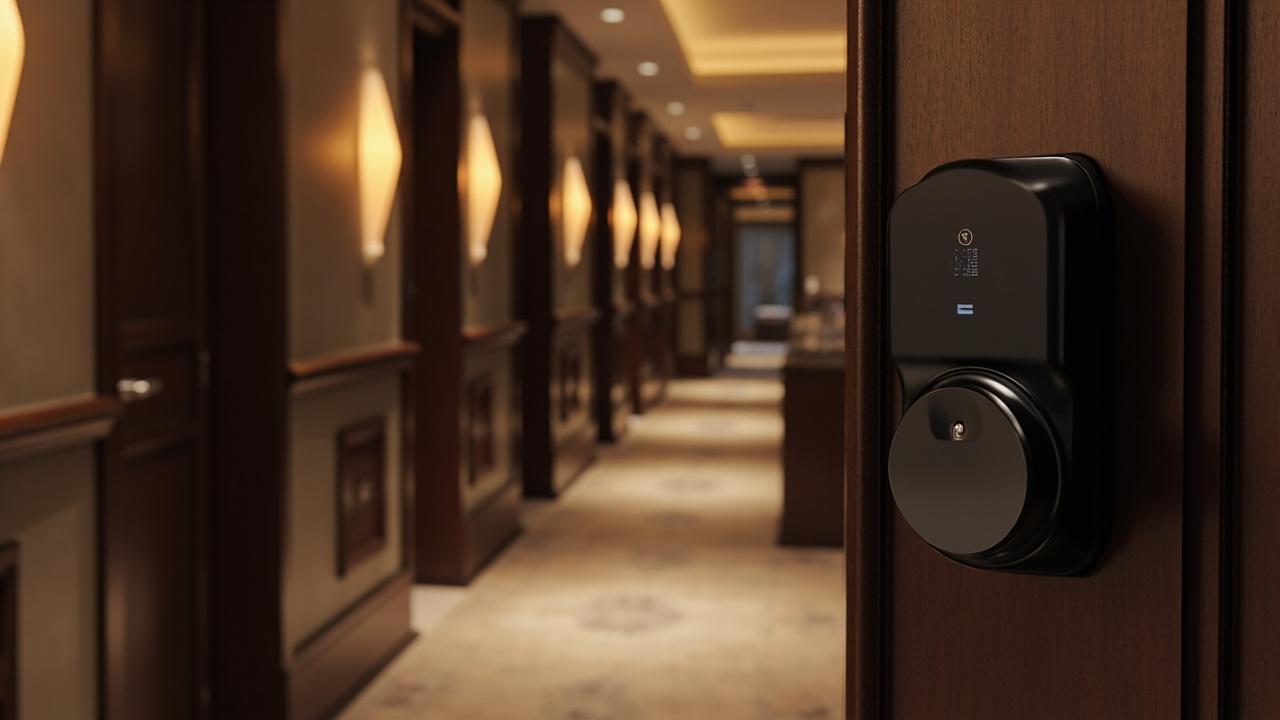
SLK-8831 RFQ Guide
An SLK-8831 RFQ is a quotation request that converts one published product name into the exact sellable variants you intend to order. The distinction matters because the SLK-8831's published identity — its product page title — commits to one thing: this is a 5-in-1 digital door lock with fingerprint, password, card, mechanical key and app access. See the 5-in-1 digital door lock with fingerprint, password, card, key and app SLK-8831. Which finish ships, what language the retail box prints in, which app ecosystem the phone leg runs on, how many cards and keys ride in each carton, what door thickness band the build fits — none of that lives in the name. All of it lives in the RFQ. Send "SLK-8831, 500 pcs" and you have not requested a quote; you have asked a factory to guess on your behalf, and guesses arrive in containers.
This page is a fill-in workbook, not an article you skim. Five SKU-class axes decide what the SLK-8831 actually becomes when it reaches your market: method detail (the mix is committed, the sub-lines are not), finish, packaging and language, app platform confirmation, and accessory quantities. You complete one worksheet per axis, assemble the answers into a SKU table, prove the filled cells at a sample gate, and send the completed sheet to the quote desk. Hotel buyers assembling a project RFQ around a published spec block have their own instruments — the SLK-9936S Hotel Project RFQ Guide and the Hotel Smart Lock RFQ Guide. This workbook is the distribution-side mirror: one base model, several orderable products, five axes to fill before anyone can price it honestly. The model's positioning, use cases and buyer questions are covered in the SLK-8831 5-in-1 Digital Door Lock: Complete Buyer Guide; here we only assemble the order.
How the workbook reads. Every table below uses three cell states: Your value is a blank only you can fill (it is commercial, not technical); EXAMPLE is a practice value showing what a filled cell looks like — invented numbers for drill purposes, never factory commitments; To verify in writing is a supplier answer you demand in writing before award. Unmarked blanks are forbidden. In RFQ correspondence, silence reads as agreement: an empty packaging row today is an English manual in a French market tomorrow.
The Committed Line and the Five Open Axes
Start with what is sanctioned, because the discipline of an RFQ is knowing which column holds promises and which holds questions. The SLK-8831 sits inside a 79-model factory catalog: 37 models carry fingerprint entry, 18 are keypad-classed, 9 are RFID-classed, and the app/Bluetooth column spans several consumer ecosystems — TTLock, Tuya, Doodle appear across the catalog. Those counts tell you the range of answers a factory can build to. They do not tell you which answer the 8831 ships with. The model name commits the method set — five legs, one lock — and nothing else.
For orientation, note what a genuinely committed spec line looks like: the factory's published hotel model SLK-9936S lists its door thickness band, its card frequency, its read distance and its power format as hard values on its product page. That is the standard of cell-fullness. The 9936S block is a filled-cell format example only — a ruler, not a source. Copying any 9936S number into an 8831 worksheet is a spec-porting error, and this workbook treats it as a veto condition. The 8831's equivalent lines come from the factory, on model-coded paper, or not at all.
The five axes below are where 8831 orders succeed or fail. Each axis gets a worksheet. Each worksheet feeds the SKU table in the assembly section.
| Axis | The question it must answer | Who holds the answer today | Output |
|---|---|---|---|
| 1 — Method mix | Are all five published legs confirmed per build, and what detail line does each leg need? | Mix: committed by name. Sub-lines: supplier | Five detail rows, filled or To verify in writing |
| 2 — Finish | Which finish codes exist for this model, and which SKU gets which? | Supplier | Finish schedule, lot rule |
| 3 — Packaging, language | Retail box or bulk carton, which manual and label languages? | You (commercial), supplier (feasibility) | Printed-matter cell per SKU |
| 4 — App platform | Which ecosystem does the app leg run on, with what radio path? | Supplier | Platform confirmation row per SKU |
| 5 — Accessory quantities | Cards, keys, batteries, templates, gateways — how many per unit and total? | You (quantities), supplier (inclusions) | Kit definition and derived totals |
Axis 1 — Method Mix: Confirm the Five, Detail Each
The mix itself is the one thing you never restate as an open question: fingerprint, password, card, key, app. Write it once, in the RFQ's identity block, exactly as the product page states it, and cite the page. Re-deriving "5-in-1" from your own channel logic (drop the app for the rental SKU, drop the card for retail) is where buyers get creative and factories get confused. If a variant with a reduced method set exists, that is a different model or a build option — ask it as a yes/no question, not as an instruction.
What Axis 1 actually requests is the detail line behind each committed leg. Every method token drags a family of dependent cells, and every cell in that family is To verify in writing for the 8831 until a model-coded datasheet says otherwise. Fill the "your requirement" column with commercial intent — what your market needs — and force the supplier to answer in the reply column. An unanswered row is a shipped assumption.
| Method leg | What is documented |
|---|---|
| Fingerprint | What the committed datasheet line must state: Sensor technology; enrollment capacity (users / admin slots); behavior on wet or dry fingers |
| Password | What the committed datasheet line must state: Code length; randomized-pad or static keypad; temporary or time-bound codes — available or not |
| Card | What the committed datasheet line must state: Radio family and frequency (the catalog is not homogeneous here); card or fob format; encoder availability; registration at factory or in field |
| Mechanical key | What the committed datasheet line must state: Cylinder type and escutcheon design; keys per unit (feeds Axis 5); keyway restock path |
| App | What the committed datasheet line must state: Resolve entirely in Axis 4 — platform, radio, gateway, app identity |
Two drill notes so the EXAMPLE column stays honest: if your reply column fills in phrases like "latest technology" or "supports common cards," reject the sheet; a datasheet line is a value with a unit, not a mood. And capacities asked here (enrollment slots, code limits) are per-model numbers the factory issues; sibling worksheets in this series — the capacity and door-fit guides for the same model — teach the arithmetic once the numbers exist. Axis 1 only captures the request.
Decision rule: the product name is the ceiling of what is committed. Every line beneath it is a row you request, and a row the factory answers with a value — or flags as unavailable.
Axis 2 — Finish: One Lock Body, Several Sellable Products
From the factory floor's perspective, finish is not cosmetic. It is a production lot, a tooling path, a MOQ boundary and a batch-consistency problem. The same lock body becomes several sellable products once your channel starts attaching appearance to price point: matte black reads as modern retail, silver or gold moves in certain hospitality-adjacent apartment markets, and your display stands should not reveal that one SKU ships in two mismatched shades. The published spec convention in this catalog, visible on the hotel line, is a "multiple finish options" line — the pattern exists; the 8831's actual finish list, codes and appearance samples do not appear in the sanctioned fact base and belong in your RFQ as To verify in writing cells, not in your marketing as promises.
| Finish worksheet cell | What a filled cell looks like | Your value |
|---|---|---|
| Available finish list for SLK-8831 | EXAMPLE: three codes offered, each named on the datasheet | your value — which you need |
| Finish naming and code system | EXAMPLE: factory code per finish, printed on carton label | — |
| Physical swatch or sample approved before order | EXAMPLE: signed swatch card returned before artwork freeze | — |
| Batch-consistency clause for reorders | EXAMPLE: same lot within one order; reorder flagged if batch shifts | — |
| MOQ or pricing split per finish | Numbers are supplier inputs — request them, do not assume them | your value: max acceptable MOQ per finish |
| Finish vs. accessory color match (handles, strike) | EXAMPLE: strike plates requested in matching finish | — |
Cells marked — have no documented value in this article’s sources; obtain the figure from the supplier’s written specification.
The MOQ row deserves care: nothing here states a minimum. Per-finish minimums are exactly the kind of number that changes with build schedules and lot availability, so it is requested as a supplier input and evaluated against your own forecast. If a finish's requested MOQ exceeds what a market can absorb, the SKU table (Axis output) drops the finish — you do not split a launch across invisible lot boundaries. Brand owners adding logos or custom colorways to the finish question have a separate instrument: the SLK-8831 OEM/ODM Guide governs those surfaces; Axis 2 here covers only what the quote desk needs to price and ship a standard finish.
Axis 3 — Packaging, Language, and Printed Matter
Packaging is the axis buyers postpone and then pay for. A lock ships retail-ready or bulk; a retail box carries art, languages, claims, barcodes; a manual carries the languages your end users actually read. Get one cell wrong and the product is legally fine but commercially dead — a French importer cannot shelf-sell a box that promises nothing in French, and a distributor cannot claim "app control in 12 languages" if the shipped manual has two. All of this is your commercial input first and a supplier feasibility answer second, which makes it the axis with the most Your value cells and the fewest excuses.
| Packaging cell | What is documented |
|---|---|
| Box type per SKU — EXAMPLE: color retail box for DIY channel; brown bulk carton for developer channel | — |
| Manual and warranty-card languages | Your requirement: your value — list every language |
| Box exterior print languages | — |
| Claims printed on packaging (method list, compatibility wording) | Your requirement: your value — must trace ed cells only |
| Label content: model code, build revision, barcode/QR | — |
| Units per inner and master carton | — |
| Who supplies artwork, who prints, who bears cost | — |
| Compatibility warning text (door types, thickness wording) | Your requirement: your value — after Axis 4/cross-axis values are confirmed |
The claims row is the trap. Packaging print is the one place where an unconfirmed spec quietly becomes a public promise, because it is expensive to re-press. If the app platform is still an open cell, the box cannot say the platform's name. If the door thickness band is unconfirmed, the compatibility warning cannot be vague — it is either written from a real value or held generic and honest. Freeze artwork only after the cells it prints from are filled; the OEM workbook calls this the no-artwork-freeze rule, and the RFQ stage is where it is enforced cheaply.
Axis 4 — App Platform: The Cheapest Cell to Get Wrong
The SLK-8831's published name commits an app leg; it does not name the app. Across this factory's catalog the answer can be TTLock, Tuya or Doodle — which ecosystem the 8831 ships under is a per-model, per-build confirmation you obtain in writing before ordering, never an assumption carried over from another product. That one cell drives more downstream cost than any other line in this workbook: which app your customers download, whether a gateway is needed for remote access (and therefore whether gateways belong in Axis 5 quantities), which languages the app interface offers in your countries, whose cloud the data crosses, and what happens on reorder when a platform's build branch shifts.
Buyers routinely learn the answer late — after retail boxes promised remote control and the shipped build is Bluetooth-only, gateway sold separately. The confirmation worksheet below is the correction. Fill the requirement column, demand the reply column, and treat any reply that circles two platforms as no reply.
| Confirmation cell | What you must pin down | Your requirement |
|---|---|---|
| Ecosystem | Which catalog platform (name one; "major platforms" is not an answer) | — |
| Radio path | Bluetooth direct only, or Wi-Fi/remote via gateway; gateway model if applicable | — |
| Remote access | Available natively, via gateway, or not at all | — |
| App-store availability in your markets | Countries/stores where the app is listed and maintained | your value — list markets |
| App interface languages | Languages offered inside the app UI | your value — list languages |
| Admin and user roles in-app | Sharing, temporary e-key or equivalent behaviors | — |
| White-label or branded-app path | If you need your own app identity, this leaves RFQ and enters the OEM register | — |
| Build revision and continuity | Platform binding recorded per build revision; reorder re-declared | — |
The revision row is the manufacturer-voice line most first-time buyers miss: a model's app binding can move when the firmware branch moves. Your RFQ should require that the platform and radio path be stated per build revision on the quote sheet itself, so a reorder six months later is compared against a dated declaration rather than a memory. Deep application behavior — pairing, admin custody, update governance — is worked elsewhere in this series; Axis 4 exists to make the RFQ unambiguous before pricing is possible.
Axis 5 — Accessory Quantities: What Travels in the Carton
A lock is never ordered alone. Cards, keys, batteries, the drilling template, the strike plate, and — post-Axis-4 — possibly gateways ride with it, and accessory quantities are the quiet arithmetic of every smart-lock program: the per-unit quote looks innocent until the true unit cost includes credentials you forgot to order and then had to air-freight mid-program. Two facts discipline this axis. First, what is in the box by default is a supplier answer (To verify in writing); second, how many you need is your commercial input, and the RFQ must carry both or neither.
| Accessory line | Included per unit? | Your quantity rule (per SKU) | Derived total |
|---|---|---|---|
| RFID cards / fobs | — | EXAMPLE: 2 per retail unit; 4 per developer unit | doors × per-door × (1 + spare rate) = total |
| Mechanical keys | To verify in writing (feeds Axis 1 key row) | EXAMPLE: 2 per unit, plus lock-block spares | units × per-unit + spares |
| Batteries (format and count) | To verify in writing — do not assume cell type | shipped-in-carton or separate shipment | units × count |
| Drilling/installation template | — | one per unit for retail; one per 10 units for trained installers | your rule |
| Strike plate / screws / through-bolts | — | spare set per N units | your rule |
| Gateway (only if Axis 4 says remote needs one) | — | EXAMPLE: 1 per 20 app-active units in assisted-living SKU | your rule |
| Encoder / card-writing tool (if field registration) | — | one per issuing location | your rule |
Two derivation habits. First, put spare rate on purpose: spares for lost cards and stripped keys are a channel cost you budget (a percentage you set), not a surprise the factory adds silently or forgets entirely. Second, keep credential-class questions honest: whether the 8831's card leg speaks the same radio family as anything else you already bought is an Axis 1 supplier reply, not an inference from the word "card" on two different datasheets. Mixed-card-fleet distributors who skip that confirmation end up with encoders that cannot write the new locks; the question costs one email row.
Cross-Axis Blanks — Door Fit, Power, Climate
Three fields cut across every SKU rather than varying between them, and the RFQ must carry them once, globally, in the identity block: the door envelope the build fits (thickness band, door material, prep standard — all To verify in writing for the 8831; the SLK-8831 Door Compatibility Guide runs the measurement program once the band is confirmed), the power arrangement (cell format and count, low-battery behavior, emergency power path — To verify in writing), and the climate envelope for your markets (temperature/humidity rating if any, UV exposure for outward-facing glass or exterior-adjacent installs). Quote pricing on a lock whose door band matches none of your doors is a refund negotiation in progress.
| Global blank | What is documented |
|---|---|
| Door thickness band | What the RFQ line demands: A range in millimeters, model-coded |
| Door material / prep compatibility | What the RFQ line demands: Which door types the build is fitted for |
| Handle orientation handling | What the RFQ line demands: Left/right coverage or reversible design stated |
| Power source | What the RFQ line demands: Cell format and count shipped |
| Low-battery and emergency entry behavior | What the RFQ line demands: Warning path and mechanical fallback, described |
| Environmental rating | What the RFQ line demands: Any stated operating range |
Mark these explicitly as project-wide cells in the quote sheet so a later SKU (say, a finish-only variant) never triggers re-answering them differently. One model, one set of global answers, dated.
Building the SKU Table
The five worksheets converge here. The SKU table is the deliverable you attach to the RFQ: one row per orderable product, every cell traceable to a filled worksheet cell or a marked supplier reply. If a cell cannot be traced back to a line you filled or confirmed, it is not a plan — it is a guess with a column heading, and guesses are what this workbook exists to evict.
| SKU code | Market / channel | Method notes | Packaging + languages | App platform (per Axis 4 reply) | Accessory kit | Spares |
|---|---|---|---|---|---|---|
| EXAMPLE-8831-A | DIY retail, market 1 | 5 legs as published | Retail box, 2 languages | — | 2 cards, 2 keys, template, cells | your rule |
| EXAMPLE-8831-B | Developer supply, market 2 | 5 legs as published | Bulk carton, 1 language + manual insert | — | 4 cards, 2 keys, installer templates per 10 | your rule |
| EXAMPLE-8831-C | Assisted-rental pilot | 5 legs; temporary-code need flagged | Bulk carton | To confirm — gateway included? | + gateways per ratio | your rule |
Three EXAMPLE rows for drill, nothing more: the codes, languages and card counts are practice values, not factory offers. Fill your own rows in ink-equivalent. The table's discipline is mechanical — a row per SKU, cells only from worksheets, and any To verify in writing still standing in a row means that row goes to the supplier as an open question list, not as an order.
What a completed SKU table changes commercially: the factory can now price variants honestly, because each row is a defined product rather than five adjectives around one model number.
Order Quantity and Spares Derivation
Quantity cells in the SKU table come out of arithmetic you should do before the quote, not during. The workbook's derivation rules, stated as bold one-liners you can apply to your own numbers:
Initial SKU quantity = realistic channel absorption over your planning window, not catalog ambition. A finish or language set that only clears through one retailer belongs in a pilot quantity, whatever your brochure plans say.
Spares = units × (service reserve rate + credential-loss rate you set), rounded to full accessory packs. The rates are yours — the RFQ's job is to make sure spare locks, spare cards and spare keys are quoted in the same pass as sellable units, because a mid-program mini-order of thirty cards carries its own freight and delay reality.
Batch identity clause: ask the factory to record build revision and finish lot per order line on the packing list. This costs nothing in the quote stage and turns a future complaint investigation from archaeology into a lookup.
Reorder rule, stated in the RFQ cover note: any re-purchase re-opens the five axes for confirmation — platform binding first — even when the SKU code is unchanged. Suppliers who accept this sentence in writing are telling you they run revision-controlled builds; the sentence is a cheap probe either way.
No quantity thresholds, prices or lead times appear here as numbers. They are supplier inputs driven by configuration — finish lot sizes, packaging print runs, accessory pack sizes and build scheduling all move them — and the only sanctioned way to get your figures is the quote flow itself, resolved at request-a-quote.
Sample Gate: Prove Every Filled Cell
Between a completed workbook and a bulk order sits one control that has saved more programs than any contract clause: the sample gate. Order samples through order-samples and score them against your filled cells. The gate does not test the lock in the abstract — it audits whether the supplier's replies match the shipped artifact, cell by cell.
| Check at sample stage | Source cell it proves | Pass / Fail / Note |
|---|---|---|
| All five published legs function: finger, code, card, key, phone | Axis 1 rows | |
| App pairs as declared; platform matches Axis 4 reply exactly | Axis 4 ecosystem + radio | |
| Remote behavior matches the reply (native / via gateway / none) | Axis 4 remote row | |
| Finish matches approved swatch under your retail lighting | Axis 2 swatch row | |
| Carton contents equal the declared kit — count cards, keys, cells, template | Axis 5 lines | |
| Battery format matches the global blank, not the sample's convenience | Cross-axis power | |
| Manual and box languages match Axis 3 exactly | Axis 3 language rows | |
| Printed claims match confirmed values only — no unconfirmed spec on the box | Axis 3 claims row | |
| Fits a representative door from your own stock, within confirmed band | Cross-axis door fit | |
| Build revision and lot markings present on unit or carton | Quantity derivation rules |
Fail any row, and the correction belongs in the workbook before the price is discussed — not in an allowance negotiated after the container is on water. The sample gate converts the RFQ from a paper exercise into a verified paper trail.
Illustrative Scenario — Three Channels, One Base Model
Consider a distributor who runs three channels off one SLK-8831 order: DIY retail shelves in a two-language market, a small apartment developer who buys in bulk cartons, and a home-improvement e-commerce site that photographs the box. Same lock, three products. Read the failure modes as a pricing sheet for this workbook.
The retail SKU's box print names an app platform that was never confirmed; the shipped build binds the other ecosystem, and returns follow the download links. The developer SKU assumed two cards per lock because the old model shipped two; this carton, per the untouched Axis 5 line, ships one, and the installer calls at midnight. The e-commerce SKU photographed a silver finish while the lot arriving after reorder was a visibly different shade of "the same" silver, because no swatch-approval or batch clause existed. Note what these three disasters share: none was a lock failure. The hardware behaved; the workbook was empty. Now run the same launch filled-in: three SKU rows, each cell traced, app platform declared per revision, kit quantities as derived totals, finish lot clause on the quote — and the same single base model becomes three defensible products with one RFQ behind them.
Pre-Send Triage — Filled, Yours to Fill, Supplier's to Confirm
Before the workbook goes out, triage every cell into three buckets. Anything sitting in the wrong bucket becomes a written question, not an assumption.
| Bucket | Contents | Rule |
|---|---|---|
| Confirmed on this page | Method mix = five published legs; catalog-level context (79 models, 37 fingerprint, 18 keypad, 9 RFID-classed; 10+ years of factory history, sells into 80+ countries) | Cite the product page; do not extend these lines |
| Yours to fill | Channel quantities, languages, per-door accessory ratios, spare rates, market list | A blank here stops the RFQ, not the supplier |
| Supplier's to verify in writing | Every spec line: capacities, card standard, finish list, door band, power, app platform and radio, included kit, MOQ/price/lead-time inputs | Each cell needs a dated, model-coded written reply |
Three questions answer most of what searchers ask about this process, stated plainly for extraction. Can you order the SLK-8831 without a finished spec sheet? Only if you accept that packaging claims, accessory kits and app behavior will be decided by someone else's defaults. Which app does the SLK-8831 use? The published name does not say; the catalog's possible answers are TTLock, Tuya and Doodle, and your binding question is an Axis 4 written confirmation. Are cards and keys included in each carton? It is a per-build supplier answer — capture it in Axis 5 before pricing, then count it at the sample gate.
Where the Completed Workbook Goes
Send the triaged workbook — identity block, five axis sheets, SKU table, sample-gate list — through the request-a-quote flow, and let the factory answer cells rather than read minds. Completed blanks are what make a quote comparable across suppliers: two factories pricing the same SKU table are offering the same product, and price differences become real information instead of apples-to-oranges noise. Follow the quote with the order-samples pass before anything bulk moves, and keep the workbook as the baseline for every reorder — the axes don't retire after the first container; revision-controlled platforms and finish lots make the re-declaration clause worth more each year you run the SKU. If you are evaluating the hotel-side equivalent of this assembly — a published spec block turned into a project RFQ — the SLK-9936S Hotel Project RFQ Guide is the parallel instrument; for the broader hotel quotation workbook, use the Hotel Smart Lock RFQ Guide. Fill the cells first. The quote is only as honest as the blanks you leave.