
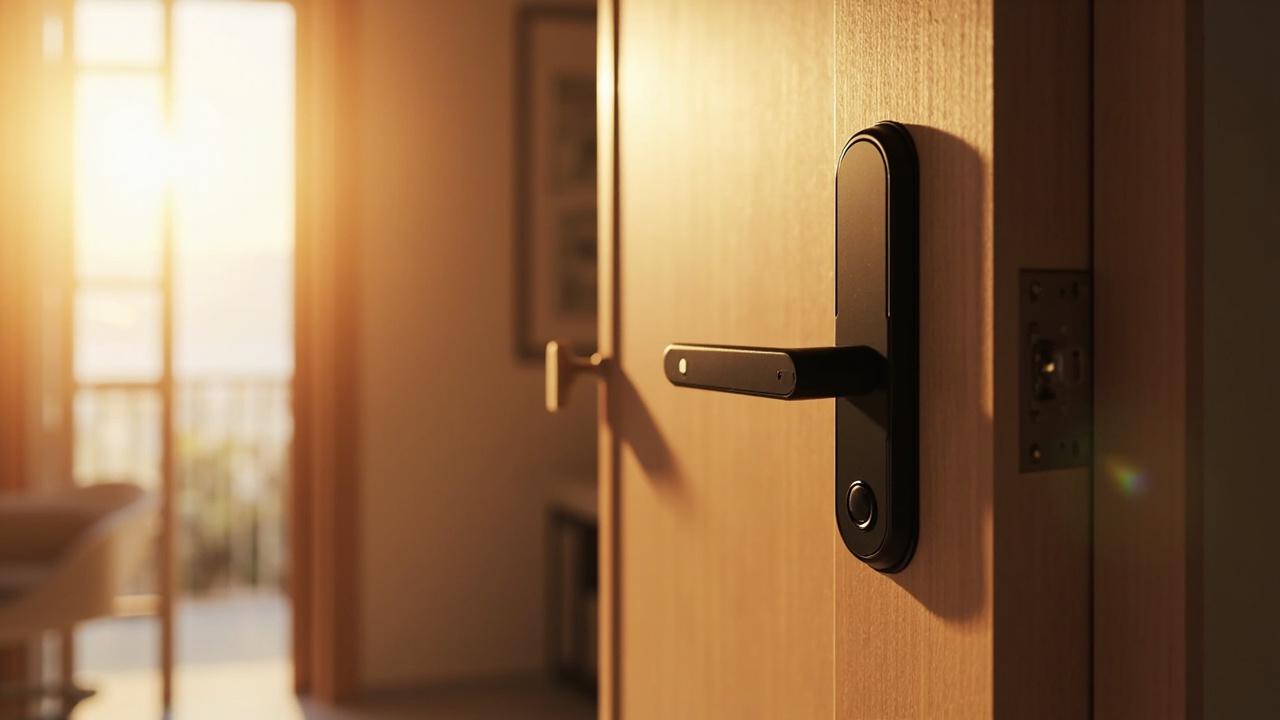
Smart Locks for Airbnb Hosts
Short answer: smart locks for Airbnb hosts are standalone electronic door locks — keypad, card, fingerprint, or app/Bluetooth models bought off a hardware catalog — that make keyless guest check-in physically possible but do nothing automatically around the booking platform. The lock does not see your reservations, does not send messages, and does not integrate with any booking service; a guest code becomes real only when a host (or a template they wrote) puts it into a message. Which parts of this story any given lock can actually do remotely is a per-product-page fact, model by model. Everything below is worked out in the form it usually gets worked out: a conversation.
This is a transcript with margin notes. Maya self-manages two condos and a casita that turn over three times a week; she arrived believing a smart lock would automate her check-ins. Owen sits on our applications desk — he answers pre-sales questions for a factory that has built smart locks for ten-plus years and sells into eighty-plus countries, which means he has a commercial interest and a honesty incentive: hosts who buy the wrong expectation churn, hosts who buy the right hardware reorder through distributors. Between their exchanges you will find annotation blocks like the one below this paragraph explaining what is really being decided at each turn. Read it as a purchase preparation dialogue, not a feature brochure.
Annotation — how to use this transcript. Each exchange starts from a question Maya actually asked, phrased the way hosts phrase it. Owen's answer is the version we would want her — and the three hundred hosts who read this after her — to repeat to themselves in a checkout moment. Where a question can only be answered from a specific product page, that is stated as a rule, not a shrug.
"I need a lock that texts my guests the code"
Maya: Let me start with what I want, because three suppliers have already pitched me past it. Two condos, one casita. Guests book on Airbnb, they arrive at various hours, my cleaner needs in between. I want a lock that sends the code to the guest automatically when they book. Keypad lock, obviously — what sends the code?
Owen: Nothing sends the code. That is the sentence, and I will spend this whole conversation unpacking it, but let me say it plainly first: no lock we make, and as far as the hardware layer goes no lock anyone makes sold like this, sends a message to your guest. The lock is a piece of metal and electronics on a door. Your guest's message comes from the booking platform's chat, which your phone or laptop talks to. There is no wire between the lock and that chat.
Maya: But I've seen listings where the code just shows up in the check-in message.
Owen: Right — that is a host, or a host's saved template, pasting a code into a message. The code showed up in the chat because somebody typed or scheduled it there. The lock's job starts one step later: the guest stands at the door and enters what the message said. Your decision is about whether the thing the message said is easy to create, hard to leak, and verifiable afterward.
Maya: So what I'm shopping for is not automation.
Owen: You are shopping for a credential system you can run from your couch in ninety seconds per turnover, on a door that keeps working when the network, your phone, or the batteries don't. Automation of the messaging is a software layer between your listing channels and your inbox — some hosts use a property-management or channel tool for that, and it can genuinely save an hour a week. But notice which side of the transaction that software lives on: the messaging side. The lock never joins it. The lock just has to behave reliably for whatever the messaging side decided to say.
Annotation — the expectation being corrected. The dominant host search intent is "automatic code delivery," and hardware vendors routinely let that misunderstanding slide into the sale. The honest decomposition: booking platforms own communication; hosts (or their software) own code generation and delivery; the lock owns one thing — accepting or refusing a credential at the door. Every later decision in this article follows from assigning those three jobs to their true owners. The Airbnb brand appears here only because that is where these readers' guests come from; nothing in this dialogue implies any partnership, endorsement, or integration between any lock and any booking platform.
What "standalone" actually buys you, and what it doesn't:
| Job in the check-in chain | Who actually does it | What the lock contributes | What the lock cannot do |
|---|---|---|---|
| Guest learns a code exists | Booking-platform messaging, sent by host or host's software template | Nothing — the lock is not connected to chat | Send, push, or trigger any message |
| Code gets created | Host, per stay, from the lock's own app or keypad (per product page), or from a code book | Provides the mechanism to add/delete codes | Read your reservation calendar |
| Code matches the stay dates | Host discipline or workflow rules | Accepts time-bounded codes on models whose page says so | Know what "this stay" means |
| Guest gets in at 11 p.m. | The lock, offline, on its own batteries | Everything — this is its whole job | Call anyone when it fails |
| Host answers "who entered?" | Event records, on models whose page documents them | Local record of reads and entries | Export or explain it without the documented read-out path |
"Can't you just integrate with Airbnb?"
Maya: Fine. But surely your app connects to the booking side. You guys make the locks — build the bridge.
Owen: We build locks. I'll tell you why the bridge isn't a firmware update. First, the honest hardware fact: standalone means standalone. The lock talks to a phone app over Bluetooth when the phone is near it, or to nothing at all beyond its own keypad — that is what "standalone" is selling you: a door that works during an internet outage, with no subscription, no hub, no cloud dependency. The moment you bolt a cloud bridge onto that, an outage becomes a lockout, and the product page's connectivity wording — if a model is app-operated, over which platform, at what range — is the only place the truth lives for each SKU.
Maya: So if some supplier tells me their lock syncs with my listing calendar—
Owen: Then they are describing software on the messaging side that somebody manually or semi-manually feeds into the lock's app, or they are overselling, or both. There are real workflows that get close to that feeling: a channel tool that watches the booking, generates a code pattern the host defined, and drops it into the check-in message — the host or a cleaner still needs the code to actually exist inside the lock, which on an app-over-Bluetooth model means a phone has been near that door and pushed it, or the code was scheduled in advance for exactly that reason. Time-boxed codes scheduled at the start of the week and left in place are the boring, robust version of "sync." Neither version is the lock talking to the platform. The lock is never talking to the platform.
Maya: That's… clarifying, in a way I didn't expect from a lock seller.
Owen: The factory has been selling into eighty-plus countries for more than a decade. The hosts who stay customers are the ones whose expectations match the box. The ones who buy a fairy tale return the box angry.
Annotation — the integration firewall. This is the exchange to reread before any purchase. Two rules to carry out of it. Rule one: no claim of lock-to-booking-platform integration should be believed, from anyone, including us; if it appears in marketing near this hardware, ask what the product page actually documents. Rule two: the "automatic check-in" hosts envy is a workflow, not a wire — codes scheduled in advance, templates that paste them, and a lock class whose credential behavior fits that rhythm. The remainder of the dialogue builds that workflow out of hardware that exists.
"Then let's build my code workflow"
Maya: OK. Three doors, up to fifteen turnovers a month between them. If I'm the automation, make me fast. What does the manual system look like when it's well-designed?
Owen: You need four decisions made once and then repeated: where codes come from, where they live before delivery, how they die, and what happens when a code leaks. Let me put the loop on paper.
| Workflow stage | Good design | Fragile design |
|---|---|---|
| Code generation | One unique code per stay, created at booking confirmation, from the lock's documented add-code path | One community code for months; or codes invented ad hoc per message |
| Code storage before delivery | Saved in the check-in message template with a placeholder; the code itself tracked in a per-door log | Codes typed fresh under arrival-time pressure, reused from memory |
| Delivery | Airbnb message plus welcome book line plus (optional) printed backup at the door | One message only, which guests "didn't see" at 1 a.m. |
| Expiry | Code deleted or rotated at checkout window, every stay, mechanically | "I'll change them seasonally" |
| Leak response | Immediate rotate that door's current code; check event record if the model keeps one | Change nothing until a review mentions a stranger on the porch |
Maya: Fifteen stays a month times three doors — the expiry row is where I'd die, honestly.
Owen: Which is why the add/delete path matters more than any feature brochure line. On a model whose product page documents per-code deletion from the app, the delete is ten seconds inside Bluetooth range. On a keypad-only model, the delete is you at the door, entering admin sequences in the dark. Same workflow table, wildly different weekly cost. That difference is not marketing; it's on the page, for the exact SKU, or it should be asked before ordering.
Maya: And unique-per-stay codes on a keypad-only lock means I visit the door to add each one?
Owen: Or you pre-schedule a batch on a Saturday and accept a small window where two valid codes exist. That's the arithmetic hosts actually run: Bluetooth-app models let you add and delete from the phone within range — some platforms' apps support scheduled validity windows, which is exactly your expiry problem solved at creation time, but "which platforms, which models, what the scheduling granularity is" is per-product-page confirmation, never a category answer. Keypad-only models solve the same problem with your feet. Both work. Only one of them works from a beach, and even that one requires the phone to be near the door at the moment the code gets pushed.
Annotation — codes as workflow, not hardware feature. Note that neither speaker treats "the lock sends the code" as a design goal; the goal is a loop a human can run reliably: generate unique → track per door → deliver redundantly → kill at checkout → rotate on leak. Hardware quality shows up inside the loop as the cost-per-turnover of the generation and expiry rows. Hosts comparing two locks are really comparing how heavy this table feels at 11 p.m. on an arrival night. Guest-side mechanics of this loop — windows, arrivals, leaks — are covered from another angle in Smart Lock Guest Access for Rentals, and the credential-by-credential shootout lives in Smart Locks for Short-Term Rentals.
"So can I change a code from my couch? — the connectivity question"
Maya: Everyone answers this differently. One seller said yes, obviously. Another said it depends. I don't know who to believe.
Owen: The one who said it depends is describing the catalog honestly. Look, our own published catalog is seventy-nine models, and connectivity is distributed across it unevenly: some are keypad-only — no app, no phone anywhere in the loop; several operate through a phone app over Bluetooth on one of three platforms — TTLock, Tuya, or Doodle depending on the model; some hotel-line models are card-based with PC-side management rather than guest-app behavior at all. Any sentence you hear that starts "smart locks can remotely…" and doesn't name a model is a sales sentence.
Maya: And even Bluetooth means what, exactly? I'm at home forty minutes away.
Owen: Bluetooth means the phone is near the door — think tens of feet, through one or two walls, not across town. So "change a code from my couch" is false on every model in this class; what is true on app-operated models is "change a code from the parking lot," or "have the code already scheduled so nobody needs to be anywhere." The remote-from-home tier — Wi-Fi bridges, cloud access — is not something I'm going to gesture at for you; if a specific product page documents a bridge or network capability, it exists for that SKU, and if the page doesn't, the working assumption is it doesn't.
Maya: What about the models where the guest uses their phone to open the door?
Owen: Same rule, one notch further. Phone-as-key workflows exist in the broader smart-lock world; check the specific product page before designing an arrival experience around them, because a guest alone in an unfamiliar city at midnight, hunting for an app handoff they were never told needs pairing, is your five a.m. phone call. For transient guests, a code in a message has one advantage no app has: zero onboarding. Enter six digits. Done.
| Connectivity tier | What it genuinely enables for a host | What it does not enable | Where the truth lives |
|---|---|---|---|
| Keypad-only (no app) | Code add/delete at the door; nothing else | Any phone involvement at all | Product page feature list |
| App over Bluetooth (TTLock / Tuya / Doodle, model-dependent) | Add, delete, sometimes scheduled-window codes from a phone in range of the door | Actions from a different location; messaging anyone | Product page: which platform, which behaviors |
| Card/hotel-line management | Staff cards, event records via the documented management path; multi-finish hardware | Guest-side phone features | Product page management wording |
| Any Wi-Fi/cloud/remote claim | — | Belief without the page saying it | If the page doesn't document it, it isn't a feature |
Cells marked — have no documented value in this article’s sources; obtain the figure from the supplier’s written specification.
Annotation — the phrase to memorize. "Within Bluetooth range" is the honest ceiling for the majority of app-operated models a host will encounter, and the phrase that converts "remote" marketing into something you can plan a Saturday around. The decision rule Owen is teaching: buy for the in-range workflow (batch-add before the week, standing admin lane, scheduled windows if the page documents them), treat any further reach as a per-SKU bonus you verified on the page before relying on it. The keypad and Bluetooth lock categories are where these tiers get sorted model by model.
"Show me a spec page that tells the truth"
Maya: You keep saying "the page says." What does a page that says things properly actually look like? Half the numbers on lock listings might as well be horoscopes.
Owen: Fair. Here's a completed one from our own hotel line — the SLK-9936S — because showing one real spec block is more useful than arguing in the abstract. This is a hotel lock, not marketed to hosts as a guest-code product; I'm using it as a format ruler.
| Published line | What it means in host language | What to demand from any page |
|---|---|---|
| Door thickness 36–100 mm | Fits most standard front doors; measure yours before loving any lock | A number, not "fits most doors" |
| RFID Mifare 1 @ 13.56 MHz; read 0–5 cm; <0.25 s | Card lane exists; tap is fast enough for gloved, laundry-loaded hands | Frequency/class and read distance |
| Power 4 × AA; >15,000 battery cycles | Ordinary cells; cycle ceiling is engineering headroom, not a battery schedule | Cell type and a cycle figure, with the schedule still yours to set |
| Audit/event records up to 1,000 | The door keeps a local memory — enough for a dispute window, not forever | Whether records exist, and roughly how deep |
| 5-pin cylinder, 3-point latch; stainless + alloy body, finishes | Mechanical competence and porch-facing looks | Hardware detail beyond the plastic front |
| Mechanical emergency access | A key path exists when electronics don't | Whether a key exists and who holds it |
| Multilingual management software; standalone or centralized database modes | A staffed-side management lane, hotel-shaped | How credentials get managed at your scale |
Maya: Now the important part: none of that is my casita's checkout workflow.
Owen: Correct, and that's the firewall. This block exists to show granularity that a product page can reach — ranges, durations, capacities, named modes. When you evaluate, say, a 5-in-1 unit like SLK-8831 or a round-code cylindrical-latch model, you copy the seven rows and demand the model's own answers from its own page. Numbers do not migrate between locks. They never have. Anyone quoting you a spec "from a similar model" is guessing.
Annotation — why a hotel lock is in a host article. The 24 hotel-line models in the catalog are staff-credential machines, and self-managing hosts are, at two or three doors, staff-credential machines too — cleaners with standing access, codes that must die, records that settle arguments. The overlap is real; the cross-application of specs is not. Read the block once as "what a truthful page looks like," then never quote it for another model. The hidden-reader variant SLK-9905A and the SLK-3108 keypad page make the same granularity available in different classes.
"My cleaner, my partner, and the code that never died"
Maya: Let's do the humans who aren't guests. My cleaner hits all three doors weekly. My partner has a code for emergencies. My HVAC contractor shows up sometimes when I'm out of town.
Owen: You just described three lanes that hosts fuse into one disaster. Guests get per-stay codes — that lane we built. Staff gets standing identities: on a card-based model that's one card per cleaner with her name on the hook; on an app model it's a code or credential that is hers, not "the cleaning code." The reason is the records lane: when a review says something went missing from the condo between checkout and cleaning, "the cleaning code" answers nothing; "Dana's card at 10:14" answers everything the record can give.
Maya: And my partner?
Owen: A registered emergency credential, however the model allows — a code, a card, a print, a mechanical key. Registered means the door's add-credential path was used deliberately, not "he memorized the guest code two weeks ago." Emergency access that is actually the leakiest standing code is the most common thing I see on host doors.
Maya: Contractor when I'm away?
Owen: Two honest options: a person who has a standing relationship with a neighbor or front-desk arrangement, or a time-boxed code scheduled before you leave if the model's page documents scheduled windows. "I'll generate something and text him" while you're mid-flight is not an option; the lock will be alone with the contractor and whichever code currently exists. This is also the moment where a narrow-edge or outdoor-class model on a side gate or a weather-exposed casita door earns its measurement-first install — exterior doors punish both electronics and assumptions.
| Person | Credential behavior to insist on | The failure this prevents |
|---|---|---|
| Guest (one stay) | Unique code, killed at checkout window | The code that outlives the booking and gets posted on a hiking forum |
| Cleaner (standing) | Named identity — her card or her code, reviewed monthly | "The cleaning code" as an unattributable swarm |
| Partner/family (emergency) | Registered on the door, known to the records story | Panic-deleting every code during an actual emergency |
| Contractor (episodic) | Scheduled window or escorted arrangement, never a shared standing code | The ex-technician economy |
| You (admin) | Whatever the page defines as admin, held deliberately | Losing the ability to add or delete at all |
Annotation — one person, one identity, at host scale. Portfolio articles preach this because forty doors make it structural; at three doors it feels optional and is exactly as load-bearing. The test Owen never says out loud but is applying to every row: after any incident, can you answer "who was in unit on Tuesday" using only the door's own records plus the lane table? If the answer requires a phone call to a cleaner, the lane is fiction.
"It's 11 p.m., the code doesn't work, and I'm asleep"
Maya: Scenario. Guest arrives, keypad is dead dark, they message me on the platform — at least that channel works — and I'm forty minutes away. What is my system now?
Owen: Your system is a ladder, and you should know its rungs before the climb, not during it. Rung one: re-verify from the message — did the code they entered match what was sent, correct one digit at a time; a surprising share of midnight escalations are autocorrect, not hardware. Rung two: is the reader responding at all — taps lighting nothing is batteries, not codes; ask the guest to try the mechanical key location if the model has one and a key is on site, which it should be. Rung three: someone nearby — cleaner on a standing lane, neighbor, lockbox-to-door distance — is genuinely remote help; Bluetooth range rules mean you are not. Rung four: the honest admission that some nights are a locksmith or a rebook, and the host who has pre-arranged neither is inventing one at midnight.
Maya: So the hardware-level prevention is…
Owen: Three things. Same-brand fresh cells on a calendar you set, not a low-battery chirp you hope to hear; the battery compartment is on the inside of a locked door, which is the design irony every host learns late. A mechanical path that actually works, tested quarterly, key held by someone with legs near the property. And event records, on models that document them: in the morning, the door can tell you whether it ever received the code, which converts "the lock is broken" into "the code was wrong" or "the batteries died Tuesday" — three different purchases.
Annotation — the contingency ladder as a purchase criterion. Notice that half of the 11 p.m. fix is bought before installation: key custody nearby, a tested mechanical path, a battery calendar, a model class whose records (per its page) can be read by the person you are. Hosts who only evaluate locks on guest-facing features are evaluating the 3 a.m.-free version of their own operations. The failure-ladder thinking extends, at portfolio scale, into Smart Locks for Airbnb Property Managers — but the single-host version decides your actual nights.
"Then tell me what to actually buy"
Maya: All of the above, compressed: I have three doors, a rhythm, and a budget shaped by you not publishing prices. What am I choosing between?
Owen: Between classes, matched to how much of the workflow you want to run from a phone in range versus your feet versus a calendar. The matrix is yours to score:
| Door situation | Class worth serious attention | Why it fits the workflow | What the page must confirm |
|---|---|---|---|
| Standard condo front door, high turnover | App-over-Bluetooth keypad model (one of the catalog platforms, model-by-model) | Per-stay codes added/deleted from the phone; scheduled windows if documented | Platform, add/delete and scheduling behavior, admin structure |
| Same door, zero-app preference | Keypad-only model | Simplest credential vocabulary; nothing to pair, nothing to grant | Code capacity, delete path, power type |
| Card-friendly, staff-heavy, dispute-prone | Hotel-line class (e.g., SLK-9936S family) | Named staff credentials, event records, mechanical path, finish options | It is a hotel product: confirm guest-code behavior fits, or accept it as a staff-door tool |
| Mixed household + hosting on one door | 5-in-1 class (e.g., SLK-8831) | Lanes for every human: print, code, card, key, app | Which lanes are real for that SKU, how admin and records behave |
| Casita exterior / weather side door | Outdoor/narrow-edge class | Survives the door that punishes assumptions | Exposure wording and, before anything, the door measurements |
Maya: And nothing on that list reads my reservations.
Owen: Nothing anywhere reads your reservations. The lock is the last, dumbest, most dependable mile of the check-in chain. Buy it for ninety-second turnover mechanics, a tested escape from its own failure modes, and a page that answers the seven-row ruler honestly. That is the whole purchase.
Annotation — where this decision goes next. Three doors become twelve the way hosts become small businesses, and the day that happens, this dialogue's rules stop scaling: the article built for that day is Smart Locks for Airbnb Property Managers; the credential-by-credential head-to-head is Smart Locks for Short-Term Rentals; the guest-side access mechanics sit in Smart Lock Guest Access for Rentals.
Maya's pre-order scorecard
Owen: Last thing. Before you order any of it — one unit to test or a set through a distributor — run your shortlist against this. Ten lines. I will be slightly embarrassed if more than two are unchecked, because you will have read this transcript.
| # | Check | Status |
|---|---|---|
| 1 | Door thickness and edge measured for every door on the list | ☐ |
| 2 | Connectivity behavior (platform, add/delete, scheduling) confirmed from that SKU's page | ☐ |
| 3 | Power type and a battery calendar that isn't "when it beeps" | ☐ |
| 4 | Mechanical or other documented emergency path exists and key custody is named | ☐ |
| 5 | Records: exist or don't, per the page; read-out path known to a person, not a rumor | ☐ |
| 6 | Lane table filled: guest / cleaner / emergency / contractor / admin | ☐ |
| 7 | Check-in template drafted with a code placeholder and a no-code fallback sentence | ☐ |
| 8 | Leak drill: how fast can today's active code die, from where you sleep? | ☐ |
| 9 | Nothing on the order form depends on the lock talking to any booking platform | ☐ |
| 10 | A sample is coming before the full set — the fit gate runs on real doors | ☐ |
Maya: Line nine is the one I'm taking to every future sales call.
Owen: Line nine is why we wrote this down instead of sending you a brochure.
Annotation — the scorecard's honest frame. Every blank on this sheet resolves to a product page or a tape measure, not a conversation with a salesperson — that is deliberate. Quantities, configurations, and all commercial figures get settled through a quote; this article states none by design, and sample routing exists so line 10 can be honest before money moves.
From dialogue to a door that behaves
The transcript ends where a good host's decision begins: Maya ordered a sample set — an app-over-Bluetooth keypad class for the two condo doors, a weather-class model for the casita — after confirming add/delete and scheduling behavior per product page, drafting the code template, and naming a key custody for each door. That is an illustrative scenario, not a promised outcome; your doors and rhythm will re-sort the matrix. The durable transfer is the sequence: correct the automation expectation, build the ninety-second workflow, verify connectivity claims SKU by SKU, buy the failure ladder before the lock, and let no purchase depend on a wire between a lock and a booking platform, because that wire does not exist.
When the shortlist is real, the next step is a sample on your actual door through Order samples — the fit gate beats any spec table — and when it's your third door becoming your twelfth, Request a quote is where quantities, mixes, and configurations stop being hypothetical and become a document.