
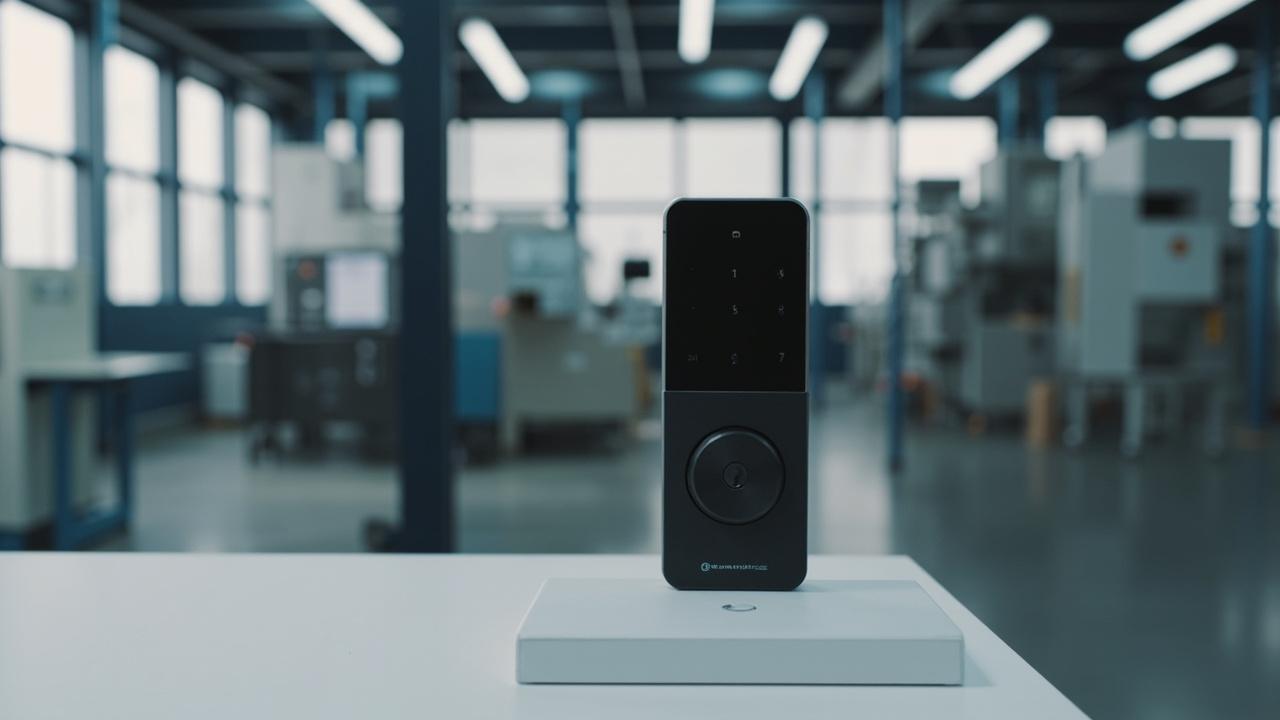
Smart Locks for Apartment Operators
Smart locks for apartment operators are the standing-operating-procedure layer that sits on top of a committed lock fleet: every move-in gets a credential ceremony, every move-out gets a takedown ceremony, every cleaning window and maintenance visit runs inside a bounded credential, every battery is on a rota, and every quarter the operator audits what the locks actually did. The hardware is the easier half. The cadence — the discipline of running the same fleet the same way every week — is the half that decides whether the lock program still works in year three or has quietly rotted into a stack of prop-open doors and shared codes taped to the back of a meter cupboard.
This playbook is written for the single-owner-operator running an apartment block on their own asset: the build-to-rent landlord, the family-holding company that owns and operates the building, the in-house facilities team at a corporate residential portfolio. It is deliberately distinct from the briefing memo for property-management companies working on other people's buildings (covered in Smart Locks for Property Management Companies, which addresses specification authority and fiduciary exposure) and from the fingerprint-only run-time cadence for single-credential locks (covered in Fingerprint Smart Lock Access Management, which is sensor-specific). This document is for a mixed-method standalone fleet — RFID, passcode, fingerprint, mechanical key, and on some doors a phone-app lane — across one operated estate, and it assumes the procurement decision is already made.
If you are still choosing locks, start at Smart Locks for Apartment Buildings: Buyer Guide. If you are a developer fitting out new build, see Smart Locks for Apartment Developers. What follows assumes you have the hardware, you have the keys, and you are running it Monday morning.
Protocol 0: Scope, Vocabulary, and the Boundaries of This Playbook
Before the cadence starts, lock the vocabulary so every later protocol is executable by a person other than you.
| Term | Working definition | Boundary for this playbook |
|---|---|---|
| Operated estate | One or more buildings owned and run by a single decision-maker, on their own asset | Not a third-party management company; that case is in Smart Locks for Property Management Companies |
| Mixed-method fleet | A lock or door group that accepts more than one credential type — passcode, RFID card, fingerprint, mechanical key, app, or a combination | Single-method estates follow the narrower cadence in Fingerprint Smart Lock Access Management |
| Credential ceremony | The sequence of steps that issues or revokes every access route for a person or role, in writing, before they touch the door | Not a hardware feature; a written house procedure |
| Standalone lock | A lock that retains its credential set and (where supported) its event history locally, with no server connection required | App-connected features (remote PIN, OTA, audit export) depend on model — check the model’s published specification |
| Cleaning / contractor window | A bounded time during which a non-resident credential is valid for a specific door group | Per window; never a standing credential |
| Battery rota | A rotation scheme that prevents surprise failures and tells you which cell was last replaced, where | Depends on the lock's cell count and access count; check the model’s published specification |
| Quarterly audit | A fixed-cadence review of credential sets, event records, custody logs, and battery state across the estate | Runs on a clock, not on an incident |
Three explicit non-goals for this document, named so you know where to go for them:
- Choosing the lock. What to buy, in which door class, is a procurement decision covered in the apartment buildings buyer guide and the developer spec linked above. This playbook assumes the fleet is committed.
- Mandate and fiduciary authority. If you run other people's assets and need to consolidate a lock standard with documented authority, the briefing memo for property-management companies is the right instrument.
- Hotel-style centralised software. Some locks on the market ship with hotel-PC software and central database modes — those are built for nightly-stay operations, not operated apartment blocks. Where this playbook touches a centralised capability, it is in the context of "depends on model, check the model’s published specification."
One honest note on platform scope. Our catalog spans 79 published models, with 37 fingerprint, 18 keypad, 9 RFID, 24 hotel-style, 6 face-recognition and 10 outdoor units among the 77 smart door locks; across the catalog the credential methods that exist today are fingerprint, passcode, RFID/IC card, mechanical key, app/Bluetooth (the TTLock / Tuya / Doodle family), remote control, 3D face on a few models, hotel PC software on hotel-class locks, camera/cat-eye on a small number of intercom models, and 4G models. Palm-vein, Matter, Zigbee, and Apple Home Key are not in this catalog; do not plan an operations cadence against capabilities that are not present in your product page. That sentence is the firewall for every protocol below: where a protocol depends on a model-specific capability, this playbook tells you to verify in writing the page rather than assume.
Why a Fleet Decays Without a Written Cadence
A standalone lock knows only the credential set currently stored inside it. Your organisation changes weekly — new tenants, leavers, role changes, contractor rotations, on-call supervisors swapping weekends. The lock changes only when a human physically interacts with it. That asymmetry is the source of every failure mode this playbook exists to prevent.
| Drift mode | What happens | Typical trigger | Consequence if unswept |
|---|---|---|---|
| Ghost credentials | A former tenant or ex-contractor retains a working code, card, fingerprint, or app permission | Tenancy ended; takedown skipped or partial | Access exists where policy says it should not |
| Orphaned access | A current tenant or staff member is denied on the day they need entry | Lock reset, battery event, slot overflow during re-enrollment, slot capacity silently reached | Complaints; prop-open doors; shadow workarounds |
| Window leakage | A contractor's bounded credential is reused outside its window | Vendor visits ran late; nobody shortened the credential | The space is no longer bounded in fact, only on paper |
| Custody rot | Nobody can say who holds the mechanical override key, the master code, or the app admin seat | Operator turnover; no key register habit | The electronic roster becomes a partial truth |
| Battery surprise | A door goes dead on a Sunday morning with no record of when its cells were last swapped | No rotation schedule; opportunistic replacement only | Reputation damage, lock-out fees, angry calls |
| Sensor degradation | Read rate falls; legitimate fingerprints denied | Oils, abrasion, weather on outdoor-class entrances | Perceived lock failure; unnecessary swap-outs |
None of these failures is dramatic on the day it happens. Each one accumulates quietly at roughly the pace of your turnover. The counterweight is not software, and it is not a vendor relationship. It is a written cadence with named owners and time budgets. Operators who run one spend, in our experience across deployments of this kind, a few hours per building per week plus a half-day per quarter. Operators who do not spend that time eventually spend a security incident instead, and the incident always costs more.
Protocol 1: The Move-In Credential Ceremony
A tenant's first 72 hours on the property decide whether the lock program helps you or haunts you. The ceremony exists to make that period boring on purpose.
MI-1. Pre-arrival pack (the day before key handover). Pull the unit's door schedule from the operator records. Confirm the lock family on the unit door is the one you think it is — model, lane set, mechanical override present, battery fresh. Build the credential pack for that specific unit, not for the tenant in the abstract. A pack for a mixed-method unit typically contains a fresh RFID card or two (issued against your pool), a unique PIN (different per tenancy, never reused), an enrolled fingerprint if the unit door and the tenant consent to biometric enrolment, an app-account invite for app-enabled models only, and one mechanical override key sealed against a key-control envelope. Which of these lanes are actually supported depends on the model on that door — check the model’s published specification before you promise a lane to a tenant.
MI-2. Identity verification at handover. Take a copy of the tenancy agreement and a government photo ID. Two-person rule is the rule. The tenant signs a one-page credential receipt that lists, line by line, every credential they receive, with serial where applicable (card number range, key envelope reference). The receipt is filed under the unit number and the tenancy start date; it is the document you will produce if the tenant later denies holding the card or claims they never received a code. Issue against a written policy, not against your memory.
MI-3. Lane-by-lane test at the door. Before the tenant leaves the unit, watch them open the door with each credential in turn. PIN: enter it twice. Card: tap it twice, including on a low-battery cell if the lock reports it. Fingerprint: enrol two non-adjacent fingers of the dominant hand with the tenant present, then read both back twice. Mechanical key: turn, withdraw, reinsert, repeat. App: confirm the tenant has accepted the invite and unlocked once with it. The tenant signs a second line on the receipt confirming each lane tested. A credential that the tenant never tested in your presence is a credential that does not yet exist for audit purposes.
MI-4. Move-in handover file. File the signed receipt, the policy the tenant received (your standard tenant access policy, in plain language, not legalese), the key-control envelope reference, and a dated photo of the lock's battery indicator at handover. The photo is not paranoia: battery state at move-in is your baseline for any later complaint about a dead door.
| Move-in step | Document produced | Filed under | Failure if skipped |
|---|---|---|---|
| Pack built | Credential receipt (draft) | Unit / tenancy file | Credential issued with no record |
| Identity check | Tenancy agreement + ID copy reference | Unit / tenancy file | Tenant later disputes identity |
| Lane-by-lane test | Receipt (countersigned) | Unit / tenancy file | "I never got a code that worked" |
| Handover photo | Battery indicator image | Unit / tenancy file | Battery complaint with no baseline |
IF-THEN rules for Protocol 1:
- IF the unit lock is biometric-capable AND the tenant declines biometric enrolment, issue the available non-biometric lanes only (PIN, card, mechanical, and app if the model supports it). Do not enrol a fingerprint under duress, and do not enrol a third party's fingerprint on someone else's behalf — biometric data carries a consent rule you cannot wave away, and the route through that rule is your own counsel plus the model's product page on storage, not on this playbook.
- IF the tenant is a re-let into the same unit within seven days, treat it as a new move-in. Wipe every lane on the unit door before issuing new credentials. Never assume "the previous tenant cleaned it out."
- IF the lock supports an app lane AND the tenant declines the app, note it on the receipt. Some app-eligible models still generate passive audit records on app presence even without active tenant use; whether that is the case for your model is a product-page question, not an assumption.
- IF the unit lock is offline-only and cannot generate per-event logs, Protocol 4 below adapts: your audit is the signed receipt plus the custody log, not a lock-side event history. Check the model’s published specification whether the model on the unit door is log-capable at all.
Protocol 2: The Move-Out Takedown Ceremony
Move-out is where operators lose the audit. The window between the tenant's last day and the next tenant's first day is exactly when ghost credentials form. The takedown ceremony exists to make that window boring on purpose.
MO-1. Pre-inspection record (T-2 days). Pull the unit file. The day before the inspection, list every credential the tenant currently holds for that unit: card numbers, PIN, fingerprint count, app account, mechanical key envelope. You should be able to do this from the move-in receipt in Protocol 1 plus any subsequent credential changes you have logged. If you cannot reproduce that list from your own file, the lock program has already drifted.
MO-2. Walk-the-door pass (T-1 day). Visit the unit. Confirm the lock's mechanical override works (turn it, withdraw, reinsert). Confirm the app account is signed out on the tenant's device if your model exposes that, or documented as out-of-scope if it does not. Open the battery compartment and read the indicator. Photograph the door and the lock.
MO-3. The takedown (T-day, before key return). Execute each lane in this order:
- Delete PIN (single-use codes expire; permanent codes are removed via the lock's reset or admin route).
- Delete or revoke RFID cards (block card serial at the lock's admin lane; do not only "stop recognising" them informally).
- Delete enrolled fingerprints (clear the biometric template, not just the "user entry"; check the model’s published specification whether the model exposes a per-finger delete or only a wipe-all).
- Sign out / revoke the app account.
- Retrieve the mechanical key envelope. If it is missing, file a missing-key incident and treat the lock cylinder as compromised until re-pinned or replaced (do not assume the next tenant will simply be issued a new PIN).
After every step, the operator performing the takedown signs the takedown sheet, and a second person countersigns. Two-person rule is the rule.
MO-4. Wipe verification (T-day). Stand at the door with each removed credential in turn and confirm denial. PIN: enter the old code, watch for denial. Card: tap the returned card, watch for denial. Fingerprint: present the old print, watch for denial. App: present the app, watch for denial. Mechanical key: this one you cannot easily test (you have just retrieved it); instead, the second person inspects the key envelope and countersigns its retrieval. A door that fails the wipe verification is escalated to Protocol 6 before the next tenant is allowed to move in.
MO-5. Unit reset state. With every lane cleared, perform the lock's admin reset only if your model's product page tells you it is the correct takedown endpoint (some locks distinguish "delete user" from "factory reset"; the latter clears admin slots too, which is almost never what you want at move-out). Photograph the wiped-state indicator, file the takedown sheet, and mark the unit "ready for re-let."
| Move-out step | Document produced | Failure if skipped |
|---|---|---|
| Pre-inspection record | Credential list reconciled to file | List of held credentials is guesswork |
| Walk-the-door pass | Battery photo, lock photo, key envelope status | Move-out baseline missing |
| Lane takedown | Takedown sheet, countersigned | Ghost credentials live |
| Wipe verification | Signed wipe-verification record | Door still opens to a removed credential |
| Unit reset state | Reset-state photo, file closed | Unit handed over with undetermined state |
IF-THEN rules for Protocol 2:
- IF the tenant leaves without returning a card or a key, treat the credential as live until you can prove it is dead. Mechanical-key cylinders on a missing-key event get re-pinned or replaced before re-let, not just re-coded. The cost of pinning a cylinder is far less than the cost of an unauthorised entry.
- IF the lock is offline-only and cannot tell you which PINs or cards are currently active, you are relying on the file, not the lock. That is acceptable — the file is your source of truth — but it must be updated in writing at the door, with a witness, before the tenant leaves.
- IF the tenant disputes that they held a credential, the move-in receipt is the answer. The absence of a move-in receipt at this point is an operational failure that started at Protocol 1, and it does not get fixed at move-out.
- IF the unit will sit vacant for more than 14 days, the cleaning/maintenance access pattern changes (Protocol 3); the unit's lock is left in a "no active tenant, controlled staff windows" state, not in a "last tenant still resident" state.
Protocol 3: Cleaning, Maintenance, and Contractor Windows
Non-resident access is the part of an apartment operation that drifts into unsentiment. The operator hands a code, a card, or a key to a cleaner, a maintenance subcontractor, or a property inspector, and the credential lives longer than the work it was signed for. The bounded-window protocol exists to make that drift impossible by making the credential time-boxed in fact, not just on paper.
CM-1. Standing vs window credentials — pick one per role. A role that visits the estate weekly or more frequently is a candidate for a standing-but-revocable credential: a card, an app account, or a fingerprint enrolled against that role's identity, reviewed quarterly. A role that visits less frequently, or for a defined scope of work, gets a window credential: a one-time PIN, a time-bounded app invite, an enrolled-but-expiring identity, or a card issued for a specific window. Which of these lanes your model supports is a product-page question; do not promise a windowed PIN to a cleaner if your model does not actually time-bound PINs. Where the model does not time-bound at all, window credentials are implemented as "issued at 09:00 on the work day, revoked at 17:00 the same day" via a manual reset performed by the on-call operator.
CM-2. Window design. Each window has four fields, written on the access-request form before the credential is issued:
- Who. Named individual, not "the cleaning crew." A card issued to "Cleaning Co." is a card issued to nobody.
- Which doors. Specific unit list, not "the building." A card that opens a building-wide corridor opens every door the role-operator did not intend to authorise.
- Which window. Start date/time and end date/time. "Open-ended until the work is done" is not a window.
- Which lane. The credential type and its expiry behaviour — time-bounded PIN, expiring app invite, expiring card, or fingerprint enrolled against that specific individual and removed at window end.
The form is filed; the second person countersigns; the window is run.
CM-3. Window expiry. At window end — to the hour, not the day after — the credential is removed by the operator standing at the door. The same two-person rule applies. A window that runs a day over is not a window that ran a day over; it is a credential that lived longer than the work it was signed for. The operator signs the window close-out on the same form, the second person countersigns, and the form is filed.
CM-4. Recurring vendor promotion. A vendor that has visited weekly for more than three months without an incident is a candidate for promotion to a standing-but-revocable credential, reviewed quarterly. Promotion is not automatic; it is a written decision on a written form, with the role-owner named, the standing credential type stated, and the quarterly review date calendared. Promotion does not exempt the vendor from re-verification — it changes the credential from a windowed model to a rostered model.
| Window field | Required content | Failure if missing |
|---|---|---|
| Who | Named individual | Credential issued to a role, not a person |
| Which doors | Specific unit list | Credential is building-wide when scope was unit-specific |
| Which window | Start and end date/time | Window is open-ended |
| Which lane | Credential type + expiry behaviour | Lane promised that the model does not time-bound |
IF-THEN rules for Protocol 3:
- IF the contractor is unaccompanied (no escort inside the building), the window is shorter — single visit, single window, named individual — and the credential is removed before the contractor leaves the building, not at end of day. "Unaccompanied cleaning in a unit" is one of the most common patterns of complaint in operated estates; it is also one of the most preventable.
- IF the cleaning or maintenance role rotates personnel (a different person every visit under the same role label), do not issue a role credential. Issue a per-visit window credential to the named individual scheduled for that day. Role credentials are for the contractor's employed staff, not for the contractor's subcontractors.
- IF the work generates a key handover (a contractor needs a mechanical key to access a riser, plant room, or meter cupboard), the key is signed out at the start of the window and signed back in at the end, on a separate key-control register, by the contractor's named individual and a building representative. Mechanical override keys are the credential that escapes the lock entirely; their custody is your responsibility, not the lock's.
- IF the model supports an expiring-app-invite lane (a credential that auto-revokes at a set time on app-connected models), this is the cleanest contractor lane for app-connected locks. Check the model’s published specification whether your model supports this; the SLK-8831 5-in-1 and related app-family models expose this lane in different ways, and you cannot read across from one model to another.
Protocol 4: The Daily and Weekly Rhythm
Cadence is not a calendar of heroics. It is a calendar of small, repeatable habits, each with a named owner, a time budget, and a check mark.
| Cadence | Owner | Action | Time budget | Document produced |
|---|---|---|---|---|
| Daily | On-call operator | Sweep yesterday's exceptions inbox (tenant complaint, contractor escalation, lock-out report) | 10 minutes | Daily exceptions log |
| Daily | Cleaning coordinator | Confirm that each in-progress cleaning or contractor window is still inside its window (start/end and credential active/expired) | 5 minutes | Window-status board |
| Weekly | Operations lead | Roster sync — changed-people list against credential sets per door group (Protocol 4 detail below) | 30 minutes per building | Weekly sync register |
| Weekly | Operations lead | Mechanical-key register audit — every key signed out is signed in, every envelope present is sealed, every missing flag is escalated | 15 minutes | Key register countersign |
| Weekly | Operations lead | Battery-rota lookahead — which doors are due for cell replacement in the next 14 days (Protocol 5 detail below) | 10 minutes | Battery-rota calendar |
| Weekly | Operations lead | One positive + one negative credential test on a random door, witnessed | 10 minutes | Spot-test record |
| Monthly | Operations lead | Sample re-verification — Protocol 4 re-verification cadence below | 90 minutes per building | Monthly sample record |
| Monthly | Operations lead | Window-ledger reconciliation — every issued window credential reconciled against the access-request forms | 45 minutes | Window ledger |
| Quarterly | Estate manager | Audit pack — Protocol 6 below | Half-day per building | Quarterly audit report |
| Annual | Estate manager | Annual cadence calendar review — which cadences ran on time, which slipped, which need to be tightened | 2 hours | Annual cadence review |
Weekly roster sync — what it actually looks like:
Pull the changed-people list from your HR system or tenancy register for the past seven days: move-outs, move-ins, role changes, contractor rotations, staff leaving or joining. Translate each entry into the door groups your access policy assigns. Walk the affected doors. For each addition, execute the move-in ceremony (Protocol 1, abbreviated — pack, lane-by-lane test, countersign). For each removal, execute the move-out takedown (Protocol 2, abbreviated — list reconciled, lane takedown, wipe verification). Batch by geography — one loop of the building, not five trips. Record each action in the sync register at the door, not at the end of the day. Close the loop by reopening the changed-people list and confirming every line is marked done or explicitly deferred with a reason. An open line for two consecutive weeks escalates automatically to Protocol 6.
Weekly key-register audit — what it actually looks like:
Every key envelope currently issued against the key-control register is checked against the key register. Keys issued to a contractor window are present and sealed. Keys issued to a building representative are in their named custody. Keys that were issued against a window that has since closed are either returned or escalated to "missing" status, in which case the relevant lock cylinder is treated as compromised until re-pinned. The register is countersigned weekly by a second person. The mechanical override key is the credential that escapes the lock's electronic record; if your register is dishonest, your electronic story is a partial truth.
Weekly battery-rota lookahead — what it actually looks like:
Cross-check the battery-rota calendar (Protocol 5). Which doors are at the 9-month mark since last cell replacement? Which are overdue? Which have already shown a low-battery indicator in the last week's exceptions log? Schedule the next 14 days of battery work. A door that has shown a low-battery indicator goes to the top of the rota, not next quarter.
Monthly re-verification — what it actually looks like:
Pick a 10% sample of doors, weighted toward higher-traffic doors. For each sampled door, perform both a positive test (a known-valid credential opens the door) and a negative test (a known-invalid credential is denied). For mixed-method doors, test at least two lanes per door. Record pass/fail. A door that fails either test goes to Protocol 6 before the next monthly run. Re-verification is not an audit; it is a calibration exercise that keeps the rest of the cadence honest.
IF-THEN rules for Protocol 4:
- IF a weekly sync misses two consecutive weeks, the operator is no longer running a cadence; the operator is improvising. Escalate to Protocol 6 immediately and freeze new credential issuance until the sync is current.
- IF the on-call operator cannot resolve a daily exception (a tenant is locked out and a code reset is needed, a contractor window has overrun, a battery has died and the operator is on-site), the operator escalates to the named second person. The on-call role is not a solo role.
- IF the model on a door does not support negative testing (some standalone models do not expose a "deny" event for a specific credential; some biometric models only "fail to recognise" rather than "deny"), the negative test is conducted with a credential you know is not enrolled (a fresh card from your pool that was never issued to that door), and the result is recorded as "credential not enrolled, presented, no opening" rather than as "denial event." Whether the model exposes a true denial event is a product-page question.
- IF a battery low indicator appears more than 30 days after the last battery replacement, a silent battery drain is occurring. Pull that lock from service for inspection. A lock that drains its cells faster than the rota expects is a faulty lock, not a busy door.
Protocol 5: The Battery Rota
The battery rota is the most underrated piece of the operator playbook. A lock that dies on a Sunday costs the most, and the rota exists to prevent that Sunday.
BR-1. Build the rota at go-live. For every lock in the fleet, record the model, the cell count (typically 4 × AA for many standalone residential locks, though cell count and chemistry vary by model — check the model’s published specification), the cell chemistry (alkaline standard, lithium optional where supported), the install date, and the date of the first cell replacement. The rota lives in a spreadsheet, not on a sticky note.
BR-2. Replacement cadence. Default cadence for a typical residential-class standalone lock on typical residential traffic is approximately every 9 to 12 months on alkaline cells. This is a planning default, not a product spec; actual cycle life depends on the model's lock-side electronics, the credential mix in use (a door that sees 60 fingerprint reads a day lives a different battery life from a door that sees 60 PIN reads), and the climate. Outdoor-class doors in cold winters, doors with high fingerprint traffic, and doors that frequently use motor-driven deadbolts will all sit below the default. App-connected models with always-on Bluetooth or Wi-Fi will sit below the default. Check the model’s published specification for your specific model.
BR-3. Rotation discipline. Replace all cells in a lock at once, not one cell at a time. Mixing old and new cells in the same lock causes the older cells to discharge first and then reverse-charge, which kills the new cells early. Date-stamp the new cells with a fine-tip marker on the cell wrapper (the visible side, not the contact side) with month and year, and log the replacement in the rota. Date-stamped cells are the rota's audit trail.
BR-4. Low-battery handling. A low-battery indicator is a same-day ticket, not a next-week ticket. Some models expose a low-battery indicator on the inside panel; some expose it only in the app lane; some do not expose it at all and fail abruptly. Check the model’s published specification what your model does. The operator's standing instruction is: when a low-battery indicator is observed, replace the cells within the week; when a lock fails on a door with active tenants, replace the cells the same day using the mechanical override to gain entry.
BR-5. Spare stock. Maintain a buffer of date-stamped cells equal to roughly 10% of the fleet's cell count, held at the operations station. A buffer of zero cells is a buffer of zero operational resilience.
| Rota column | Content | Why it matters |
|---|---|---|
| Lock ID | Model + serial + door reference | Identity, not generic |
| Cell count and chemistry | Per model, per product page | Chemistry errors kill cells |
| Install date | Date lock first commissioned | First cell replacement anchor |
| Last replacement | Date of most recent cell swap | Cadence clock |
| Cell marker | Month and year written on cells | Audit trail |
| Door traffic class | Low / medium / high (operator judgement) | Drives sub-default cadence |
| Environment | Indoor / outdoor / cold-exposure | Drives sub-default cadence |
| Next scheduled | Calculated date | Forward-looking rota |
IF-THEN rules for Protocol 5:
- IF a door fails on a Sunday and the rota predicted the failure, the rota is correct and the operator was late. Tighten the cadence, do not blame the model.
- IF a door fails well before the predicted cadence, the door has a problem (high traffic, environmental, faulty cells, faulty lock electronics). Pull the lock from service and inspect; do not just swap cells.
- IF the operator's spare-cell buffer is below 10%, reorder immediately, not at the next monthly review. Battery stockouts are preventable; do not allow them.
- IF the model supports an emergency-power fallback (a USB-C jump port, a 9V battery contact, a mechanical key override), confirm the procedure with the tenant at move-in (Protocol 1) and rehearse it annually. Tenants who do not know how to power their door in an emergency will prop it open, which is the worst possible outcome of an otherwise mechanical problem.
Protocol 6: The Quarterly Audit
The quarterly audit is the protocol that catches everything the daily, weekly, and monthly habits let through. Run it on a clock, not on an incident.
QA-1. Roster reconciliation. Pull the current roster (HR system + tenancy register + contractor roster) and reconcile to the credential sets per door group. Every person on the roster should have a credential; every credential on the lock should trace back to a person on the roster. The exception list is the audit's first deliverable.
QA-2. Event log review — capability question first. Some standalone locks keep no event history at all; some keep a small local log (a few hundred records on entry-class models); some sync to an app or to a hotel-PC-software layer where the log is centralised; some do not expose logs at all. Whether your fleet's specific lock keeps an event log, how many records it retains, and how it exports them is a product-page question, not an assumption. The audit's log section is structured around three questions you ask per model:
| Question | What it tells you | Where to find the answer |
|---|---|---|
| Does this model keep an event log? | Whether the audit can read history at all | Product page |
| How many records does it retain? | Whether the log covers the full quarter | Product page |
| How are records read out? | Whether the audit pulls records via app, PC software, manual keypad code, or not at all | Product page |
Where the model keeps no log, the audit reads the receipts instead — the move-in receipts, the takedown sheets, the contractor window forms. The audit's discipline does not change; the source of truth does.
QA-3. Mechanical-key custody register. Mechanical keys are the credential outside every locked-room electronic record. Audit the key register line by line. Every key is either in a named custody, in a sealed envelope issued against a live contractor window, or in a known-retired state. Anything else is escalated.
QA-4. Battery-rota audit. Pull the rota. Every lock in the fleet has a current "last replacement" date within the last 12 months, or an open escalation for a known drain. Doors that are not on the rota are added; doors with overdue cells are flagged for immediate replacement.
QA-5. Door-by-door sign-off. Walk a sample of doors (15% is a reasonable quarterly sample, weighted to high-traffic doors). At each door, perform a positive test, a negative test, a battery indicator check, a mechanical override check (turn, withdraw, reinsert), and a visual check of the lock body for tampering or weather damage. The door's record is countersigned at the door.
| Audit section | Document produced | Owner |
|---|---|---|
| Roster reconciliation | Roster-vs-credential exception list | Operations lead |
| Log review (or receipt review) | Log-read-out record or receipt-reconciliation record | Operations lead |
| Key custody register | Key register countersign | Operations lead + named second person |
| Battery rota audit | Rota status with overdue flags | Operations lead |
| Door-by-door sign-off | Per-door sign-off sheet | Operations lead |
QA-6. Exception table. Every finding from the audit is logged in a single exception table, with severity (STOPPER / GAP / NOTE), an owner, a deadline, and a verification step. STOPPER findings (e.g. a ghost credential confirmed at the door, a missing mechanical key, a battery on a door with active tenants that has failed) are resolved within 48 hours. GAP findings (e.g. a missed weekly sync, an overdue battery replacement on a vacant unit) are resolved within two weeks. NOTE findings (e.g. a door with a slightly worn keypad, a contractor window that ran an hour over) are resolved within the next quarter.
IF-THEN rules for Protocol 6:
- IF the roster reconcile surfaces a ghost credential confirmed at the door, the takedown is performed immediately, the tenant or contractor is notified in writing, and the lock's audit history is reviewed for any prior use of the ghost credential. A confirmed ghost credential is an incident; it is not a finding.
- IF a lock's log capability is unknown to the operator, the audit escalates it as a STOPPER. An operator running a quarterly audit on a fleet whose log capability they cannot describe is operating on faith.
- IF the audit identifies more than three STOPPER findings, the operator is no longer running the cadence; the operator is running a backlog. Escalate to the estate manager; consider freezing new move-ins until the cadence is restored.
- IF the audit identifies that mechanical-key custody has drifted (a missing key with no escalation, an unsealed envelope issued without a form), treat every cylinder that key fits as compromised and re-pin or replace before the next quarter's audit closes. The cost of pinning is the cost of certainty; the cost of not pinning is the cost of an unanswered question.
Protocol 7: Annual Cadence Review and the Standing Exceptions Register
The annual review is the protocol that prevents the cadence from ossifying into a ritual that has lost contact with the estate it is supposed to be running.
AR-1. Review the year's exception table. How many STOPPER findings did the quarterly audits surface? How many GAP findings? Were they resolved on time? Were any patterns visible — e.g. a recurring window overrun in a particular contractor, a recurring battery drain in a particular door class, a recurring weekly sync slip on a particular building? Patterns are the audit's most valuable output; isolated incidents are noise.
AR-2. Review the cadence against the actual fleet. Has the fleet changed? Has a building been added? Has a model been swapped on a door class? Has the tenant mix shifted (more long-stay, more corporate lets, more supported-living residents)? Each shift is a chance to ask whether the cadence still fits. A cadence designed for an 80-unit family block is the wrong cadence for a 200-unit build-to-rent estate with quarterly corporate lets; the cadence has to be re-fitted, not just re-run.
AR-3. Review the standing exceptions register. Some exceptions never resolve; they are accepted as the cost of running the estate. The annual review is where the operator decides which exceptions remain standing and which must be closed. A standing exception is logged with its rationale, its risk acceptance, its owner, and its review date (next year's annual review). A standing exception that is no longer reviewed is a finding waiting to be escalated.
AR-4. Refresh training. The people who run the cadence change. Tenants, contractors, and operators rotate. The annual review is where the operator runs a refresh training session for anyone who executes Protocols 1 through 6: the move-in ceremony, the takedown ceremony, the contractor window, the weekly sync, the battery rota, and the quarterly audit. A cadence that is run by people who have never been refreshed is a cadence that is one resignation away from collapse.
| Annual review section | Output | Owner |
|---|---|---|
| Exception-table review | Pattern notes | Estate manager |
| Cadence-vs-fleet fit | Cadence adjustments (add/remove/retime) | Estate manager |
| Standing exceptions register | Refreshed register with review dates | Estate manager |
| Refresh training | Training session run, attendees signed | Operations lead |
Where This Playbook Hands Off to Other Articles
This playbook is one layer of an apartment-block operations stack. The articles it does not replace, and where to go for them:
- Choosing the lock in the first place. Smart Locks for Apartment Buildings: Buyer Guide walks the door-class decision and the credential-family decision for an apartment estate.
- Procurement for a developer fitting out new build.Smart Locks for Apartment Developers covers the schedule side of the same problem from a developer angle.
- Standardising across multiple owners' buildings.Smart Locks for Property Management Companies is the memo for property-management firms that buy on behalf of clients — a fiduciary-spec-authority angle this one does not cover.
- Mixed-tenure governance in one building.Smart Locks for Multi-Family Housing is the long-form essay on owner/operator/assisted-living populations under one roof.
- Staff-area door governance. Smart Locks for Apartment Staff Areas covers the staff-domain house rules for back-of-house doors.
- Common-area doors. Smart Locks for Apartment Common Areas addresses the common-area governance questions this playbook leaves out.
- Fingerprint-only run-time cadence (sensor-specific). Fingerprint Smart Lock Access Management is the standalone-fingerprint SOP — useful where the operator is running a single-credential fleet rather than the mixed-method fleet this playbook covers.
Closing Note: The Cadence Is the Product
The lock on the door is the product the vendor sold you. The cadence on top of it is the product you are operating. A vendor cannot sell you the cadence; the cadence is yours. A lock program without a cadence decays; a cadence without a lock program has nothing to operate. This playbook is the second half — the half that decides whether the lock fleet you committed to is still doing the job in year three.
Every protocol above is a written habit with a named owner, a time budget, and a document produced. None of it is heroic; all of it is repeatable. Run it as written for one quarter, adjust the cadences to fit the actual estate, then run it as adjusted. The lock fleet will behave the way the cadence demands; the cadence will reward you with predictable operations instead of unpredictable incidents.
For sample pilots and estate-wide procurement conversations, see order samples. For estate-scale quotation and lock-program scoping, see request a quote.