
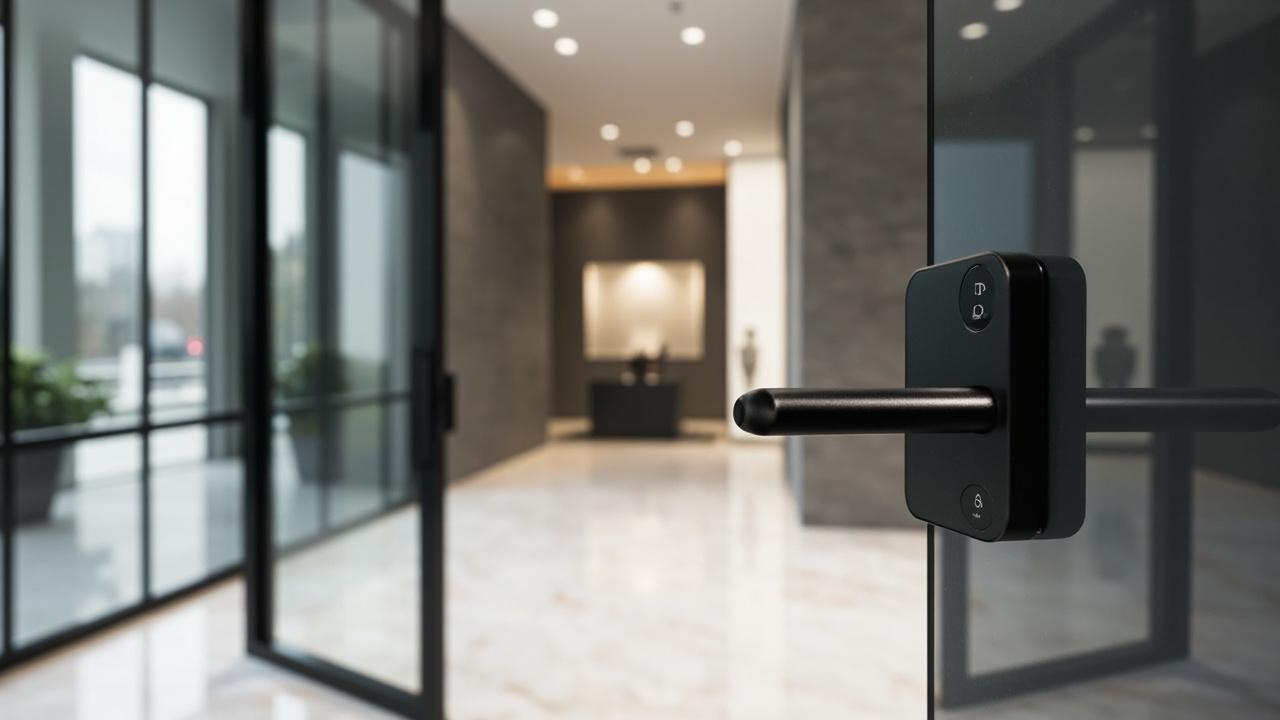
Smart Locks for Coworking Spaces
Smart locks for a 120 to 180 seat coworking operator are a room-level access-layer problem, not a main-door problem. The turnstile, the fob-to-enter-the-building reader, the visitor badge printer at reception — those are building hardware, and they are usually outside the door-lock catalog. What sits inside the lock-supplier scope is the second layer: every door on the member floor, from the studio suite at the corner to the phone booth by the kitchen to the after-hours terrace gate. This article is an editorial argument for how to think about that layer — why room-level doors are a different decision from the main door, why the trust-versus-privacy tension is sharper than it looks in a coworking setting, and why biometric friction is the single most under-priced risk in a high-turnover member population. The policy comes before the lock; the lock follows the policy.
A coworking operator at 120 to 180 seats is not running a small shared office and not running a serviced-office hotel. The churn is faster than either, the member-facing transparency expectations are higher than either, and the building envelope is usually shared with other tenants. The lock decision has to absorb all three of those pressures at once, which is why the operator who buys a hotel lock for the coworking floor, or a fingerprint lock for the phone booths, ends up re-buying within the year. The argument below is for choosing the credential class per door after you have decided the policy, not before.
For sites that have already narrowed to a biometric-led design, the sibling piece fingerprint smart locks for shared offices walks the enrollment-friction cost in detail; for the smaller fit-out next door, smart locks for shared offices is the credential-class-per-room tearoff checklist; for a property with a more residential cadence, smart locks for student apartments is the workbook counterpart.
The Access-Layer Argument: Three Layers, Three Different Owners
A coworking floor has at least three access layers, and each one belongs to a different owner with a different budget line.
The first layer is the building envelope: the front door, the lift, the turnstile or speed-gate, the visitor sign-in, the parcel drop. This layer is almost always controlled by the landlord, the property manager, or the coworking operator's head lease; the lock-supplier scope here is usually limited to the magnetic-lock bracket, the request-to-exit sensor and the reader-side pigtail. The credential lifecycle is slow, the population is one of three groups (staff, members, visitors), and the audit trail is for incident reconstruction. None of the catalog entries that drive a room-level decision — capacity per door, lane map, app platform, offline behavior — apply at this layer, because the access control lives on the BMS or the visitor-management system.
The second layer is the coworking floor itself. This is where the operator's policy actually matters. The floor entry door is a deliberate boundary: members in, the public out. From the moment a member swipes past the floor entry, every door they can still touch — the phone booth, the meeting room, the studio suite, the kitchen, the terrace, the locker bank, the printer closet — is a separate access decision with its own credential class, its own roster and its own revocation rule.
The third layer is the room-within-the-room: the studio suite at the corner, the dedicated office that one company rents inside the coworking floor, the lockable cabinet inside a meeting room. These doors are leased to sub-populations and they behave like very small shared offices inside a shared office.
The mistake operators make is to buy one lock and one credential class for the second layer and assume it scales to the third. It does not. A 120 to 180 seat floor typically runs a credential split of two to four classes across fifteen to forty doors, and the split is decided by policy, not by lock catalog.
The three layers are worth setting side by side before the argument continues, because the ownership boundary is where most scoping conversations go wrong:
| Layer | What sits inside it | Who usually owns it | What the operator actually decides |
|---|---|---|---|
| Building envelope | Front door, lift, turnstile or speed-gate, visitor sign-in, parcel drop | Landlord, property manager, or the head lease | Little — magnetic-lock bracket, request-to-exit sensor, reader-side pigtail |
| Coworking floor | Floor entry, phone booths, meeting rooms, kitchen, terrace, locker bank, printer closet | The operator's own policy | Credential class, roster and revocation rule for every member-facing door |
| Room-within-the-room | Studio suites, a company's dedicated office, a lockable cabinet inside a meeting room | Leased to sub-populations | Dedicated per-person credentials and the floor's strictest off-boarding discipline |
What the Room-Level Door Is, and What It Is Not
A room-level door in a coworking floor is not a security boundary in the way the front door is. A determined non-member can usually find another route in: a stairwell, a propped-open service door, a member who holds the door open. The room-level door's job is different. It is a policy boundary: a place where the operator's rules of who-is-allowed-when-under-what-condition are enforced and auditable. Read that sentence twice, because almost every lock purchase that goes wrong in a coworking setting is a purchase that bought a security boundary when the operator needed a policy boundary.
A security boundary is a hardened door, a monitored reader, a controller in a rack, an audit log that nobody reads. A policy boundary is a door whose roster and whose on-the-day credential state are easy to read, easy to change and easy to explain to a member standing at the door at 9:47 pm asking why their card is not working. The hardware cost difference between the two is small. The operational cost difference is enormous, and most of it is paid in member complaints and staff time.
Three properties follow from this:
- The roster is the product. The lock is the mechanism; the roster is the policy. If the operator cannot, in under thirty seconds, name every person who currently holds a credential to a given door and explain when each one was added and removed, the lock is failing at its job.
- The audit log is the receipt. Members at this scale expect to see who else has been on their floor, when a phone booth was last used, and whether a former member's credential was deleted on the day they left. The log has to be readable in those terms.
- The fallback is the contract. When the lock fails, when the Wi-Fi drops, when the credential is forgotten, the operator needs a mechanical or numeric way to admit the right person without phoning a vendor. The fallback is part of the policy, not an afterthought.
The lock choice is downstream of those three properties. They are stated as features because they are not negotiable in a member-facing environment.
Member Trust Is Earned at the Door, Not on the Website
Coworking operators sell a feeling as much as a service. The feeling is: I can walk in, sit down, leave my laptop on a sofa for ten minutes, come back, and nothing is missing, and nobody has read my screen. That feeling is built or destroyed at the door, every time a member walks through it.
A fingerprint lock at the floor entry is, in theory, the perfect door for that feeling. Every member has a unique, unforgeable credential; the lock recognizes the active roster and rejects everyone else; the audit log is unambiguous. In a 120 to 180 seat floor with annual churn above thirty percent and weekly day-pass churn above five percent, it is the wrong door. Three reasons, in order of weight:
The first reason is enrollment friction. A member enrolls on day one and expects the floor entry to work every time after. Enrollment requires a clean finger, a clean sensor, a consenting adult and a few seconds of staff or self-guided attention. Most members will tolerate it. A non-trivial minority — visitors on a day pass, members returning from a long absence, members with scarred or worn fingertips, members who washed their hands in cold water — will not. The cost of a single failed-enrollment interaction is small; the cost of a thousand failed-enrollment interactions, aggregated across a year, is a member-experience line item the operator did not budget for.
The second reason is the deletion problem. A member leaves. Their fingerprint is deleted from the system on the day they leave. In theory. In practice, deletion happens at the next roster sync, which happens at the next app refresh, which happens whenever the operator remembers. The biometric lock turns a slow deletion into a silent one: there is no card to return, no PIN to rotate, no mechanical key to collect. The window during which a former member can still open the floor door on a fingerprint that has not yet been purged is the window during which a member-facing operator is exposed to a complaint they cannot answer honestly.
The third reason is the consent asymmetry. A member consents to a fingerprint on day one because the operator asks. The member does not consent on day ninety, day three hundred, day seven hundred, when the same fingerprint template is being held against a roster that is now five churns removed from the one they signed. Operators who treat biometric enrollment as a one-time event discover, in some jurisdictions, that the regulatory frame treats it as an ongoing data-custody obligation. The operator does not need to read the relevant privacy statute to know this is the right way to think about it.
None of these three reasons is an argument against biometric locks on the coworking floor. They are an argument against biometric locks at the floor entry door. The phone booth, the meeting room, the staff-only supply room — those are reasonable places for a biometric, because the roster is small, the consent conversation is contained and the deletion discipline is easier to enforce. The floor entry is not. The floor entry wants a credential whose deletion is a one-line action, whose issuance is anonymous, and whose failure mode is a staff member handing out a new one. That credential is, more often than not, a PIN or a card.
The Trust-versus-Privacy Tradeoff, Spelled Out
Operators conflate trust and privacy because they sound like the same word. They are not. Trust is the member's confidence that the door admits the right people. Privacy is the member's confidence that the door does not record more than is needed. A lock that records a member's fingerprint at the floor entry is high-trust and low-privacy: the door admits exactly the right person and records exactly which finger touched the sensor. A lock that records a numeric PIN at the floor entry is medium-trust and high-privacy: the door admits anyone who knows the PIN and records a string of digits that cannot be reverse-linked to a fingerprint template.
The coworking operator's job is to choose a credential class per door such that the trust level matches the trust actual needs and the privacy level is not lower than the privacy level the membership contract implies.
A studio suite door inside the coworking floor — a door leased to a single company for a year — wants high trust and medium privacy: the credential is a per-person roster because the suite is shared by a small group and the operator wants to know who came in. A phone booth wants high privacy: the credential is single-use or single-occupant, and the audit log should not be attributable to a person. A meeting room door is medium trust and high privacy: the credential is a booking-bound token, the audit log is a usage log, and the operator should not be able to tell which human entered the room by reading the log alone. The kitchen and terrace are different again: they are amenities, the credential is a member-tier question, and the privacy question is whether a member's usage pattern is visible to the operator at a granularity that the member did not sign up for.
The point is that the trust-versus-privacy tradeoff is per door, not per building. The same operator can run a low-privacy credential at the suite door and a high-privacy credential at the phone booth, and the policy is consistent because the doors are different. The mistake is to apply a single trust profile to every door on the floor, which forces the operator either to over-record at the suite or to under-record at the entry.
Biometric Friction in High-Turnover Environments, Honestly
The biometric-friction argument deserves a paragraph of its own, because it is the line item that operators under-price most often.
A biometric lock on a door that sees two hundred entries a day in a coworking setting is asked to read two hundred prints per door per day, in conditions that include wet hands, dry hands, lotion, paint from a craft night, bandaids, small children visiting, gloves in winter, and the long tail of guests and tour groups. The vendor-stated read time and read success rate apply to a controlled environment. The operator's environment is not controlled.
The honest list of biometric-friction costs at this scale:
- Worn and scarred prints. Members in coworking spaces are working hands. Musicians, hairstylists who rent chairs, woodworkers, kitchen tenants, gym coaches — all of them touch the sensor with prints that the market-rate sensor was not designed for. The sensor fails. The member retries. The retry rate matters more than the first-attempt success rate.
- Dry and lotion-coated prints. Coworking floors have lotion at the reception desk. Members use it. The print is unreadable for the next ten minutes. The floor entry jams. The staff hands out a bypass. The bypass is a PIN. The PIN is the real credential; the biometric is decoration.
- Children and visitors. A member brings a child to a Saturday work session. The child's finger is too small or too moist. The lock fails. The member is frustrated. The staff hands out a guest credential. The guest credential is, again, a PIN.
- Long absences. A member is away for six weeks. Their fingerprint template was captured when the member was twenty-eight. The template ages with the print; the sensor degrades with the door; the door is a year older the next time the member returns. The match is at the bottom of the threshold. The door rejects. The member concludes the floor is unwelcoming.
- Hygiene objectors. A small but vocal minority of members object to touching a sensor that two hundred other members have touched. The objection is principled; the operator cannot dismiss it. The cost of admitting the objection — a parallel credential lane — is small. The cost of ignoring it is a complaint and a refund.
None of these costs is disqualifying. They are aggregated costs. A floor with three phone-booth doors running on biometric at two hundred entries a day is paying a friction tax the operator can model. A floor entry door running on biometric at two thousand entries a day is paying a friction tax that exceeds the labor cost of the front-desk staff who hand out PINs in the first place.
The honest verdict is that biometric locks belong at doors with small, consenting, stable rosters and modest daily traffic. The floor entry of a 120 to 180 seat coworking space is none of those three things.
The Credential Class Per Door, Spelled Out
The argument above resolves to a per-door credential-class table. The class is chosen after the policy is decided, not before. Two tables are the budget for this article; this is the second and only the second.
| Door class on a coworking floor | Default credential class | Acceptable alternative | Why this default |
|---|---|---|---|
| Floor entry (member-facing) | Rotating PIN, posted or app-bound, rotated monthly | RFID card tied to active member roster | Deletion is one line; issuance is anonymous; failure mode is a staff-handled bypass. |
| Studio suite (leased to a company) | RFID card or smartphone app, member-bound | PIN with member-bound expiry as fallback | The roster is small and the offboarding discipline is the highest on the floor. |
| Phone booth | Single-occupant app lock or single-use PIN | RFID with check-in / check-out booking tie-in | Privacy is the primary value; the log should not be attributable to a person. |
| Meeting room | Smartphone app + PIN dual | RFID with calendar integration | Visitors the host brings must be admitted; neither single-credential lane is acceptable alone. |
| Kitchen and amenity doors | Member-tier-bound RFID or PIN | App-based tier check | Amenities are member-tier questions, not member-identity questions. |
| Terrace and outdoor amenity | PIN with time-of-day rule | RFID with member roster and day-pass list | The privacy question is whether usage is visible at a granularity the member did not sign up for. |
| Back-of-house and plant | PIN, narrow roster, no member access | Mechanical key, separately keyed | Member-facing trust surface is not on these doors; they are operational. |
| Locker bank | App-bound PIN per locker | RFID card per locker | The credential is the locker, not the user; issuance is per-locker, not per-person. |
Two design rules are stated rather than declared. First, no door on the member-facing floor is biometric-primary. Biometric at this scale is a secondary lane on the suite door, not a primary lane on the floor entry. Second, the floor entry and the phone booth are opposite ends of the trust-versus-privacy tradeoff and should never run the same credential class.
The Offboarding Discipline That Beats the Lock
A coworking operator's worst access incidents are not break-ins. They are former members whose credential was not deleted on the day they left, who come back to use the espresso machine or to pick up a parcel they forgot, and who walk in because the door does not know they left. The lock did not fail. The roster did. The incident is a complaint and, in some jurisdictions, a privacy reportable.
The offboarding discipline is not a lock feature; it is an operational rule. The rule has three clauses:
- Same-day deletion. The roster entry is deleted on the day the membership ends, not at the next billing cycle, not at the next app refresh. A PIN is rotated; a card is blocked in the system; an app-bound credential is revoked. The deletion is logged with the date, the operator's initials and the reason code.
- Post-deletion negative test. Within seven days of the deletion, the operator runs a negative test: the former member's credential is presented to the door and the door must reject. The test result is logged. If the door accepts, the deletion was incomplete; the operator re-runs the deletion; the test is re-run.
- Reconciliation sweep. At the end of each month, the operator reconciles the active-member roster against the active-credential roster. The two should be identical. The diff is the operator's queue of offboarding work that did not happen on the day it should have.
Unfold those three clauses as the life of a single credential and the discipline becomes a closed loop with exactly one exit — a rejected negative test:
stateDiagram-v2
    Active: member holds a live credential to the door
    Active --> DeletionInstructed: membership ends · same-day deletion rule fires
    DeletionInstructed --> NegativeTest: credential presented to the door within seven days
    NegativeTest --> Purged: door rejects · result logged with date and initials
    NegativeTest --> DeletionInstructed: door accepts · deletion was incomplete · re-run and re-test
    Purged --> MonthlyReconciliation: roster diffed against active-credential list
    MonthlyReconciliation --> DeletionInstructed: diff surfaces a straggler · offboarding work re-enters the queue
    Purged --> [*]: former member holds nothing the door still honours
The lock is incidental to this discipline. A PIN-based floor entry makes the discipline easy: rotating the PIN once a month retires every former member's credential in one step. A card-based floor entry makes it slightly harder: each card is blocked individually, and the reconciliation sweep has to catch every straggler. A biometric floor entry makes it hard: each print is deleted individually, the operator cannot rotate the credential, and the reconciliation sweep depends on the vendor's app behaving correctly on the day the sweep runs.
This is the second reason the floor entry should not be biometric-primary. The discipline is easier on a credential the operator can rotate.
The Member-Facing Transparency Layer
Members at this scale expect a small amount of access transparency. The expectations are not the same as a corporate office's compliance requirements; they are softer, but they are real.
- Who else is on the floor right now. Most members do not ask this out loud, but they expect it to be knowable. The operator who can answer "the floor has fourteen members on it right now" without showing names is operating a trustworthy system. The operator who cannot answer is operating a system the member does not trust.
- Who used the phone booth at 3 pm yesterday. The member who reports an incident in the phone booth expects the operator to be able to read the usage log. The operator who can read a single-use PIN's timestamp without identifying the human is operating a privacy-respecting system.
- Whether a former member was deleted on the day they left. Members do not ask this; the operator who can answer it on demand is operating a defensible system. The operator who has to check the vendor's app and then comes back with "we think so" is operating a complaint-waiting-to-happen.
The lock supports the transparency layer when the credential class is rotatable, per-event-attributable and deletion-disciplined. A PIN supports all three. A card supports all three. A biometric supports the first two and undermines the third, because deletion is invisible.
A Walk Through an Illustrative 150-Seat Floor
Consider a 150-seat coworking operator called Holloway Lane Works, on a single floor of a converted warehouse, with the following door schedule:
- One floor entry door (member-facing, off the lift).
- Three studio suites, leased to three companies of eight, ten and twelve staff respectively.
- Six phone booths, single-occupant.
- Eight meeting rooms, varying sizes.
- One shared kitchen.
- One terrace door.
- One mail and parcel room.
- One printer and supply closet.
- One back-of-house and plant door, separately keyed, member access denied.
- Twelve member lockers, in two banks of six.
The floor entry runs on a rotating PIN, posted monthly in the member app, with a card-bound alternative for members who request it. The studio suites run on member-bound RFID cards, one roster per suite, offboarding run on the day each staff member leaves. The phone booths run on single-use PINs generated by the booking app, valid for the booking window only. The meeting rooms run on a smartphone-app + PIN dual, the app tied to the booking calendar. The kitchen and terrace run on member-tier-bound RFID, day-pass members excluded from the terrace after 6 pm. The mail and parcel room runs on the same floor-entry PIN, the door is the same door. The printer closet runs on a staff-only PIN, narrow roster. The back-of-house and plant door is mechanical, separately keyed, no smart credential at all. The locker bank runs on app-bound per-locker PINs, rotated quarterly.
The argument above resolves to that schedule. None of the per-door credential classes is exotic; some are inframarginal. The platform underneath them is one of three: TTLock, Tuya or Doodle, each of which supports the per-door class split the table requires. Per-model capability lines — credential capacity per door, lane map, app compatibility, offline behavior, battery format, door-thickness fit — are held back to the product page. The schedule is the policy; the catalog is the supplier.
Holloway Lane Works is illustrative. It is not a customer story, and no numbers in this paragraph should be read as performance data.
What to Ask the Manufacturer Before You Order
The argument above leaves a handful of decisions that the operator cannot make from a brochure. The questions for the manufacturer are:
- For each door class in the table, which models in your catalog support a credential lane that matches the chosen class, and where can I confirm the per-model capacity on the product page?
- For the floor entry PIN lane, how is the PIN rotated, and does rotation retire every active credential in one step or does it retire each credential individually?
- For the offboarding discipline, what is the on-device behavior of a deleted credential — is the deletion effective at the door the next time the door is presented with the credential, or only at the next sync?
- For the audit log, what is the event-record depth per door, and is the log exportable in a form the operator can hand to a member who asks for a privacy-relevant read?
- For the platform choice, which of the apps in the catalog (TTLock, Tuya, Doodle) supports the per-door credential-class split the table requires, and where is that documented on the product page?
Every answer is held back to the product page or to a written datasheet. The questions are the operator's; the answers are the manufacturer's.
Where This Article Stops
The argument above is for the policy. The lock follows the policy. The operator who decides the policy first, walks the floor with the table above, signs each row with a chosen credential class, and only then asks the manufacturer which models fit the rows, will buy a system that survives the first churn cycle. The operator who buys a fingerprint lock for the floor entry because the brochure says it is modern will re-buy within the year, and the re-buy will not be because the lock failed. It will be because the lock was the wrong credential class for a door that needed a policy boundary, not a security boundary.
For sites ready to put the policy into a procurement packet, smart lock procurement for office buildings carries the paperwork discipline; for a building-wide scope-split that the floor entry sits inside, smart locks for large office buildings is the door-population reference. For a sample order to test the chosen credential class against an actual door before the rollout, request samples is the next step; for a quote on the chosen model mix per door, the request a quote page is the supplier-side counterpart.