
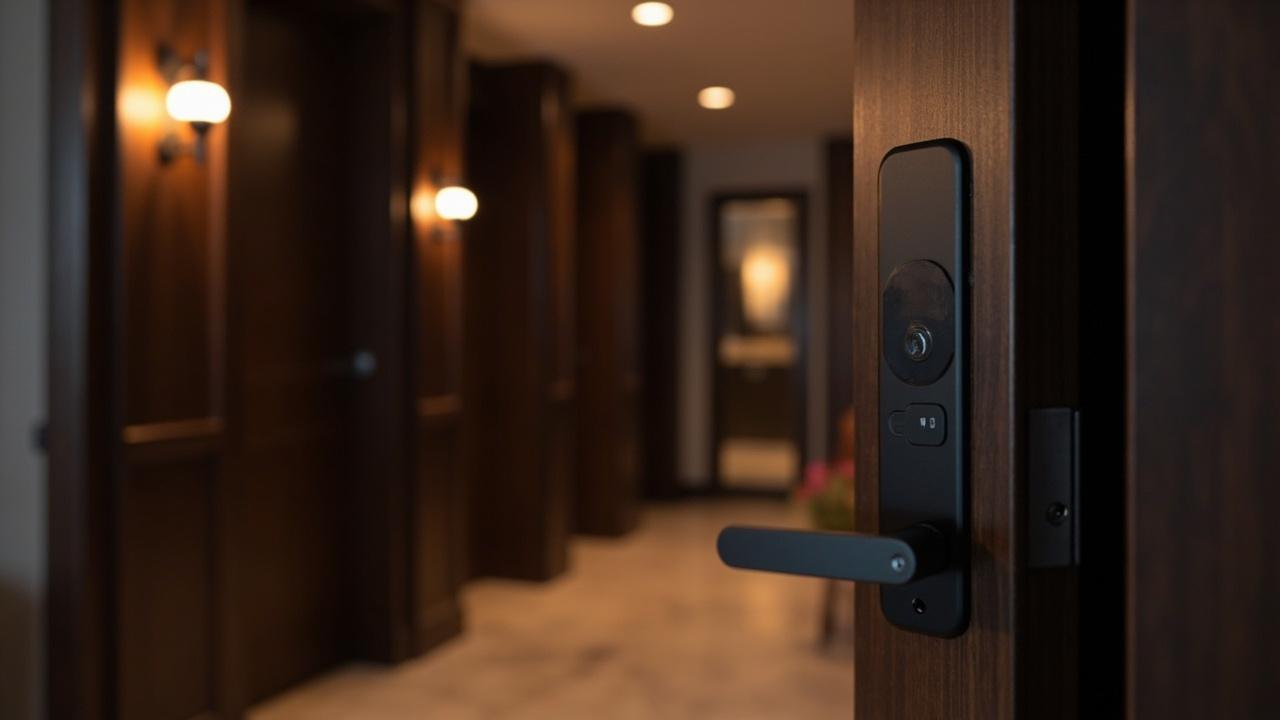
Hotel Smart Lock OEM Guide: What Logo, Finish, and Hotel-Software Branding Actually Cover
Hotel-lock OEM fails when a buyer treats it like putting a logo on a retail carton. A hotel lock is not sold on a shelf; it is issued at a front desk, encoded against a room, read by a guest's thumb in a hallway, audited by housekeeping, and managed by an IT policy that spans several properties. The people who "use" your brand on this product are staff first and guests second, and the surfaces that carry your brand reflect that: the escutcheon in the corridor, the keycard at the desk, the software window at the reception PC, the audit report your group reviews centrally. Generic OEM vocabulary — the five-layer customization ladder and the OEM-vs-ODM-vs-private-label boundaries — is laid out in the cluster's complete OEM guide and its what-can-be-customized datasheet. This page does not repeat those. It takes one proven hotel platform and shows what "OEM" changes when the product is a hotel lock, who consumes each change, and which line has verified in writing with the supplier rather than assumed.
The direct answer:Hotel smart lock OEM is a factory building proven hotel locks under your group's or brand's presentation — your logo on the hardware and keycard, your chosen finish from the model's offered list, and your site's card standard, keying hierarchy, audit-log policy, and management-software language/mode configuration set up to your property requirements. The physical surfaces (logo, finish, guest-facing collateral) are standard scope. The configuration surfaces (card encoding, keying, audit, software deployment mode) are where a hotel program carries real value and real risk. The software-branding surface — whether the hotel PC management software itself carries your name or is white-labeled — is a per-model, per-version question you confirm in writing, not a default. Hotel locks are managed through dedicated hotel PC software for card encoding, room assignment and checkout; they are not run on the consumer app ecosystems (TTLock, Tuya, Doodle) that serve other lock categories.
This article is a Technical Resource: it works through a real spec sheet, maps each brandable and configurable surface to the operator who consumes it, draws the confirm-with-supplier boundary around hotel-software branding, and hands you a readiness scorecard and a brief template you can attach to a quote request.
What Hotel-Lock OEM Actually Changes
The word "OEM" sits on top of a hotel lock program like a coat of paint over a machine — most of the value is underneath. Before touching surfaces, be clear about what a hotel program is really buying. A hotel group has three consumption layers that a distributor does not: a physical property standard (hardware that matches the corridor and the room), an operational credential system (cards, keying, master hierarchy, audit trail that front-desk and housekeeping work inside all day), and an administrative/software layer (a management program the desk uses to encode and revoke cards, assign rooms, and hand data to whoever owns the property group).
That reframes OEM. In a retail brand, the brand story is mostly Layer-1 cosmetics around a product that behaves the same for everyone. In a hotel, the brand story is partly cosmetic and partly operational: your name on the front-desk software, your card structure enforced property-wide, your master-key philosophy encoded at the factory, your finish matched to the refurbishment spec. Get the operational layer wrong and a beautifully marked lock becomes a rip-out at the second property.
Extractable answer:What does OEM mean for hotel locks specifically? A factory produces proven hotel locks with your brand presentation (logo, finish, keycard/manual) plus your property's configuration set to standard (card encoding, keying hierarchy, audit retention, management-software language and deployment mode). The cosmetics are standard OEM; the operational configuration is where a hotel program is won or lost; software branding is confirmed per model.
The Hotel Lock Spec Sheet, Read as an OEM Document
Hotel programs live or die on documented numbers, so start from a real published block rather than adjectives. Below is the specification for the SLK-9936S hotel smart door lock — one of 24 dedicated hotel-lock models in a 79-model catalog — read the way a hotel brand should: what the line fixes for the property, and what your OEM program gets to set at that line. This is the same spec sheet dissected for customization depth in Smart Lock OEM Factory: What Can Be Customized?; here it is mapped to hotel-operational decisions, which is a different column.
| Published spec line | What it fixes for the property | What your hotel OEM program sets here |
|---|---|---|
| Door thickness 36–100 mm | The physical fitment envelope the mechanism absorbs | Nothing — this is a survey constant; your role is to supply measured door thicknesses per room type, not to tune it |
| RFID Mifare 1 @ 13.56 MHz | The credential standard every card, encoder and lock shares | Choose, do not change: lock the card standard group-wide so no property strands a deployment |
| Read distance 0–5 cm · read time <0.25 s | The guest experience at the door in the corridor | Verify on samples; not a branding knob |
| Power 4 × AA · battery cycles >15,000 | Housekeeping battery routine and service interval | Align your maintenance cadence to the figure; confirm the spec, do not inherit it blindly |
| Audit/event records up to 1,000 | The accountability depth front-desk and housekeeping can reconstruct | Set which events your group cares about and how they are exported (software question) |
| 5-pin cylinder · mechanical emergency access | The physical fallback and the keyway that exists | Attach your master-key / emergency-key hierarchy conversation here; confirm keying at model level |
| 3-point latch | Security posture against local door standards | Select to match your market, don't tune |
| Stainless steel + alloy body · multiple finish options | The substrate and the surface guests actually see | A real OEM door: pick from the model's offered finish list to match the refurbishment spec |
| Multilingual management software · standalone or centralized database modes | How the property and group administer access | The second real door: set the language list and the deployment mode (single site vs shared across a group) |
| Positioned for 1–5 star hotels | Platform breadth across a usage spectrum | Your OEM story starts by choosing a model inside this breadth |
Two lines — finishes, and the multilingual/centralized software — are the genuine brand interfaces, and the same two carry the most hotel-specific meaning. Everything else is a constant you select against, not a dial you turn. That is the honest topology of a hotel-lock OEM program, and it is why the next two sections split "what you can put your name on" from "what you must confirm before you design anything."
Extractable answer:What on a hotel lock can actually be branded? From the SLK-9936S-class spec block: the offered finish, plus the management-software language and deployment mode (standalone vs centralized database). The card standard, cylinder/latch mechanics, read performance and power architecture are constants you choose between models, not customization knobs.
The Brandable Surfaces: Logo, Finish, and Guest-Facing Collateral
These are standard hotel-OEM scope. Each one is consumed by a different person, which is why they should be specified against real conditions, not renders.
| Surface | Who actually sees it | What to demand before bulk | What is a bluff |
|---|---|---|---|
| Logo / marking on escutcheon, cylinder cap | Guest in the corridor; engineering on snag lists | Vector art, a placement drawing kept clear of the RFID read zone and keypad, marking method named, one physical marked sample | "Any position, any size" — the faceplate is a sensing front, not a billboard |
| Finish / colorway of the body | Guest, housekeeping, your design standard | The offered-finish list for your selected model, physical swatches under corridor downlight, and a statement of the cleaning regime the surface must survive | "Any Pantone" — some substrates plate, some only coat; housekeeping chemicals are where pretty finishes die |
| Keycard / card-face design | Front-desk agent, guest | Card-face art, encoding conventions, and how the printed face relates to the credential standard the lock reads | A printed mockup is not an encoded, working card |
| Manuals & guest-facing collateral | Guest, training | Language list per property region, and hotel-specific content (no guest app story here — hotel credentials are cards) | Bundling consumer-app instructions into a card-based hotel deployment |
The manufacturer's blunt view: on a hotel project, most of this surface list is cheap and low-risk. Get the finish physically signed off under the lighting the property actually uses, get the logo off the read zone, and move on. The expensive decisions are one layer down.
Software Branding: The Hotel PC Software Question
This is the section buyers most often get wrong, so get the vocabulary straight. The hotel line is administered through dedicated hotel PC software — a front-desk / back-office program that encodes guest cards, assigns rooms, handles checkout and revocation, and reads out audit records. The catalog's multilingual management software with standalone or centralized-database modes (the SLK-9936S line above) is that category. This is not the consumer app ecosystems — TTLock, Tuya, Doodle — that the app-enabled residential and commercial models bind to. Asking a hotel-lock supplier for a guest installs-an-app story is the wrong question; asking for the front-desk software story is the right one. (The platform-binding logic for every lock category, including this hotel carve-out, is handled field-by-field in the software and app requirements template; do not restate it here.)
"Branding the hotel software" can mean several different things, and they are not the same project. Treat each as a line to verify in writing per model and per software version:
| What "software branding" might mean | Typical reality | Status for your quote |
|---|---|---|
| Your property logo/name printed on the guest keycard | Collateral matter at the encoding station, usually feasible | Specify alongside card-face design; confirm scope |
| Your group name shown on the management-software window / reports | A presentation setting that varies by software version | Confirm with supplier — per model, per version, in writing |
| Fully white-label / re-skinned management software under your brand | Possible in the industry; not a default; touches licensing and update path | to verify in writing — do not assume; get written feasibility and terms |
| Event-log export format and fields feeding your central system | Defined by the PC software, not the lock | Confirm the field list and export format before you design the workflow |
| Languages shipped in the multilingual software | The lock reads out one language set; interface set by PC software | Ask which languages ship with your model, in writing, per software version |
Extractable answer:Can hotel lock software be white-labeled or branded for my group? Hotel locks run on dedicated hotel PC management software (card encoding, room assignment, checkout, audit), separate from consumer app platforms. Whether that software can carry your group name, or be white-labeled, is a per-model, per-version fact you must confirm in writing with the supplier — it is not included automatically because a hardware program is OEM.
The safe planning rule: assume the guest card face is brandable, assume the software window title is a confirm item, and treat full white-label management software as a development conversation with its own terms. A supplier who answers all three with a single "yes, fully customizable" has not separated cosmetics from configuration from licensing — which is the distinction your IT policy depends on.
Configuration OEM: Card Standard, Keying, Audit, and Deployment Mode
For hotels, the highest-value and highest-risk OEM layer is not visual at all. It is operational consistency across the estate. Three configuration families decide whether a branded deployment survives its second property.
| Configuration family | What you set group-wide | What can go wrong if fragmented |
|---|---|---|
| Card standard & encoding | One credential standard across all properties (this class reads Mifare 1 @ 13.56 MHz), and one encoding convention at the desk | A single property issued on a different card strands a rollout; a wrong sector setup breaks every downstream report |
| Keying & master hierarchy | Master/emergency key structure mapped to the 5-pin cylinder, matched to your housekeeping and security model | Ad-hoc keying across properties defeats emergency access and creates an audit gap you cannot close |
| Audit & event policy | Which of the up-to-1,000 records matter, how long they are retained, how they export to your central review | Deciding this after an incident means the events were never captured where you needed them |
| Deployment mode | Standalone (per-site machine) vs centralized database (shared across a group) — set to match your IT and data-residency position | Choosing standalone per habit, then trying to report centrally, forces a migration you did not budget |
This is where the OEM-vs-ODM boundary shows up in hotel terms. If your requirement is "same lock, our name, our card/keying/audit configuration," that is OEM scope on a proven platform. If your requirement is "the lock must do something the catalog hotel line cannot already do" — a credential type, a reader behavior, a hardware interface no listed model offers — that is ODM territory, priced and scheduled as a development, and covered on its own in the hotel smart lock ODM guide. The full layer ladder is in Smart Lock OEM Factory: What Can Be Customized?; the point here is only that for hotels the practical boundary is operational, not cosmetic.
Deciding Your OEM Depth: A Hotel Buyer Decision Matrix
Not every hotel buyer should run the same program. Score where your organization actually needs to sit — depth you buy that your staff and guests never notice is money they never pay you back.
| Buyer profile | Physical branding (logo/finish/card) | Configuration (card/keying/audit/mode) | Hotel-software branding | Where to start |
|---|---|---|---|---|
| Independent boutique, single property | High value on finish + card face | Set one card standard; simple keying | Title-only, confirm | Select a hotel model; do logo + finish; confirm software title |
| Small group, 2–5 properties | Consistency matters more than novelty | Enforce a single card/keying convention | Confirm per version | Configuration-led; cosmetics secondary |
| Franchise / brand-standards group | Standards demand defensible finish + logo | Group-wide keying hierarchy + audit policy | Likely a white-label question → to verify in writing | Program with change control; escalate software early |
| Operator / property-management company | Low cosmetic priority | Reliability, keying, audit dominate | Usually not needed | Buy to configuration, not to brand |
| Resort with mixed building types | Multiple finishes by zone | Door-thickness survey per building is the gating item | Confirm mode (centralized likely) | Survey first, then model + finish by building |
The pattern: as properties multiply, the configuration layer's importance outranks the cosmetics layer. A single boutique can win on a matched finish; a five-property group wins or loses on whether one card standard and one keying hierarchy survive across all five.
Hotel OEM Readiness Scorecard
Use this before a first call. Score each row 0 (no answer), 1 (rough idea), 2 (documented). Below 12, you are scoping a purchase, not an OEM program — and a catalog purchase with configuration may serve you better. The private-label hotel locks route covers the lighter brand-only end.
| Readiness item | 0 | 1 | 2 | Your score |
|---|---|---|---|---|
| Door-thickness survey per room type vs 36–100 mm fitment | unsurveyed | partial | complete matrix | |
| One card standard chosen group-wide | undecided | shortlisted | locked in writing | |
| Keying / master hierarchy mapped to cylinder | none | concept | documented plan | |
| Finish decided from the model's offered list + swatch | render only | option list | signed physical swatch | |
| Logo placement clear of read zone, method named | mockup | placement sketch | physical marked sample | |
| Audit/event policy defined (which records, retention, export) | undefined | informal | written spec | |
| Deployment mode (standalone vs centralized DB) matched to IT | ignored | discussed | decided | |
| Software-branding question logged as confirm-per-model | never asked | asked verbally | written supplier confirmation | |
| Reorder/version-control rule (how batch two matches batch one) | none | intended | contractual |
The last three rows are where hotel programs quietly fail. The software-branding row is the one the task this page exists to protect you from: do not let "the app can be our brand too" be assumed — log it as a per-model confirmation.
Illustrative Scenario: A 120-Room Group Standardizes Under One Lock Brand
Consider — purely as an illustrative scenario, not a real client story — a regional group refurbishing roughly 120 rooms across a flagship and two smaller properties. Today they buy neutral hotel locks through an integrator, each property encoding on whatever card the previous owner left. Their brand director wants corridor-consistent dark hardware; their systems manager wants one audit feed the group can actually read.
Run it through the surfaces. Physical branding is the easy half: a proven hotel platform like the SLK-9936S class covers door thickness 36–100 mm and mechanical emergency access; take an offered finish to match the refurbishment spec and mark the logo clear of the read zone with a physical sample before any bulk run. The real work is configuration: one Mifare card standard enforced across all three properties, one keying hierarchy mapped to the 5-pin cylinder, an audit/event policy decided before the incident that will need it, and a deployment mode chosen deliberately — a centralized database if the group wants shared reporting, not standalone-by-habit. On the software question, the group asks the supplier, in writing, which languages ship with the management software and whether the front-desk window can carry the group name; full white-label is set aside as a separate, priced conversation, not folded into a hardware quote.
What changed for the buyer: the project stopped being "can you put our logo on it?" and became "which lines of the spec and the software are ours to set, and which must the supplier confirm?" The first question has a print shop's answer; the second has a production answer. The failure mode to write into the purchase order — not the brand manual — is mix-prevention: if a property manager quietly buys neutral stock during a launch crunch, the group's single card standard silently splits into two, and the central audit feed stops being central. A comparable door-fitting survey discipline is treated in the hotel installation guide line of this cluster.
Preparing Your Hotel OEM Brief
A hotel OEM request turns a tire-kicker question into one a real factory answers in detail. Fill the fields you actually intend to use; leave the software-branding row flagged as confirm, not assumed. This is the same brief logic the OEM/ODM process page expects, narrowed to a property deployment.
| Field | Your entry | Why it matters for hotels |
|---|---|---|
| Model direction | Named hotel platform or hotel category | Naming a model family beats describing a fantasy; check fitment first |
| Property shape | Room count, number of properties, building types | Drives deployment-mode and audit-report questions |
| Door-thickness data | Per room type, against 36–100 mm | Branding cannot fix a door outside the range |
| Card standard | Locked credential type group-wide | One standard or the rollout fragments |
| Keying plan | Master/emergency hierarchy | Attaches to the 5-pin cylinder conversation |
| Finish target | From the model's offered list + swatch | Off-list color restarts commitment; housekeeping chemicals decide durability |
| Logo scope | Hardware + card face, placement clear of read zone | Physical marked sample before bulk |
| Audit & export policy | Which events, retention, export format | Defined before the incident, not after |
| Deployment mode | Standalone vs centralized database | Data-residency and reporting position, not a preference |
| Software branding | Title: confirm per model/version; white-label: separate scope | The line buyers assume and lose |
| Language list | Per property region | Set by the PC software, not the lock |
| Reorder/version rule | How batch two matches batch one | Multi-year programs break on drift |
Attach this to a quote request, where MOQ, price and lead time for your specific configuration become answers rather than guesses.
Cost, MOQ and Lead Time: Structure Only
This operation publishes no fixed price, minimum, or lead time, because for a hotel OEM program all three are outputs of your configuration. What moves them is structural, and knowing the drivers is enough to plan a brief before the numbers exist.
| Driver | Pushes cost/MOQ/lead time UP | Keeps them DOWN |
|---|---|---|
| SKU & finish count | Multiple off-list finishes across properties | One offered finish, consolidated platforms |
| Card/keying pre-configuration | Factory-encoded cards and custom keying structures | Field-configurable standards |
| Software scope | White-label or centralized-DB setup, extra languages | Standard mode, shipped language set |
| Volume shape | One-off trial for a single property | Predictable multi-property cadence the line can schedule |
| Scope creep | A hotel requirement that is really ODM hardware work | Staying inside the OEM surface + configuration map |
| Season & logistics | Peak-quarter refurbishment windows | Programming cadence away from category crunch |
Cost-structure specifics are treated in the cluster's hotel lock cost factors line; the rule here is directional only — every silent scope change on a hotel program is a cost and calendar change, and the cheapest-looking per-unit quote often hides its setup where the card-encoding or software configuration lives. Get your real figures through the quote desk.
Where to Point Next
If your project is a branded hotel deployment, two reads sit directly under this one: the complete OEM guide for the mode boundaries and stage sequence this page assumed, and the what-can-be-customized datasheet for the full five-layer ladder beyond hotel locks specifically. If a genuine hardware gap pushed you past configuration, the hotel smart lock ODM guide is the correct next door; if you only want your name on proven hotel hardware with no configuration work, the private-label hotel locks route is lighter and cheaper. The hotel-lock category page lists the 24-model line you are selecting from. Take the filled brief to the OEM/ODM program desk, and let the software-branding line — group name on the window, white-label or not — be answered in writing before you design anything that has to survive a second property.