
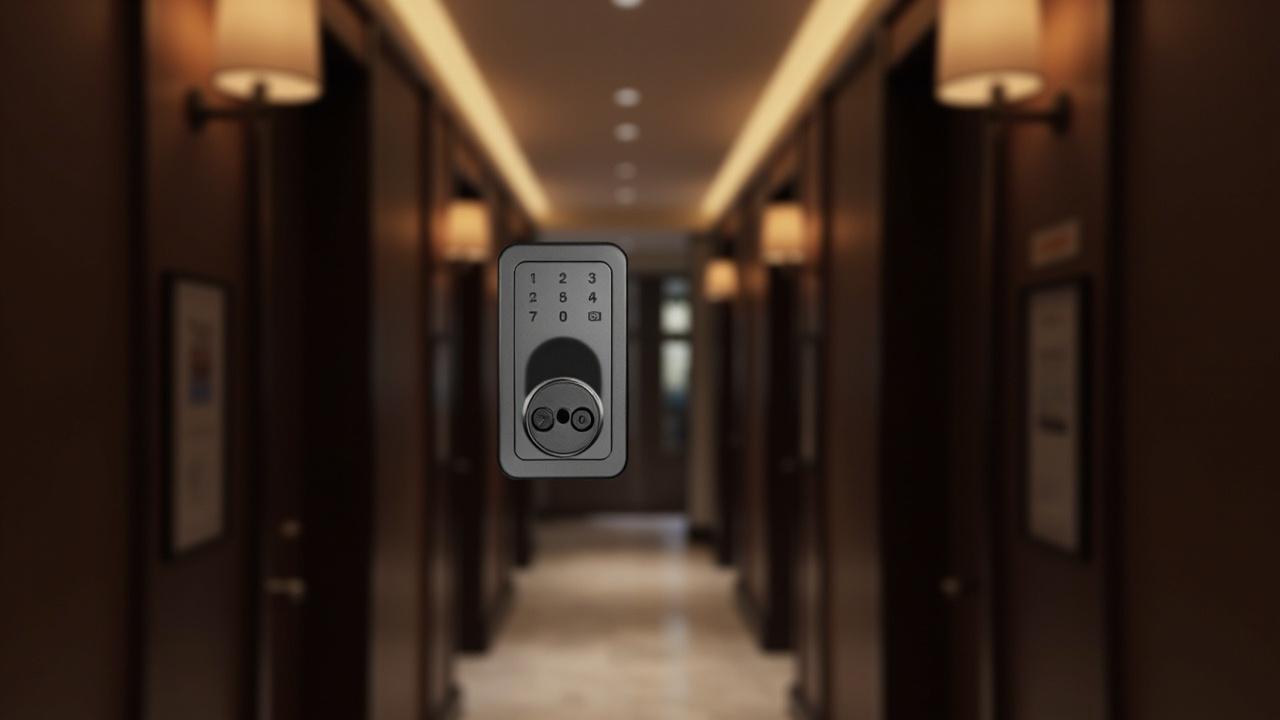
Smart Locks for Serviced Apartments
A guest staying two nights gets a door credential from the front desk at 3 p.m. A consultant staying nine months gets a code by email at midnight, because the desk happens to be closed. A housekeeper must enter both apartments daily without either occupant hearing a thing. None of these three doors can share one rulebook, and that is precisely the fact that makes serviced apartments the hardest door-access category in this blog's apartment cluster. Serviced apartments are not hotels wearing a different sign, and they are not apartment buildings with a cleaning rota bolted on. They are a hybrid: standalone door hardware operating under partial front-desk control, and the lock programme has to be audited for that hybridity before a single cylinder is ordered.
Direct answer: choosing smart locks for a serviced apartment means running a go-live checklist across five zones — front-desk credential issuance preparation, housekeeping access lanes, a mixed-stay-length door audit, privacy and no-sign expectations, and commissioning with staff-training sign-off. Because occupancy mixes short hospitality stays with long residential stays, every door must be classified by stay length before the lock is selected, and every connectivity or centralized feature must be verified per model on its product page, never assumed across the building.
This page is a tearoff. Work it top to bottom, tick honestly, and the two sign-off blocks at the end are your evidence trail. It deliberately does not duplicate the hotel-lock material or the general apartment-buying guides; those are referenced where boundaries matter, in Section 0.
How to Use This Tearoff
Each section is a checklist table with three columns of judgment: severity, the evidence you must file, and a tick box. The severity vocabulary:
| Severity | Meaning | Consequence if unticked |
|---|---|---|
| STOP | The lock decision is invalid without it | Do not order; resolve first |
| FLAG | Decision can advance, but the answer changes the model or the policy | Record the open question in the door audit (Section 3) |
| LATER | Real but post-occupancy | Assign an owner and a date before handover |
One discipline rule governs the whole tearoff: any capability you cannot point to on a specific model's product page does not exist for your project. App control, remote code issuance, Bluetooth, centralized management — these are model-dependent features in the 79-model catalog, not building-wide guarantees. Some models are pure standalone devices; others carry app or Bluetooth layers (TTLock, Tuya or Doodle depending on the model); a separate set is built for hotel-card workflows. Which one you are buying is a per-line-item question, answered in Section 1.
Section 0 — Scope Firewall: What This Checklist Is Not
Run this boundary block first so nobody in procurement cross-references the wrong documents.
| ☐ | Boundary | Why it matters here |
|---|---|---|
| ☐ | This is not a hotel-system checklist. The hotel-lock cluster covers properties whose doors all run one stay class under a front-desk computer system with hotel management software. A serviced apartment does not get to reuse those conclusions wholesale. | Serviced apartments are mixed standalone/managed: long-stay residents behave like tenants and need tenant-grade credential control; short-stay units behave like hotel rooms. Two regimes inside one building. Any claim about hotel PC software, master-card hierarchies or centralized front-desk encoding describes those hotel systems, not your resident doors. |
| ☐ | This is not the apartment-building buyer guide. The apartment-buildings buyer guide covers buildings where every door is a tenancy door and nobody changes sheets daily. | The housekeeping lane and credential-issuance prep in Sections 1–2 do not exist in a pure residential buying programme. If your property is genuinely all leases, stop here and read that guide instead. |
| ☐ | This is not the short-term-rental playbook. The short-term rentals comparison covers distributed, self-check-in units with no permanent front desk. | Serviced apartments have staff — a desk, housekeeping, maintenance. That staff presence is exactly what Sections 1, 2 and 5 are about, and it is what most pure-STL advice under-specifies. |
| ☐ | Common doors are out of scope. Main entrances, laundry rooms, bin stores and gym doors belong to the apartment common-areas guide. | This tearoff governs apartment-entrance doors and the operational lanes that cross them. |
| ☐ | Every connectivity claim gets a firewall stamp. | If a proposal says "the whole building will sync", the checklist answer is: which model, which page, which feature line — or the claim is out. |
If a stakeholder still says "just do what the hotel next door did", hand them Section 3.
Section 1 — Front-Desk Credential Issuance Prep
The front desk is what separates a serviced apartment from a rental block, and it is also where most lock programmes quietly fail: staff are handed devices they were never trained to issue from, at hours when the assumed issuance path does not exist. This section is about preparing the desk — not the hardware — before go-live.
The issuance-path decision comes first. For each stay class, choose one primary path and one fallback, then verify both against the actual model's product page:
| Stay class | Primary issuance path | Fallback | Checklist verdict rule |
|---|---|---|---|
| Nightly / short hospitality stay | Desk-issued credential at arrival (card or code created at check-in) | Physical key kept at desk, if the model supports one | The lock model on that door must support the primary path as a documented feature of that model — check the product page, not the brochure |
| Weekly / extended-stay | Desk-issued, with expiry aligned to departure date | Remote issuance only if the specific model documents app/Bluetooth remote capability | Do not promise remote issuance as a service standard until per-model verification passes |
| Monthly / long-stay resident | Resident-managed: the resident becomes the administrator of their own door, where the model supports it | Desk as registrar with a resident-granted code | Standalone-only models cannot give a resident real control — that changes which models you buy for resident doors, so settle this before quoting |
The table's blunt implication: a single-building, single-model strategy is a false economy in most serviced-apartment portfolios unless every chosen model supports every path above. Mixed fleets (a hospitality-card model on short-stay doors, a resident-capable keypad/app model on long-stay doors) are normal and manageable — but only if the door audit in Section 3 records which door runs which regime.
| ☐ | Prep item | Severity | Evidence to file |
|---|---|---|---|
| ☐ | Issuance path written down per stay class, with named fallback | FLAG | One-page issuance matrix signed by the GM |
| ☐ | Desk out-of-hours rule defined: who codes a 2 a.m. arrival, and through which documented channel | STOP | Out-of-hours SOP paragraph; if the answer relies on remote issuance, the per-model capability printout is attached |
| ☐ | Credential expiry policy: every short-stay credential expires at departure time plus a defined grace window | STOP | Policy line in the desk manual |
| ☐ | Long-stay credential renewal workflow (month-to-month extensions, early terminations) | FLAG | Renewal/termination SOP; who revokes, within what window |
| ☐ | Lost-credential replacement procedure with an audit note (who replaced, when, old credential dead) | FLAG | Replacement log template live at the desk |
| ☐ | Emergency access route for every door class — mechanical key held where, by whom, logged how | STOP | Emergency-key custody rule; verify mechanical key override exists on each model chosen |
| ☐ | Staff accounts/roles separated from guest credentials on models that support role structure | FLAG | Role map per model family, sourced from the product page |
| ☐ | A written answer for "what happens to this door's credentials at checkout?" for every credential type the desk can issue | STOP | Checkout-clears-all rule, or a documented exception with an owner |
The credential inventory question you must answer in writing: how many codes, cards or identities does each door need to hold at peak? A long-stay resident door in a serviced apartment may carry the resident, two household members, housekeeping, maintenance, the desk fallback and an emergency contractor — six-plus live credentials plus history, on a device some standalone models cap well below that. Users-per-device and codes-per-device numbers are model facts: file the product-page figure for every model line you quote, or mark the line to verify in writing and ask. This is the single most common overspec discovered at commissioning, so do not let it surface in Section 5.
Section 2 — Housekeeping Access Lanes
Housekeeping is the traffic no apartment-grade lock programme is designed for and no hotel-grade programme designs for the same way. Serviced-apartment housekeeping cadence is negotiated: a nightly unit is cleaned daily, a monthly resident may decline for a week at a time, and both doors sit on the same corridor and the same cart rota.
Start by deciding the lane model, because it determines which lock features are load-bearing:
| Lane model | How it works | Feature dependency on the lock |
|---|---|---|
| Shared staff credential | Housekeepers carry one card/code valid on all serviced doors | Needs multi-door credentials — this is exactly the kind of capability to verify per model and per deployment; do not assume a standalone door will honour a fleet-wide card |
| Per-door issued codes | Desk issues a code or card scoped to today's route | Needs fast issuance at the desk and clean expiry at end of shift; leans on whatever credential-creation path the model documents |
| Resident-appointment lanes | Housekeeping enters only alongside or on resident-approved windows | Least lock-capability dependent; most operations dependent — the lock must still support a staff credential that does not override a resident's privacy setting where such settings are model features |
There is no universally correct lane model. Nightly-heavy zones usually take shared or per-door credentialing; long-stay zones lean toward appointments. The checklist governs both.
| ☐ | Housekeeping item | Severity | Evidence to file |
|---|---|---|---|
| ☐ | Lane model chosen per zone (nightly / weekly / resident) and written into the rota SOP | STOP | Zone map with lane model annotation |
| ☐ | Housekeeping credential expiry defined: end-of-shift, end-of-day, or end-of-rota-week — pick one per lane model | STOP | Expiry rule in rota SOP; test in Section 5 |
| ☐ | Do-not-enter marking exists outside the lock where the lock model offers no privacy mode, and the gap is acknowledged | FLAG | Physical sign/notice procedure; per-model privacy-feature list |
| ☐ | Noise discipline: latch and motor behaviour reviewed for early-shift corridors (silent-hours policy) | FLAG | Shift-hour schedule; sample-door evaluation note |
| ☐ | Cart and trolley access to linen/utility doors separated from apartment credentials | LATER | Common-door items routed to the common-areas programme |
| ☐ | Housekeeping key/credential recovery when staff leave mid-contract | FLAG | Staff-departure revocation step in HR/ops checklist |
| ☐ | Record of housekeeping entries readable by whoever answers resident complaints ("we say we came in at 10:12, here is the device record") | FLAG | Event-log capability confirmed per model on the product page; ask what the log holds and for how long before trusting it |
Privacy collision, stated plainly: a resident who has told the world they live here does not want a stranger with a master credential appearing mid-shower, and a nightly guest expects the turndown the hotel taught them to expect. Where a model documents a privacy setting or a resident-side lockout, the housekeeping SOP must respect it. Where it does not, you manage it with appointment culture and notice policy — and you say so honestly in the resident handbook rather than leaving residents to discover the mechanics themselves. Design the policy to the model's documented reality, not the marketing image.
Section 3 — Mixed-Stay-Length Door Audit
This is the heart of the tearoff and the section nobody skips. Everything in Sections 1, 2, 4 and 5 inherits its row labels from this audit. The audit classifies every apartment-entrance door by stay regime, records the physical door facts, and pins one model line to one row.
Step A — classify the door population. In practice a serviced-apartment portfolio carries at least four classes:
| Stay class | Typical share of doors | Regime it inherits | Credential ceiling driver |
|---|---|---|---|
| Nightly hospitality | varies | Hotel-like: desk issues, desk revokes at checkout | Turnover rate; desk speed |
| Weekly extended | varies | Hybrid: desk issues with date-bound expiry | Departure-date accuracy |
| Monthly/long-stay | varies | Residential: resident-led, desk as registrar | Resident + household + service credentials |
| Corporate/furnished-contract | varies | Residential with third-party admin (relocation firm, employer) | External-party notification rules |
The shares are yours to measure; do not let a sales conversation decide them. Pull twelve months of booking mix, or if the property is pre-launch, pull the business plan's own stay-mix table — it exists somewhere, and the door audit should use it, not contradict it.
flowchart TD
    D0["Apartment-entrance door\nserviced-apartment portfolio"] --> Q1{"Dominant stay class\nfor this door?"}
    Q1 -- "nightly or weekly" --> HZ["Hospitality regime\ndesk issues · desk revokes at checkout"]
    Q1 -- "monthly or long stay" --> RZ["Residential regime\nresident admin · desk as registrar"]
    Q1 -- "corporate contract" --> CZ["Third-party admin\nrelocation or employer notification rules"]
    RZ --> CAP["Credential inventory first\nhousehold · services · desk fallback · per product page"]
    CAP --> FIT["Pin a model line\ndoor facts matched to stated fit"]
    HZ --> FIT
    CZ --> FIT
    FIT --> VERIFY["Feature verified on this page\nnot a family brochure · not a cousin model"]
Step B — per-door physical facts. Hardware answers are door facts, not brand facts. Every row needs them before a model is chosen:
| Audit field | Why a serviced apartment specifically breaks on it |
|---|---|
| Door thickness | Mixed-build properties have original doors beside replaced ones; a model's supported thickness band is a product-page fact to match, not average |
| Edge, backset and handing | Older stock in converted buildings frequently fails standard ranges; measure, do not assume |
| Fire-rating or smoke-doors | Corridor doors in managed buildings often carry obligations the hardware must not defeat |
| Existing cylinder vs. latch body | Determines retrofit path per door and per door class |
| Exposure (street-facing, courtyard, roof-terrace units) | Drives which classes of hardware suit those doors — outdoor-rated and glass-door families exist in the catalog for exactly these edge doors |
| Noise environment (night shift adjacent, thin partitions) | Feeds the Section 2 silent-hours rule |
Step C — the worksheet. Copy this grid; one row per door or per uniform door group:
| Door / group | Stay class | Physical notes (thickness / edge / fire) | Primary issuance path (from S1) | Housekeeping lane (from S2) | Privacy expectation (from S4) | Candidate model line | Feature verified on product page? ☐ |
|---|---|---|---|---|---|---|---|
| 0401–0409 | Nightly | 44 mm, standard edge | Desk card at check-in | Shared staff credential | Low — daily service expected | (fill per quote) | ☐ |
| 0410–0418 | Monthly resident | 38 mm, narrow legacy edge | Resident-administered codes | Appointment lane | High — no unscheduled entry | (fill per quote) | ☐ |
| 0419–0424 | Corporate | 44 mm, fire-rated | Desk issues; employer notified | Per-door codes | Medium — service with notice | (fill per quote) | ☐ |
(Example rows are illustrative structure only — the thickness figures are placeholders for your measured values, and no model is implied.)
Step D — the conflict sweep. With the grid full, run three questions across it:
- Do any two stay classes on one corridor depend on different credential regimes that the same model line cannot both satisfy? If yes — split the model lines or split the corridor zoning. Cheaper now than an operational workaround forever.
- Do resident doors carry a model whose documented credential capacity actually covers Section 1's inventory (household + services + fallback)? If unknown, it becomes an ask, not an assumption.
- Does every row's "feature verified" box point at an individual product page rather than a family brochure? "The keypad series" is not a source of truth; "this model, this page, this line" is.
Section 4 — Privacy and No-Sign Expectations
Serviced-apartment occupants split on one question: is this a room I visit, or a home I live in? Nightly guests tolerate hotel conventions — staff access, luggage handling, a name on a booking system. Residents reject them — a door hanger is fine, but a corridor notice board listing their unit number, a service visit without notice, or an app push announcing their comings and goings is a breach, not a service. Your lock programme and its surrounding paperwork must encode both expectations without letting either one silently govern the wrong door.
What the door hardware can and cannot be made to carry here is a per-model question. Some device families document resident-side controls (privacy settings, auto-lock behaviour, sound); many standalone models document none. Neither absence nor presence should be generalised. The checklist:
| ☐ | Privacy / no-sign item | Severity | Evidence to file |
|---|---|---|---|
| ☐ | Resident-facing disclosure drafted: what credentials exist for this door, who holds them, what is logged, who can open it and under which policy | STOP | Plain-language one-pager in the move-in pack; legal review for long-stay jurisdictions |
| ☐ | Service-entry notice rule per stay class (knock-and-wait, advance message, appointment-only) — independent of lock mechanics | STOP | Notice SOP; Section 5 tests it at shift handover |
| ☐ | No-sign / anonymous-unit option: how a long-stay resident opts out of visible identification (corridor boards, visitor screens, package labels) | FLAG | Opt-out mechanism documented for front desk and maintenance |
| ☐ | Auto-lock behaviour clarified per model: does the door relock behind a resident carrying bags, and at what interval, per the product page — or is manual locking the standard? | FLAG | Per-model behaviour note; resident guidance matches it |
| ☐ | Sound profile assessed for partitions/night shifts (keypad tones, motor hum, latch noise) | LATER | Sample-door note during Section 5 walk |
| ☐ | Data-minimal credentialing: codes issued without embedding personal data where the model supports neutral codes | FLAG | Credential naming convention in the desk manual |
| ☐ | Guest-app or channel naming checked: does any resident-facing digital surface display unit identifiers, stay lengths or names to other parties? | STOP | Screenshot evidence from each digital channel actually in use |
| ☐ | CCTV / intercom overlays out of this programme's scope but cross-referenced so residents get one coherent privacy story | LATER | Handoff line to the facilities/security owner |
A blunt manufacturer's observation worth putting in front of your GM: privacy complaints about serviced-apartment doors are almost never about the lock. They are about surprises — an unexpected entry, a credential nobody told the resident existed, a notice they never received. The lock cannot fix surprises; the disclosure one-pager and the notice SOP can. Choose models that make the policy possible, then enforce the policy regardless of which model is on the door.
A Complete Spec Sheet, For Reference
When you reach Section 3's model-pinning step, you will be reading supplier spec sheets all day. Here is what a genuinely complete one looks like — reproduced from our own published hotel-lock page for the SLK-9936S, used strictly as a granularity yardstick. It is a hotel-class device; nothing in it should be read as a claim about any other model or about serviced-apartment doors generally. Its value is showing the depth of answer every line item in your door audit deserves:
| Spec line | Published value (this model only) | What the audit should ask for the same line on your candidate models |
|---|---|---|
| Door thickness | 36–100 mm | Your measured band from Section 3B, matched to the candidate's stated band |
| RFID standard | Mifare 1 @ 13.56 MHz | Credential type the desk/housekeeping workflow actually issues |
| Read distance / time | 0–5 cm / <0.25 s | Behaviour expectations for corridor lighting and glove/coat conditions |
| Power | 4 × AA | Battery class your maintenance rota can service |
| Battery cycles | >15,000 | Endurance basis, in the supplier's own stated terms |
| Audit/event records | up to 1,000 | Log depth and retention — feeds the Section 2 complaint-answering row |
| Cylinder / latch | 5-pin, 3-point latch | Security and fire-door compatibility questions |
| Modes | standalone or centralized database | The exact line where model-dependence must be read literally — verify on the product page of each candidate before centralization enters any plan |
| Software | multilingual management software | Hotel-system software is this model's lane; it is not a serviced-apartment resident-door feature and is not ported across this checklist |
| Positioning | 1–5 star hotels | Why this row is here as a firewall, not a recommendation |
If a candidate model's page cannot answer ten of these ten lines, it is not a finished line item for your audit — it is a to verify in writing ask. That is the entire discipline of this section: no model gets pinned to a door until its own page, not a cousin's page, answers the line.
Section 5 — Commissioning and Staff-Training Sign-Off
Commissioning a serviced-apartment lock fleet is a mixed-population test, not a ribbon cutting. Every earlier section has produced rules; this section proves the rules survive contact with three shifts of real staff and a sample of real doors.
Test plan per stay class — build the matrix, then walk it:
| Test | Nightly zone | Weekly zone | Resident zone | Pass criterion |
|---|---|---|---|---|
| Check-in issuance at desk | ☐ | ☐ | ☐ | Credential works first try, expiry set, log entry visible |
| Credential revoked at checkout/termination | ☐ | ☐ | ☐ | Old credential dead within policy window — test with the actual old card/code, not a reissued one |
| Out-of-hours arrival path | ☐ | ☐ | N/A | Documented fallback exercised once end-to-end by a real night porter |
| Housekeeping lane run | ☐ | ☐ | ☐ | Route credential opens today's doors and only today's doors; expiry honoured |
| Do-not-enter / appointment exception | N/A | ☐ | ☐ | Entry blocked or deferred per Section 4 policy without improvisation |
| Emergency access | ☐ | ☐ | ☐ | Key custody exercised; retrieval time noted; door resecured same session |
| Battery-low signalling | ☐ | ☐ | ☐ | Whatever the model actually does when low, maintenance knows the signal and the response owner |
| Resident admin handover (long-stay doors) | N/A | N/A | ☐ | Resident set up as their door's administrator per model capability; desk registrar rights preserved; written to the move-in pack |
Staff training, scoped by role rather than by slide deck. The desk needs issuance, revocation and out-of-hours reps. Housekeeping needs the lane rules, the exception culture ("when in doubt, do not enter — call"), and the complaint-answer record path. Maintenance needs battery signals and per-door model identification. Night porters need the emergency drill more than anyone needs a product tour. Training sign-off is only real if each role can answer a cold question, not just watch a demo.
| ☐ | Commissioning item | Severity | Evidence to file |
|---|---|---|---|
| ☐ | Full matrix above walked across a sample of each door group, at actual shift hours | STOP | Dated test sheets per zone |
| ☐ | Every door's final model pinned in the Section 3 grid, feature columns closed with product-page references | STOP | Completed audit file |
| ☐ | Open FLAG/LATER items assigned owner + date before occupancy, not after | FLAG | Action register |
| ☐ | Role-scoped training completed and quizzed per Section 5 lists | STOP | Attendance + cold-question results sheet |
| ☐ | Resident-facing disclosure one-pager final and in the move-in pack template | STOP | Signed copy |
| ☐ | As-built credential policy exported: which door group runs which regime, held by the ops file for the next manager | FLAG | As-built ops annex |
Sign-off blocks. Two signatures, one page, no go-live without both:
| Role | Name | Confirming | Signature | Date |
|---|---|---|---|---|
| Property/GM | Sections 1–5 complete; all STOP rows ticked; disclosure pack live | |||
| Operations/technical owner | Door audit final with per-model page references; commissioning matrix passed; training quizzed |
Illustrative Scenario: 84 Units, Two Regimes, One Corridor Conflict
Consider a converted warehouse property: 84 apartment doors, business plan projecting 40% nightly bookings, 35% corporate contracts of 1–6 months, 25% residents over a year. The procurement draft specified one lock model building-wide for "consistency" — a hospitality-card device chosen from a hotel brochure, desk-issued, revoked at checkout, housekeeping on a shared staff credential.
Running the tearoff surfaces three failures before any order. Section 3's grid shows the resident-doors' regime needs resident-administered codes plus household credentials plus a maintenance fallback, and the hospitality model as documented cannot serve that population; Section 1's credential-inventory question forces the capacity ask onto the table for the 25% long-stay block. Section 2 shows the shared staff credential colliding with Section 4's appointment-only expectation in the resident zone. Section 4's disclosure draft asks the desk to explain "who holds a credential for your front door", and the honest answer under the draft plan is "the hotel-style system, not you" — the exact sentence that generates complaints from people who consider the unit their home.
The fix is the one the audit was built to reveal: split the fleet. Hospitality-style card models on nightly doors with desk issuance; resident-capable keypad/app models, each one verified on its own product page for admin-role support and credential capacity, on long-stay doors with an appointment housekeeping lane. The corridor conflict disappears because the stay classes get physically separated during the Section 3 sweep — nightly doors consolidated to one stair core, resident doors to another — and the housekeeping rota simplifies with them. Nothing in this scenario is unique to that building; it is what happens whenever a serviced apartment buys like a hotel or rents like a block, instead of auditing as both at once.
Where This Goes Wrong Later — Three Failure Patterns Worth Pre-Empting
From the manufacturer side of the order desk, serviced-apartment programmes rarely fail at the hardware. They fail at paperwork drift, and three patterns account for most of it:
- The corridor unification trap. Six months in, housekeeping complains about carrying two credential types across zones, and an ops memo quietly "standardises" on the hospitality model for replaced doors — including resident ones. The Section 3 as-built annex exists to catch this: any door swap must be re-checked against its row, not against convenience.
- The remote-issuance assumption. Marketing promises guests a code "before you arrive", the desk starts relying on it, and the model on 0410 doesn't document remote credential creation. The promise was inherited from a demo unit, not from the building's line items. Re-read the firewall rule at the top of this tearoff whenever a digital promise is added to the service catalogue: per model, per page, or not at all.
- The checkout gap on extensions. Weekly guests extend by phone at midnight; the old credential stays alive because expiry was set at the original departure. Section 1's renewal workflow and Section 5's revocation test are the countermeasure; the failure happens when the extension path skips the desk SOP entirely because it seemed smaller than a new booking.
Carry-On Map: What to Read Next in This Cluster
- The apartment-building neighbour: the apartment-buildings buyer guide for all-lease properties and the general model-selection logic this tearoff assumes.
- Short-term rentals: the short-term rentals comparison when the nightly fraction behaves like distributed self-check-in stock with no staff lane.
- Common areas: the apartment common-areas guide for the entrance, bin-store, laundry and gym doors this checklist deliberately excludes.
- Hotel cluster boundary: the hotel-lock cluster remains the correct home for full front-desk PC-system hotel lock programmes; return there only when a serviced property's doors are all hospitality-regime.
Ordering is quote-based for every configuration above — model mixes, finish choices and credential-programme details come out in the quotation conversation, where the Section 3 audit file becomes your RFQ spine.
Next step: send your completed door-audit grid with your requirements to request-a-quote, and sample candidate lines for each stay class through order-samples before pinning any model to a door.