
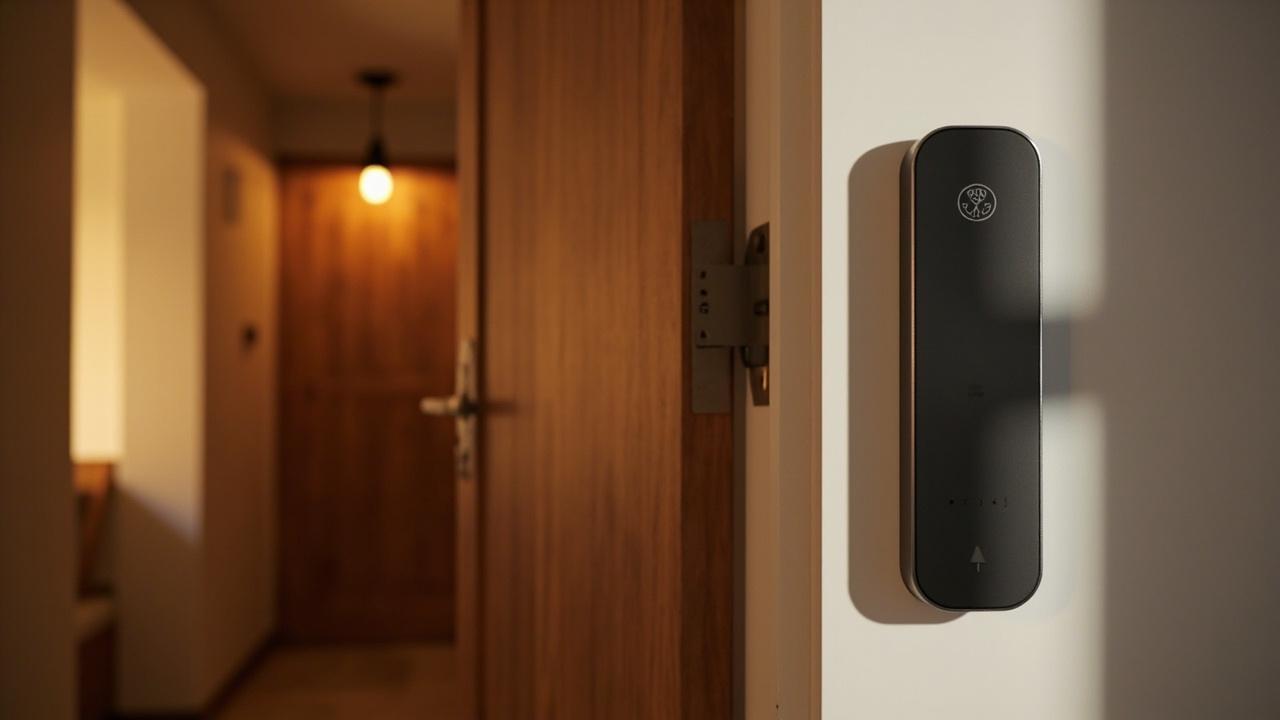
WiFi Smart Lock Supplier Guide
A Wi-Fi-class smart lock is a credential-and-connectivity product, not a credential product alone. The Wi-Fi lane changes what the supplier has to disclose, what the buyer's network team has to provision, and how the lock behaves when the ISP is down, the router reboots, or the tenant's phone has no signal. This guide is written as a working transcript between a multi-property manager and a manufacturer's account manager, with commentary blocks inserted where the conversation needs to slow down for the buyer's own procurement record. The intent is that a reader running Wi-Fi shortlists reads through once, takes the same transcript to the next supplier call, and turns "Wi-Fi smart lock" into a structured set of RFQ clauses instead of a radio spec sheet.
The first rule across the entire conversation is that Wi-Fi capability is not a property of a catalog; it is a per-model fact. The buyer should treat any supplier — including this one — who waves at "smart locks" as if Wi-Fi were a universal feature with the same suspicion they would treat a SaaS vendor who quietly collapsed three SKUs into one paragraph. Check the model’s published specification whether Wi-Fi is offered. For any specific model the buyer is shortlisting, the table on the product page lists the radio — when it lists a radio at all. The supplier's job is to teach the buyer how to read that table, not to pre-fill the answer.
How the buyer opened the conversation — "I want one Wi-Fi app for every door in the portfolio"
Buyer: I run 14 buildings across three cities. Some are residential, some are short-stay, two are office. I want one app, one credential list, and I want every door to talk to my phone without me being on Bluetooth range. So: Wi-Fi smart locks, the same SKU across the portfolio. Where do we start?
Supplier: Before we look at any model, we need to agree on what "Wi-Fi smart lock" means as a category, because Wi-Fi is one of three or four ways a smart lock reaches your phone, and each way has different consequences for your network team and your tenant. The catalog we run on factory side uses three app platforms — TTLock, Tuya, and Doodle — and the Wi-Fi question is a property of certain models inside those lanes, not of the platforms as a whole. So the first thing we need to do is agree that the radio is a per-model fact on the product page, and walk the portfolio door-by-door.
Annotation — what the supplier just did, and what to listen for in any supplier call. The supplier refused the implicit "all-Wi-Fi, one-SKU" request and routed the conversation to per-door, per-model verification. That is the right opening move. A supplier who answers the buyer's first email with a price list for "Wi-Fi smart locks" has skipped the discovery step that the buyer's RFQ template should be enforcing. The transcript below repeats that pattern — every buyer question is widened to "which door, which model, which app lane, which radio" before a yes/no gets recorded.
Why Wi-Fi is not a credential — the network dependency disclosure
Buyer: Just tell me which models have Wi-Fi. I have a category buyer meeting on Thursday.
Supplier: We can list the Wi-Fi-class models inside each app platform, but two things have to be on the table before you make a category decision. First, Wi-Fi is the transport between your phone and the lock; it is not the credential. The credential sits in the app user list, the keypad PIN, the RFID card, the fingerprint, or the mechanical key — those are still the things that open the door. What Wi-Fi adds is real-time remote unlock, remote audit, and cloud-resident user management. Second, every Wi-Fi lock is, by definition, a device on your network. That means your ISP, your router, your firewall, your VLAN, and your battery budget are now part of the lock's spec sheet — not just ours.
Annotation — the network dependency is the load-bearing point of the entire article. A Bluetooth-only lock is a peripheral of someone's phone; when the phone leaves, the lock still opens via PIN, card, fingerprint, or mechanical key. A Wi-Fi-class lock is a network endpoint; when the local network is unhappy, the lock's remote features stop working, and the supplier's warranty ends at the lock body, not at the door's connectivity. The buyer's first three procurement gates — battery life, credential management, audit trail — are now joined by a fourth gate: what the lock does when the network is down, and what the tenant experiences during that outage. Article 401 (/blog/connected-smart-locks-complete-b2b-guide) treats this as a portfolio question; article 403 (/blog/wifi-smart-locks-for-commercial-applications) treats it as a per-property question. The 407 article (this one) treats it as a supplier-question: how the supplier discloses the dependency in writing, in the sample evaluation, and in the support escalation path.
The first annotated matrix — three connectivity lanes the supplier has to put on paper
The conversation usually reaches a table at this point, because the buyer's first instinct is to color-code doors by radio, and a color-coded portfolio is the cheapest way to make decisions across 14 buildings. The buyer should pressure any supplier to fill this table before sending a sample:
| Door in the portfolio | Door family (catalog category) | Preferred app platform | Network dependency in words | Tenant experience during outage |
|---|---|---|---|---|
| Apartment front door | Smart Door Lock (residential class) | TTLock or Tuya (check against the model specification) | Wi-Fi for remote unlock and audit; local access continues via PIN / fingerprint / card / mechanical key | Tenant uses PIN or fingerprint; audit backlog syncs when network returns |
| Short-stay rental door | Smart Door Lock or Hotel Lock class (per property class) | TTLock or Tuya (check against the model specification) | Same dependency profile; plus guest credential TTL must work without network | Guest uses mobile-key within Bluetooth range; PIN works offline |
| Office suite entry | Smart Door Lock (keypad or fingerprint class) | TTLock or Tuya (check against the model specification) | Wi-Fi for remote user provisioning; local access continues | Staff uses PIN or fingerprint |
| Office meeting room | Smart Door Lock (keypad or RFID class) | TTLock, Tuya, or Doodle (check against the model specification) | Lower dependency because meeting-room credentials rarely change via the cloud | Door opens offline via PIN or card |
| Back-of-house server room | Cabinet lock or narrow-edge class (server-rack scope is out of catalog — confirm) | TTLock or Tuya (check against the model specification) | Always-on audit desirable; local PIN or RFID must work offline | Local PIN/RFID; audit stores locally and uploads on reconnect |
| Glass conference door | Glass Door Lock class | TTLock or Tuya (check against the model specification) | Wi-Fi desirable for after-hours control | PIN or card |
Annotation — how to read this table when it comes back from a supplier. The "Preferred app platform" cell is always a per-model fact. The "Network dependency in words" cell is the supplier's responsibility to write, not the buyer's. If the supplier fills that cell with a phrase that contains a product name instead of a behavior — "uses XYZ-Wi-Fi module v3" — the supplier has answered the wrong question. The behavior the buyer needs is: what opens the door when the network is down. That answer must name the offline credential (PIN, card, fingerprint, mechanical key) and what the audit log does during the outage (stores locally, syncs on reconnect, or is lost).
The second annotated matrix — what to demand from the supplier before any sample ships
A working transcript can spend a lot of time on inspection theater. The buyer's leverage comes from a written checklist the supplier has to fill in for each shortlisted model. A second matrix the supplier should fill in writing before sample shipping:
| Question to demand a written answer to | Why the buyer needs a written answer | Acceptable answer shape | Unacceptable answer shape |
|---|---|---|---|
| Does this model offer Wi-Fi connectivity? | Per-model fact | "Yes — see the product page spec block, item radio row" | "Our locks are all Wi-Fi capable" |
| Which app platform does the model run on (TTLock, Tuya, Doodle, hotel PC software)? | Determines the back-office tool the buyer's team learns | "TTLock" / "Tuya" / "Doodle" / "Hotel PC software — name the SKUs" | "Our app" / "Cloud platform" |
| What fallback credential opens the door when Wi-Fi is down? | Tenant experience during outage | "PIN / fingerprint / RFID card / mechanical key — list which are present on the SKU" | "Offline mode" (no behavior named) |
| How is the audit log stored during a network outage? | Compliance, dispute resolution | "Local buffer of N events; uploads on reconnect — N = check against the model specification" | "Logs are kept" |
| What is the battery impact of an always-on Wi-Fi radio? | Multi-property operating budget | A directional statement (years vs months) routed to product page | A specific number that the supplier cannot cite the source for |
| What router / ISP / firewall settings are required? | Network team's procurement gate | A list of ports, a list of cloud endpoints | "Standard home router" |
| What is the OTA firmware channel and its cadence? | Long-term security posture | "Cloud-pushed via app platform; cadence: check against the model specification" | "Over-the-air" (no cadence, no channel) |
| What happens to remote unlock if the cloud service is offline? | Tenant experience during supplier-side outage | "Local credentials still open; remote unlock returns when cloud restores" | "Disable remote unlock until cloud returns" (acceptable, but must be disclosed) |
| What is the warranty boundary on network-side components vs lock body? | Multi-year operating cost | Two separate terms or a single term with the network side named | "One year" (no boundary distinction) |
| What is the per-unit licensing or subscription cost, if any, for cloud features? | Rollout economics | A number with terms and conditions; or "none" | Silence |
Annotation — accept no "yes" without a written row. The whole "Check the model’s published specification whether Wi-Fi is offered" discipline is what protects the buyer's record from a verbal yes that evaporates the day the lock arrives. Every cell in the right column above is a place where a verbal answer would have eaten the buyer's working week. The rows are written as a checklist, not a quiz, because suppliers respond better when the question is in a form they can hand to a product manager.
Annotated exchange — the ISP/uptime trap
Buyer: Honest answer: my ISP at one property goes down once a month for a couple of hours. Is that a Wi-Fi smart lock problem?
Supplier: It is a remote-features problem. The doors will still open via PIN, fingerprint, card, or mechanical key. What you lose during a two-hour outage is remote unlock, real-time audit, and any cloud-managed credential change you might be pushing at that moment. Whether that two-hour window is acceptable depends on the property class. For an office where staff arrive in a one-hour window at 9 a.m., a two-hour ISP outage that takes remote unlock offline is a problem because the manager cannot pre-provision a temporary contractor at 7:30 a.m. For an apartment building where tenants come and go over twelve hours, the same outage is invisible because every tenant uses PIN, fingerprint, card, or phone-near-lock Bluetooth. The right question is not "can the lock survive an ISP outage" — it can, because it is also a Bluetooth or keypad or fingerprint lock. The right question is "what is the supervisor's fallback when the cloud-side features go dark for two hours on a Tuesday morning."
Annotation — this is the part where the multi-property manager has to slow down. A single-property procurement can pretend the ISP does not exist. A multi-property procurement cannot. Across 14 buildings, the ISP-uptime profile is a property of the building (fiber, coax, DSL, cellular failover), not of the lock. The lock has to be evaluated as if the ISP goes down once a month for two hours, because that is what the median small commercial ISP delivers. The lock has to be evaluated as if the cloud service has a regional outage once a year, because that is the published service history of consumer-grade app platforms like TTLock and Tuya. Article 403 (/blog/wifi-smart-locks-for-commercial-applications) extends this into a property-by-property decision: which doors in the portfolio absorb the ISP outage, which doors need a local credential class that does not require any network, and which doors are bad candidates for any Wi-Fi-class SKU at all.
Annotated exchange — what the procurement record should look like after one supplier call
Buyer: If I take this transcript and turn it into a procurement record, what does the record look like?
Supplier: Three sections. Section one is the per-portfolio door inventory: every door in the portfolio with its door family, its expected primary credential, its expected secondary credential, and its offline-fallback credential. Section two is the per-model networking disclosure, sourced from each product page the buyer is shortlisting — that is where the Wi-Fi radio row, the app-platform row, the offline-credential row, and the audit-buffer row sit. Section three is the supplier-comparison matrix with three to five suppliers side by side, populated only with values the supplier put in writing. If a cell is empty, the buyer flags it as "supplier declined to disclose in writing" and that is a finding against the supplier, not against the lock.
Annotation — section two is the file that makes or breaks the procurement. The product-page disclosure, taken per model, is the only artifact that survives the meeting. A supplier who cannot show the product page for each shortlisted SKU on a screen-share call is a supplier whose "Wi-Fi smart lock" claim is verbal only, and a verbal claim is not an RFQ input. The buyer's RFQ should request links to the product pages of the SKUs being quoted, not links to a price list.
The third annotated matrix — per-portfolio candidate SKUs and what to verify on the product page
The buyer's working file at this stage is a per-portfolio list of candidate models, each tagged with the verification the buyer still has to run. A working version of that file:
| Door class in the portfolio | Candidate catalog category (FACT) | What the buyer still has to check against the model specification |
|---|---|---|
| Apartment front door, residential class | Smart Door Lock / Fingerprint / Keypad / RFID — 77 / 37 / 18 / 9 of 79 catalog | Check the model’s published specification whether Wi-Fi is offered; confirm app platform identity (TTLock / Tuya / Doodle); confirm offline credential list |
| Serviced apartment front door | Smart Door Lock family | Same as above |
| Short-stay rental door, guest-credential heavy | Hotel Lock class (24 of 79) or Bluetooth class — confirm | Confirm whether a Wi-Fi SKU exists with the right mobile-key flow; TTLock / Tuya confirmed |
| Office suite entry | Smart Door Lock (keypad or fingerprint) | Same as above |
| Office meeting room | Smart Door Lock (RFID or keypad) | Same as above |
| Back-of-house staff corridor | Smart Door Lock (RFID or keypad) | Same as above |
| Glass conference door | Glass Door Lock (3 of 79 — SLK-G200 class, B09 family) | Confirm whether any glass-class SKU offers Wi-Fi; mostly local credential |
| Storage room door | Smart Door Lock (keypad or RFID) | Same as above |
| Cabinet / server-rack scope (if applicable) | Cabinet Lock (6 of 79) | Out of scope for Wi-Fi; confirm mechanical or keypad |
Annotation — three things to notice. First, the column on the right is the same "Check the model’s published specification whether Wi-Fi is offered" sentence on every row. That sentence belongs on every row, because none of these door classes inherits Wi-Fi capability from the category. Second, the candidate column names the category counts from the catalog (77 smart door / 24 hotel / 18 keypad / 9 RFID / 6 cabinet / 3 glass, plus the SLK-G200 example noted) — those numbers are the FACT base, not the radio capability. Third, the "out of scope" row on the bottom is honest about cabinet locks: a six-SKU category is overwhelmingly local-credential, and the buyer should not pretend that Wi-Fi is a normal question for that class.
Annotated exchange — battery, and the always-on radio
Buyer: How much does the Wi-Fi radio eat the battery? My apartment locks are 4× AA on the SLK-9936S hotel-class design.
Supplier: Two things have to be said carefully. First, the SLK-9936S is a hotel-class lock whose PDP-cited spec block names 4× AA battery and greater-than-15,000-cycle operating window — those numbers are product-page-documented for that model only and do not transfer to any Wi-Fi SKU. Second, an always-on Wi-Fi radio on any lock consumes more battery than the same lock's Bluetooth-only or keypad-only configuration, so the Wi-Fi SKU in any category will sit at a lower cycle count than the non-Wi-Fi SKU. The exact cycle count for the Wi-Fi SKU the buyer is considering must be confirmed on that model's product page; the buyer's procurement record should capture the cycle count, the battery format, and the low-battery warning behavior for each Wi-Fi SKU under RFQ, because the multi-year battery-replacement labor cost is the line item most often under-estimated in a Wi-Fi rollout.
Annotation — the supplier just invoked the product-page-documented spec block for SLK-9936S for a reason. It was to demonstrate the discipline that prevents a buyer from accidentally inheriting the 15,000-cycle figure onto a Wi-Fi SKU. The buyer's habit should be: when a number is on a product page, it is on that product page and nowhere else; when a number is not on a product page, it is in the supplier's head and the buyer should treat the number as suspicious. Article 401 (/blog/connected-smart-locks-complete-b2b-guide) carries the same discipline across all connectivity lanes.
Annotated exchange — what about Matter, Zigbee, Apple Home Key, and UWB?
Buyer: While we're at it: do your locks do Matter, Zigbee, Apple Home Key, or UWB? My tenants keep asking.
Supplier: On the catalog side, none of those four protocols is in the published range of the 79 published models. They are not on the product pages and they are not in the catalog boxes. The catalog's app-and-radio lanes are TTLock, Tuya, Doodle, Bluetooth, and hotel PC software, plus the credential classes — fingerprint, passcode, RFID/IC card, mechanical key. If a tenant asks for Matter or Apple Home Key, the honest answer is "this factory's catalog does not offer that radio today." That is not a refusal to engage on the question — it is the FACT base. For properties where Matter or Home Key is a hard requirement, the buyer should look at the shortlist through a different supplier network, not through this catalog.
Annotation — the four-protocol refusal is the same discipline as the Wi-Fi-per-model disclosure. The supplier is reading the same rule: anything that is not in the verified catalog or on the verified product page is not asserted in the conversation. The buyer's record should treat those four protocols as known-not-present in this catalog and price-protect the RFQ accordingly. If a different supplier claims any of those four, the buyer's first move is to ask for the per-model product page that lists the radio; if the page does not list it, the claim is verbal and the buyer records that the supplier declined the per-model verification step.
The fourth annotated matrix — what falls into the supplier's scope, the network team's scope, and the buyer's scope
The transcript usually ends with the buyer asking who owns what, because the Wi-Fi lane adds two new owners (the network team and the cloud platform team) to a procurement that previously was a single supplier conversation. A matrix that names the three scopes:
| Item | Supplier scope | Network team scope | Buyer (multi-property manager) scope |
|---|---|---|---|
| Lock body, mechanical override, mechanical key | Yes | No | Inventory management of the mechanical key cylinder |
| Credential class enrollment (PIN, card, fingerprint) | Yes, on the product page | No | Roster upload and policy |
| App platform identity (TTLock, Tuya, Doodle, hotel PC software) | Yes, on the product page | No | Account ownership and admin role assignment |
| Wi-Fi radio module (when present on the SKU) | Yes | No | None at the per-door level |
| Router provisioning at the property | No | Yes | Yes — work order to install / pre-provision |
| ISP and ISP failover | No | Yes (or property owner) | Yes — contract review |
| Firewall / port policy for cloud endpoints | No | Yes | Surface the requirement at scoping |
| Cloud account for app platform | Limited — admin tooling | No | Yes — account owner |
| User provisioning and revocation | Yes — supports it | No | Yes — runs the workflow |
| Audit log retention | Yes — local buffer spec | No | Retention policy |
| Audit log export to PMS / compliance system | Limited — depends on app platform and PMS integration | Sometimes | Yes — define integration requirement |
| OTA firmware release cadence | Yes — owns it | Sometimes (network policy) | Accept or schedule update window |
| Battery replacement labor | No | No | Yes — planned maintenance |
| Sample evaluation before bulk | Yes — provide samples | Sometimes (network pre-provisioning) | Yes — run a structured sample test |
Annotation — three columns, three owners, one record. The matrix above is the final artifact the buyer should walk out of the supplier call with. Every row in the "Supplier scope" column maps to a question the buyer should have answered in writing on the product page. Every row in the "Network team scope" column maps to a work order the property manager has to write before deployment, not after. Every row in the "Buyer (multi-property manager) scope" column maps to a line item in the multi-year operating budget. None of those rows is owned by the lock supplier alone in a Wi-Fi-class deployment; pretending otherwise is how multi-property Wi-Fi rollouts go over budget.
Annotated exchange — the sample test that catches the most supplier promises
Buyer: Before we order a thousand locks, what do we test on a sample?
Supplier: Five tests, on the actual property, against the actual router. First, a one-hour network-down test: pull the router power, verify the door opens via PIN, fingerprint, card, mechanical key, and Bluetooth phone-in-range, and verify the lock stores audit events locally that reappear when the router returns. Second, a three-day battery standby test: install the lock with fresh batteries, do not change any usage pattern except daily remote-unlock requests, and read the voltage at the end of day three. Third, a firmware-OTA test on the app platform being deployed: confirm the firmware version the sample is running, apply an OTA through the app platform's release channel, and confirm the lock accepts the update without a power cycle and without losing its local credential list. Fourth, a concurrent-credential test: enroll twenty PINs, ten RFID cards, and five fingerprints, then walk through them in mixed order and confirm the audit log captures each credential method with the right user name, the right method, and the right time stamp. Fifth, a credential-revocation test: revoke one PIN from the admin app and confirm the door refuses that PIN within the supplier's documented propagation window. The five tests together catch the supplier promises that survive verbal sales calls and fail on real doors.
Annotation — the router-pull is the cheapest test in the kit. It costs one minute of pulling a power cord and one hour of standing at the door with a clipboard. It catches more Wi-Fi-class deployment failures than any other test in the buyer's plan, because it forces the lock to demonstrate its offline-credential list and its audit-buffer behavior in real conditions. Article 409 (/blog/wifi-smart-lock-oem-guide) extends this same set of tests into the OEM/ODM lane, where the firmware channel is part of the customization brief rather than a stock app platform.
Annotated exchange — the second supplier on the shortlist
Buyer: I have a quote from a second supplier. They also said "Wi-Fi smart lock." How do I compare?
Supplier: Three places. First, compare the per-model product pages side by side. If supplier A names the Wi-Fi capability on a specific SKU and supplier B names a "smart lock platform" without a SKU, supplier A has more disclosure and should be scored higher on transparency. Second, compare the offline-fallback credential list per SKU. If supplier A names PIN + fingerprint + RFID + mechanical key and supplier B says "offline mode," supplier A has answered the question and supplier B has not. Third, compare the warranty boundary on network-side components versus lock body. The supplier that draws an explicit line in writing is the supplier whose service contract you can hold the operations team to. Score each supplier on those three written answers; everything else is verbal and should not enter the scorecard.
Annotation — three comparator questions, no price-leader chase. A Wi-Fi-class evaluation that gets rerouted to price per lock at the comparison stage is a Wi-Fi-class evaluation that lost the procurement record. The Wi-Fi lane adds enough non-price decision inputs (network dependency, offline behavior, audit integration, firmware channel) that price-per-lock is one of the lower-weighted rows on the scorecard by the time the RFQ matures.
The fifth annotated matrix — supplier-comparison scorecard template
The supplier scorecard the buyer populates after the second supplier call. Each cell is filled only with values the supplier put in writing. Empty cells are findings:
| Scorecard row | Weighting (buyer to assign) | Supplier A (this factory) | Supplier B (competitor) |
|---|---|---|---|
| Per-model Wi-Fi disclosure on product page (not price-list) | High | Value or "not provided in writing" | Value or "not provided in writing" |
| App platform identity named (TTLock / Tuya / Doodle / hotel PC software) | High | Value or "not provided in writing" | Value or "not provided in writing" |
| Offline-fallback credential list per SKU | High | Value or "not provided in writing" | Value or "not provided in writing" |
| Audit log local buffer spec per SKU | Medium | Value or "not provided in writing" | Value or "not provided in writing" |
| Battery cycle count per SKU with Wi-Fi active | High | Value or "not provided in writing" | Value or "not provided in writing" |
| OTA firmware channel and cadence named | Medium | Value or "not provided in writing" | Value or "not provided in writing" |
| Required router / firewall / port policy in writing | Medium | Value or "not provided in writing" | Value or "not provided in writing" |
| Warranty boundary on network-side components vs lock body | Medium | Value or "not provided in writing" | Value or "not provided in writing" |
| Cloud service uptime disclosure with a written number | Low (cite on product page) | Value or "not provided in writing" | Value or "not provided in writing" |
| Sample program with documented run-of-test | High | Value or "not provided in writing" | Value or "not provided in writing" |
Annotation — the weighting column is the buyer's. The factory cannot score its own shortlist. What the factory can do is refuse to put a value in a cell where the value is not on the product page; refusing the cell is itself a transparency statement that scores positively on the "disclosure" axis even when the cell is empty.
Annotated exchange — what to demand when the rollout crosses regulatory or compliance scope
Buyer: Two of my properties have local fire-egress rules. Does the Wi-Fi smart lock change anything there?
Supplier: The radio does not change the egress rule. The egress rule is a property of the door, the lock body, the panic hardware, and the local code authority. The supplier's role ends at the lock body and the credential system. Where the Wi-Fi lane intersects compliance is in three places. First, audit retention: if your compliance overlay requires a certain retention horizon, the audit log on the app platform has to support that horizon in writing — confirm on each product page. Second, time-stamp granularity: if the compliance overlay requires second-level timestamps, the per-event timestamp field has to support it — confirm on each product page. Third, integration: if the audit log has to flow to a PMS, an HR system, or a regulator's database, the integration requirement is part of the RFQ, not part of the conversation after RFQ. None of those three is Wi-Fi-specific; all three are credential-system issues that any radio can present.
Annotation — compliance is the radio-agnostic sibling of the Wi-Fi question. A buyer who lets the Wi-Fi conversation expand into a compliance conversation has stopped shortlisting radios and started a code-consultation conversation that belongs with the property's qualified door hardware professional, the local authority having jurisdiction, and counsel. The supplier's role is the lock body and the credential system; everything past that line is the buyer's professional network, not the supplier's scope.
Annotated exchange — what the OEM / ODM conversation looks like if the rollout is large enough
Buyer: If we go past 5,000 doors across the portfolio, does this become an OEM / ODM conversation rather than a stock SKU conversation?
Supplier: At that scale, the conversation shifts in three places. First, the firmware update channel becomes a customization brief rather than a stock app platform issue — the OEM buyer asks the supplier to align the firmware channel with the buyer's own cloud account, not the supplier's stock cloud account. Second, the app-platform identity may move from TTLock / Tuya / Doodle into a private-label build under /oem-odm — the buyer's brand sits on top of the radio and the credential system. Third, the offline-credential list becomes a contractual specification rather than a per-product-page observation. Article 409 (/blog/wifi-smart-lock-oem-guide) is the dedicated walk through that OEM path; article 401 (/blog/connected-smart-locks-complete-b2b-guide) is the connectivity hub that maps Wi-Fi against Bluetooth, RFID, fingerprint, and keypad as the five lanes the OEM brief has to choose between.
Annotation — the OEM threshold is where the stock Wi-Fi radio stops being the answer. The buyer should not let the Wi-Fi RFQ double as the OEM brief. They are different RFQs, even when they reference the same models. The /oem-odm page documents which OEM / ODM dimensions the factory will customize, and the buyer should run the OEM track from that page once the stock track reaches its ceiling.
Annotated exchange — what to do after the rollout
Buyer: Two years in, my CFO wants a post-rollout review. What metrics should we have kept?
Supplier: Six metrics. Per-door uptime: did the door open on the credential class we expected, on the schedule we expected, across the quarter? Per-door network-downtime events: how many ISP / router / cloud outages touched the door, and how long each lasted. Per-door battery events: when did each door hit its first low-battery warning, and how did the warning reach the operations team (app notification, email, audit field)? Per-door credential turnover: how many PINs / cards / fingerprints were issued, revoked, and re-issued in the period? Per-door remote-unlock volume: how often did a manager unlock the door remotely, and was that frequency what we expected at deployment? Per-door firmware version: what firmware version is the lock running, and is it on the latest channel the supplier publishes? Those six metrics, kept quarterly across the 14 buildings, are the data set a CFO needs to decide the next multi-year refresh.
Annotation — six metrics is the smallest set that survives a CFO challenge. Drop any one of them and the post-rollout review becomes a story rather than a record. The six metrics are also the smallest set the buyer's operations team can produce without a dedicated data engineer. Article 401 (/blog/connected-smart-locks-complete-b2b-guide) is the higher-level treatment of metrics across all connectivity lanes; the per-portfolio six is the operational cut.
Closing the working transcript — what to take to the next supplier call
The working record a buyer should leave the call with, in one block, is the five tables above filled in per model: the connectivity-lane matrix, the supplier written-answer checklist, the per-portfolio SKU candidate list, the scope-of-ownership swim-lane, and the supplier-comparison scorecard. Each table is populated only with values the supplier put in writing; empty cells are findings. Each table cross-references the same three siblings — 401 (/blog/connected-smart-locks-complete-b2b-guide) for the connectivity hub, 403 (/blog/wifi-smart-locks-for-commercial-applications) for the property-by-property application lens, and 409 (/blog/wifi-smart-lock-oem-guide) for the OEM / ODM track — so the buyer can route any follow-up question to the right sibling instead of restarting the conversation.
The catalog facts that anchor this conversation are the published 79-model catalog with its category counts (Smart Door Locks 77 / Fingerprint 37 / Hotel 24 / Keypad 18 / Outdoor 10 / RFID 9 / Face Recognition 6 / Cabinet 6 / Video Camera 3 / Glass 3), the verified catalog app-and-radio lanes (TTLock, Tuya, Doodle, hotel PC software, plus Bluetooth, keypad, fingerprint, RFID/IC card, mechanical key as the credential classes), and the explicit exclusion from the catalog of palm-vein, Matter, Zigbee, Apple Home Key, Thread, Z-Wave, and UWB. Every Wi-Fi statement in this article is governed by the rule: check the model’s published specification whether Wi-Fi is offered for that SKU. No number that did not appear on a product page has been carried across to a Wi-Fi SKU.
The next hand-off is the formal RFQ. /request-a-quote is the page where the buyer sends the per-portfolio door inventory, the per-model product-page links for the shortlisted SKUs, the offline-credential expectation per door class, and the supplier-comparison scorecard into a single document. /order-samples is the next action after the quote, scoped to the five-test sample protocol named in this article: router-pull, three-day battery, OTA firmware, concurrent credential, credential revocation. /request-catalog is the file the multi-property manager keeps on the working drive regardless of whether the rollout has started, because the per-model capability question — check the model’s published specification whether Wi-Fi is offered — only stays answerable while the catalog and the product pages stay in the buyer's hand.
For the buyer who has been running this conversation across three or four suppliers and wants to see how the same discipline is enforced inside the OEM and ODM lane, /oem-odm is the structured entry point, and /become-a-distributor is the parallel entry point for buyers reselling into a distribution network rather than rolling out their own portfolio. For the buyer who is still at the door-classification stage of the project, /smart-lock-manufacturer and Smart Lock Supplier Due Diligence Checklist are the upstream articles that should be read before any supplier call, because the supplier-evaluation discipline is the same discipline whether the radio is Wi-Fi, Bluetooth, RFID, or keypad.