
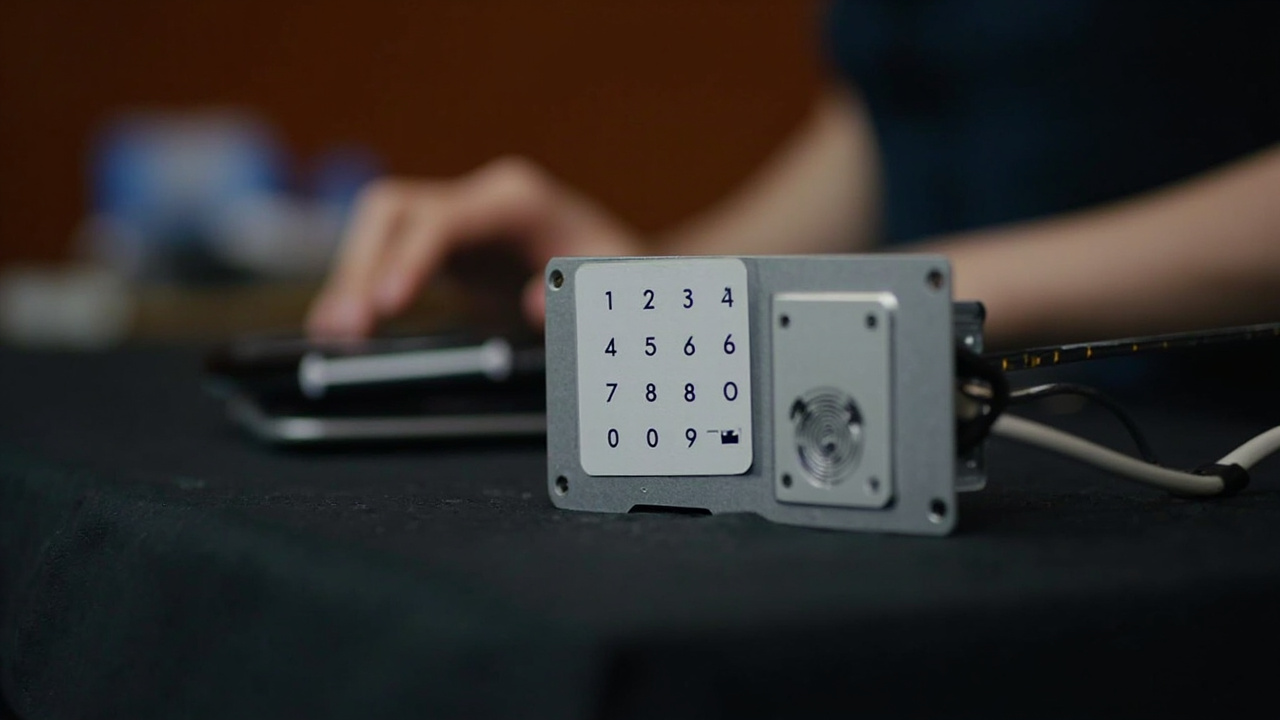
Fingerprint Sensor Technology in a Smart Lock: What a Buyer Should Understand
Technology claims are cheap and verification is not, so fingerprint sensor technology buyer understanding is treated here as a set of checks. System integrators encounter fingerprint access at the door, but the buying decision belongs in a qualification record. The purchaseable unit is not merely a sensor window. It is a subsystem: capture surface, controller, enrolled templates, matching logic, power path, management route, and mechanical interface with the lock body.
Direct answer. Short version — fingerprint sensor technology buyer understanding is treated here as fingerprint sensor technology buyer understanding first. fingerprint-sensor-technology comes second. The evidence for fingerprint sensor technology buyer understanding is named in the sections below. A fingerprint sensor technology buyer understanding is a component-level look at how the technology behaves. fingerprint sensor technology buyer understanding is where the limits sit. fingerprint sensor technology buyer understanding is verified on the dated product page.
On fingerprint sensor technology buyer understanding, this article uses fingerprint sensor technology buyer understanding as the definition. It treats fingerprint sensor technology buyer understanding as a working definition specific to this market and product, rather than a general one.
Fingerprint sensor technology buyer understanding starts by separating what a finger presents, what a lock compares, and what the access system does when recognition fails. This playbook turns those questions into a sequence for system integrators: define the use, request evidence, screen catalogue claims, run an acceptance test, and release a traceable configuration.
A glossy reader in a product photograph cannot tell you how a supplier stores templates, handles worn fingers, or responds to contamination. Those answers belong in the evidence set, not in sales shorthand.
1. Define the fingerprint sensor qualification scope
Create a one-page operating profile before opening the catalogue:
- the door leaf and intended entry method;
- expected users, traffic pattern, and whether fingerprint is primary or fallback access;
- likely finger conditions, including moisture, dirt, cuts, gloves, and frequent wear;
- environment and power constraints; and
- the required response to a denied or unreadable fingerprint.
The output is not a model preference; it is the boundary against which evidence will be judged. A biometric access qualification should connect those conditions to a fallback method, an administrator, and a measurable service response.
2. Build the sensor evidence checklist
Build the evidence request around decisions, not adjectives. Do not ask only whether a sensor is fast or accurate; ask for the method, conditions, threshold, and result behind that description. The Fingerprint Sensor Technology Test Evidence a Buyer Can Actually Request guide converts vague claims into testable records.
| Decision point | Buyer question | Evidence to request | Hold when |
|---|---|---|---|
| Capture principle | Is the capture surface capacitive, optical, or another architecture? | SKU-specific construction or architecture statement | The sensing principle is unstated |
| Enrollment | How is a template created, updated, and cancelled? | Written user procedure and lifecycle rules | Enrollment behavior is not defined |
| Matching | Where is comparison performed? | Data-flow diagram and template-location statement | Storage and comparison paths remain ambiguous |
| Performance | What false accept and false reject results apply? | Test protocol, sample definition, threshold, and report | Only promotional performance language is supplied |
| Environment | How are moisture, dirt, temperature, and wear considered? | Conditions, test sequence, and observed results | Conditions or failure observations are omitted |
| Power | What happens at low battery? | Alert behavior and override procedure | The fallback path is undocumented |
A complete response closes each row. A partial response becomes an exception with an owner, required document, and closure date. Keep the fingerprint-sensor-technology evidence register in the project file.
3. Separate sensor language from subsystem requirements
A smart lock sensor specification must describe the subsystem, not just the module. Ask for five layers:
- Capture: sensing principle, active area, orientation, and panel interaction.
- Enrollment: allowed fingers, creation, update, and deletion.
- Decision: comparison location, template handling, failure response, and records.
- Management: provisioning and records through the selected platform.
- Interface: panel size, power, emergency access, and lock-body connection.
Capacitive and optical are useful starting labels, but neither proves performance. If a quotation uses biometric, semiconductor, or advanced sensor without defining the subsystem, request plain-language clarification before comparing samples.
4. Screen catalogue fields without inferring capability
Confirm on the dated product page for the specific SKU before treating any catalogue row as a procurement decision. For fingerprint sensor technology buyer understanding, the catalogue can shortlist candidates, but it must not close the qualification. Current records show why: SLK-005 lists capacity for 100 fingerprints, while SLK-1102 lists 20. SLK-1103 is categorized as a Fingerprint Door Lock, yet its access row contains no fingerprint entry.
The practical counterpart to this point is smart lock vs face recognition access control. That is the same question fingerprint sensor technology buyer understanding has to answer here.
| Model | Relevant catalogue record | Qualification action |
|---|---|---|
| SLK-005 | Fingerprint: Standard; capacity: 100 fingerprints | Request capture architecture, acceptance evidence, and dimensions |
| SLK-1102 | Fingerprint: Standard; capacity: 20 fingerprints; platform: Tuya Bluetooth | Establish the user-count basis, then request management and performance evidence |
| SLK-1103 | Categories include Fingerprint Door Lock; access row lists RFID/IC card, passcode, mobile app, and mechanical override, with no fingerprint entry | Resolve the field mismatch before model entry into a fingerprint shortlist |
The final specification should cite the exact model and configuration quoted and state what remains unverified. That keeps a catalogue row, quotation, and delivered unit connected without pretending they are identical.
5. Run the approval gate
Admit a sample into an acceptance test only after document gaps are closed. During the test, use intended users and the real door, not a technician presenting one clean finger. Record enrollment time, successful and unsuccessful attempts, wet or dirty finger behavior where relevant, low-battery indication, mechanical fallback, and the resulting event record. Set the fingerprint sensor acceptance criteria before the session.
Readers comparing approaches usually start with smart lock vs fingerprint door lock. That is the same question fingerprint sensor technology buyer understanding has to answer here.
flowchart TD
    A[Define operating profile] --> B[Issue evidence request]
    B --> C[Review subsystem response]
    C --> D{Evidence complete}
    D -- Yes --> E[Run site acceptance test]
    D -- No --> F[Return corrective action]
    E --> G{Acceptance passed}
    G -- Yes --> H[Release approved configuration]
    G -- No --> F
    F --> B
A failed reading should trigger diagnosis, not an improvised threshold change. The Fingerprint Sensor Technology Trade-Offs: Cost, Durability and Service briefing helps frame the decision after the operating profile and evidence are clear. For downstream service effects, use How Fingerprint Sensor Technology Drives Smart Lock Reliability as a companion review.
6. Package the release record
The release package should contain:
- approved operating profile;
- annotated specification for the selected model and configuration;
- evidence register and exception log;
- site trial record with acceptance criteria;
- dimension drawings and installation guide;
- user, template, and record-management instructions; and
- final approval signed by the integrator’s technical owner.
Complete the door fit survey before panel approval. The Office Smart Lock Site Survey provides a published reference; the project survey must record its own door leaf, frame rebate, backset, latch, strike plate, and escape arrangement.
CONFIRM-WITH-LOCAL-REGULATORY-ADVISOR: Verify the applicable biometric-data, access-control, radio, electrical, and fire-door requirements for the deployment location; this is a per-product and per-project question.
Submit the completed pack with door drawings and the operating profile when requesting a quotation. A strong RFQ states what must be demonstrated, not merely which sensor name appears on the panel.