
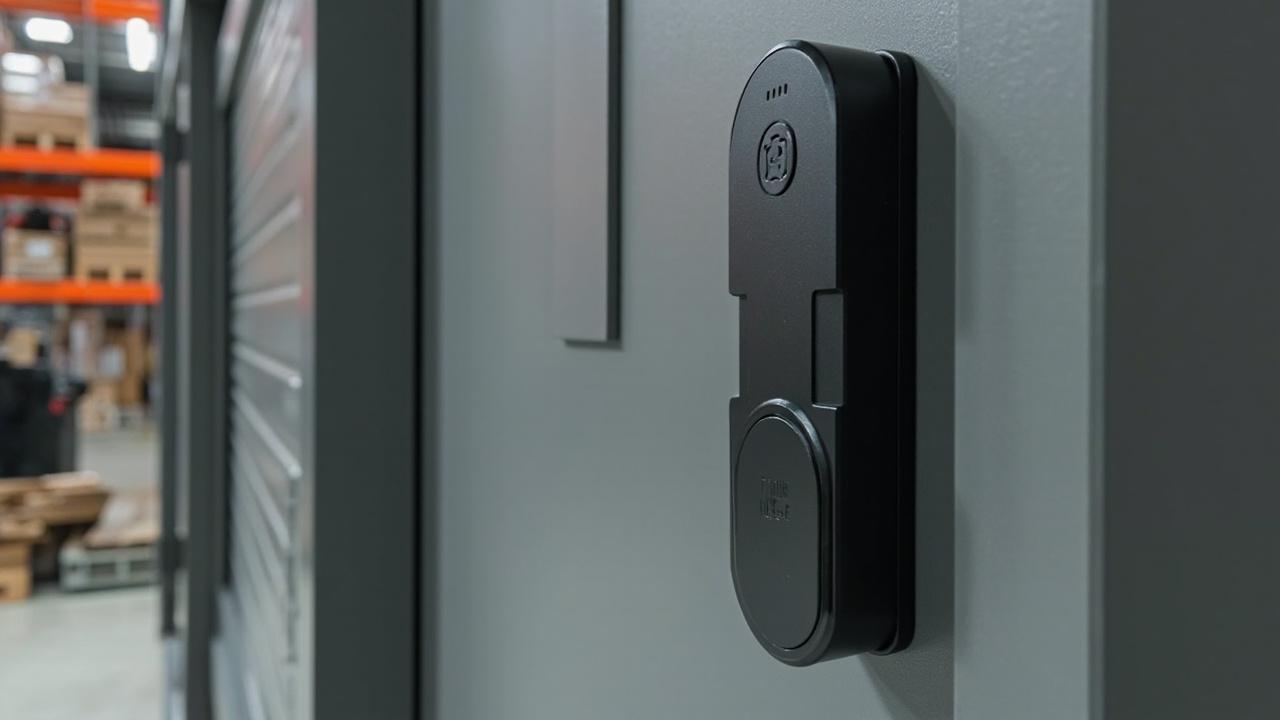
What Smart Lock Should a Warehouse Buy?
Short answer: a warehouse should not buy one smart lock. It should buy a specification pattern, applied zone by zone — keypad locks with time-boxed access-window codes for dock doors used by external drivers, RFID card locks for cage storage staffed by rotating shift crews and temp labor, fingerprint-led locks for high-value racks where attribution matters more than speed, and hardware whose environment and endurance lines are filled in — not blank — for anything mounted on a perimeter gate or a rain-exposed dock. The datasheet is the decision. Most buyers skim the photo, approve the credential type, and discover the environment lines three months later when a frozen touchpad and an empty event buffer tell them the truth.
This article is written the way a good procurement manager marks up a supplier datasheet: field by field, zone by zone, with a pen in the margin. Each spec line gets an annotation — what the line literally says, what it protects you from in a warehouse, and what to demand when the line is blank or vague. Where the factory has not published a value, the cell in this document says what every honest RFQ should say back to the factory: Check the model’s published specification: confirm with factory.
One model in this maker's catalog ships with a fully published spec block: the SLK-9936S, a hotel-line lock. It is used here as a yardstick, not as a warehouse recommendation — it shows what a complete datasheet looks like, and by extension how much your warehouse datasheet should contain before you sign anything.
How the annotation method works
A lock datasheet is a contract in disguise. Every populated line is a testable promise; every blank line is risk you absorb. Three annotation rules run through this article:
Field quoted in monospace — the exact line as it appears (or should appear) on the spec sheet.
What the line says — the plain engineering reading, with no marketing adjectives.
Why it matters in this zone — the warehouse-specific consequence: crew pattern, driver traffic, dust, cold, shrink risk, or the audit question your operations manager will ask after the first incident.
When a line is missing, the annotation switches to demand language: what to put in writing to the factory before samples ship. And when a line reads like a bluff — "heavy duty," "weatherproof," "multi-user," "auditable," with no number behind it — the annotation says so.
The zone map: five door populations inside one warehouse
Warehouses fail as a single-lock purchase because they are not one building. They are five different populations sharing a roof. The catalog's 79 published models span 18 keypad locks, 9 RFID locks and 37 fingerprint locks; the buying problem is routing those categories across zones, not picking a favorite from each list.
PERIMETER DOCK LINE STORAGE FLOOR MEZZANINE +---------+ +---------------------+ +----------+ +---------+ +--------+ | yard |-->| dock doors 1..41 | | cage | | high- | | office | | gates | | (external drivers, | | storage | | value | | floors | | (staff, | | loading crews, | | (shift | | racks | | above | | trucks | | rain, forklifts) | | crews + | | (small | | the | | passing) | <-- keypad lane | | temps) | | trusted| | floor) | +---------+ +---------------------+ | RFID lane| | crew) | +--------+ +----------+ |finger- | <-- admin lane <-- outdoor/endurance fields --> | print + | (audit, (environment | audit | roles) fields) +---------+
| Zone | Who opens it daily | Credential churn | Harshness | Datasheet fields that decide the buy |
|---|---|---|---|---|
| Dock doors | External drivers, carrier staff, own loading crew | High — drivers arrive and leave within one shift, no enrollment relationship | Rain, dust, exhaust, vibration, sun-baked panels | Environment class, operating temperature, door thickness fit, emergency override, code-window support |
| Cage storage | Pick/pack shift crews across three shifts, seasonal temp labor | Medium-high — hires and exits every week | Mostly benign interior; dirt from the floor | Enrollment capacity, per-credential validity window, deletion granularity, admin-role protection |
| High-value racks | Small trusted crew, supervisor present often | Low — named individuals | Benign; the risk is human, not environmental | Event-record depth, attribution granularity, tamper signalling, retrieval path for records |
| Office mezzanine | Office staff, planners, supervisor | Low | Climate-controlled; batteries last longer here | Administrator roles, user management, finish/appearance, egress behavior |
| Perimeter gates | Staff on foot, yard vehicles, occasional visitors | Medium | Worst environment in the whole estate | Battery access, endurance cycles, mechanical override custody, reader contamination tolerance |
The same person — say your night-shift lead — crosses four of these zones in one hour. On her person she carries a phone, a card, and ten working fingerprints. The lock answers change under her hands every fifteen minutes, and the datasheet lines that matter change with them.
Dock doors: annotating the environment and fit fields
Dock doors are where a warehouse buys trouble. Forty-one of them, standing open to the weather for hours, hammered by pallet jacks, touched by drivers who will never be enrolled in any system, is a specification environment no residential-grade datasheet was written for.
Take the field block a complete datasheet should carry for a dock-side lock, annotating each line as though it were printed in front of you.
Field:Door thickness rangeWhat the line says: the band of door leaf thicknesses the body will clamp onto, expressed as millimetre minimum to maximum.Why it matters at the docks: warehouse doors are a mess of substrates — 40-ish mm solid metal committee doors, aluminum-framed glazing on the office side, older timber leaves nobody measured since the building was commissioned. A hotel-line lock publishing a band like 36–100 mm (as the SLK-9936S block does) is telling you it can straddle that mess. If the dock lock's datasheet has no thickness band at all, the field is Check the model’s published specification: confirm with factory, and you measure every sample door before ordering.
Field:Operating temperature rangeWhat the line says: the numbers between which the electronics are expected to behave.Why it matters at the docks: a dock door on the north wall spends winter at near-freezing with condensation rolling off every trailer that backs in, and bakes in summer sun. Battery chemistry, capacitive touch response and LCD contrast all move with temperature. A datasheet that says "outdoor use" with no range is a bluff; demand the numbers. Where absent: Check the model’s published specification: confirm with factory.
Field:Weatherproof / dust exposure notationWhat the line says: a specific exposure class for the housing and the reader face.Why it matters at the docks: dust is finer than people think — cardboard fiber, shrink-wrap film crumb, diesel particulate. It settles into keypad seams and in front of RFID read faces, and it kills readers before it kills locks. One model family in this catalog is listed as waterproof in its product name — the narrow-edge SLK-1104 class lock — but the product name is a title, not a test result. The exact exposure notation for that model and every other SKU is Check the model’s published specification: confirm with factory.
Field:Read distance / read timeWhat the line says: how close a credential must get and how long the lock takes to answer. The 9936S block publishes 0–5 cm and under 0.25 s as an example of what a filled-in line looks like.Why it matters at the docks: a driver with a clipboard, a phone in his other hand and rain on the panel does not touch the reader twice. Slow reads create crowding at the door; crowding creates propped doors; propped doors create the incident report you are trying to prevent.
Field:Emergency overrideWhat the line says: whether a mechanical path exists when batteries die or electronics fail — the 9936S block lists mechanical emergency access as one of its lines.Why it matters at the docks: dock doors sit on fire-egress paths in most buildings. Your local obligations are yours to check with the authorities having jurisdiction over your site — this article makes no compliance claims on anyone's behalf — but the procurement question to the factory is universal: does the lock allow a keyed mechanical route, who holds those keys, and how are they controlled? An empty override line is the single most dangerous blank on a dock datasheet.
One question buyers ask here: "Should drivers get cards?" No — that is the wrong population for a issued-credential lane. Drivers at a dock are scheduled events, not members. The workflow that fits the keypad lane: the gate desk or scheduling system issues a time-boxed access-window code valid only for an appointment slot, and the code dies with the appointment. Whether a specific keypad SKU supports per-window validity rather than a single shared PIN is exactly the kind of line that gets marked Check the model’s published specification: confirm with factory before you commit 41 docks to it.
Cage storage: annotating the credential and issuance fields
Cage storage — the fenced rooms where picks, returns, and theft-bait inventory live — is a workforce problem wearing a door. Three shift crews cycle through, plus temp labor whose entire tenure may be eleven days. The catalog's 9 RFID models and 18 keypad models both land here; the datasheet annotations decide which.
Field:Enrollment capacityWhat the line says: how many distinct credentials the lock's memory will hold at once — cards, codes, fingerprints, each counted separately.Why it matters in the cage: count your real peak, not your payroll. A 118-person operation that hires 23 seasonal temps in October needs capacity for 141 active people, plus spares, plus the six cards already lost since March. "Multi-user" printed on a datasheet means nothing without the number. If the number is missing: Check the model’s published specification: confirm with factory.
Field:Validity window / scheduling per credentialWhat the line says: whether an individual credential can carry a time fence — shift hours only, contract dates only.Why it matters in the cage: this is the line that separates a real access policy from a shared-secret culture. A code that works forever is a code that will leak; a card that expires with the temp contract is a card you do not chase. Standalone locks vary widely here, and the datasheet will not tell you unless the line exists.
Field:Deletion granularityWhat the line says: can one credential be removed without touching the rest, or is clearing the lock a mass operation?Why it matters in the cage: at 2 a.m. on a Tuesday you will discover temp worker number nineteen has a card that still opens three cages. If the only answer on that datasheet is "clear all credentials," you will be standing in the rain with forty valid cards and one lock that nobody can open until morning.
Field:Administrator protectionWhat the line says: whether enrolling new credentials requires an admin code, admin card or admin fingerprint that ordinary users do not hold.Why it matters in the cage: without it, your lock has a self-enrollment hole — any person who can open the door can add themselves and return later with a friend. This line reads dull on paper and is load-bearing in practice.
The honest category read for cages: RFID cards fit shift crews whose heads are stable week to week — issue, revoke, replace, no secrets to change. Keypad codes fit where you want zero credential inventory, but they demand window-coding and rotation discipline, which only pays off where the lock's datasheet proves scheduling per code. Fingerprint at cage doors is where the population argument gets uncomfortable: warehouse hands are the worst hands in the building — cut, dried by cardboard, glossed by shrink-wrap film and cold. The catalog carries 37 fingerprint models, which makes biometric a real lane, but the trial to run is enrollment-time reality: enroll the late-shift crew's actual thumbs on an actual Friday, before a single unit ships.
High-value racks: annotating the record and attribution fields
Behind the racks gate, the question stops being "who gets in fast" and becomes "who was in." Shrink investigations, serial-number mismatches, a pallet that walked — the rack zone is where the audit block of the datasheet earns its keep.
Bluff check. "Auditable" with no record depth, no retrieval path and no overflow behavior is not a feature; it is a font choice.
Field:Audit / event record capacityWhat the line says: how many entries the lock stores offline before it wraps or stops. The 9936S block's published line — up to 1,000 audit/event records — is worth annotating as arithmetic, not as a spec number: on a racks gate driven by, say, a dozen named entries a day, 1,000 records is a few months of history on that one door; on a dock door doing sixty openings a shift, the same buffer is a fortnight. Record depth is only ever meaningful against your own traffic.Why it matters at the racks: an investigation six weeks after the loss needs the records to still exist. If the buffer wrapped, the incident is unrecoverable, and nobody at the factory will apologize for it.
Field:Record retrieval pathWhat the line says: how the stored events get off the lock — an app ecosystem over Bluetooth, a cable, management software, or (on some product families) not at all. Some catalog models pair with app ecosystems such as TTLock, Tuya or Doodle according to product data; which retrieval mechanism serves which SKU is a per-model line.Why it matters at the racks: records nobody can pull are theater. Confirm the path, the phone permissions it needs, and whether pulling records takes the door offline. Where the datasheet is silent: Check the model’s published specification: confirm with factory. And a standing rule for every connectivity line in this document: check the model’s published specification whether Wi-Fi is offered for any specific model — do not let a sales email answer that question, because nobody can enforce an email.
Field:Attribution granularityWhat the line says: whether each record names a credential — card serial, code identity, finger identity — rather than just "opened."Why it matters at the racks: a shared PIN gives you a timestamp and a guess. Unique credentials per person give you a name. This is the datasheet line that converts a lock into an accountability device, and it is also the reason rack-zone doors tolerate a slower credential: enrollment friction once is cheaper than ambiguity forever.
Field:Tamper signallingWhat the line says: whether forcing, shaking or battery-yank events enter the same record stream.Why it matters at the racks: the second most common rack incident after theft is a lock that was defeated and reported nothing. Ask the factory, in writing, which events the firmware treats as recordable.
Office mezzanine: annotating the administration and daily-use fields
The mezzanine office is the zone buyers forget is a different building. Climate-controlled, staffed by planners and supervisors with clean hands and no hard hat, doors that open twelve times a day instead of a hundred and sixty — the environment fields that terrorized the dock section relax here, and the administration fields take over.
Field:Administrator role modelWhat the line says: whether the lock distinguishes an administrator who creates users from ordinary users, across how many levels.Why it matters on the mezzanine: this is where the access policy is written down. If the supervisor who manages codes sits on the mezzanine, the mezzanine door is now the most sensitive door on the site — whoever opens it can change who opens everything else. Role protection on this datasheet should be read with more care than the environment lines downstairs.
Field:User management workflowWhat the line says: batch enrollment, individual deletion, the software or app in which staff changes are actually made. The 9936S block shows one complete answer pattern — multilingual management software, standalone or centralized database modes — as an illustration of a filled line; the equivalents for other SKUs sit with the factory as Check the model’s published specification: confirm with factory.Why it matters on the mezzanine: an office lock whose users can only be managed one-at-a-time, standing at the door, is a lock that will be administratively abandoned by the third hire.
Field:Egress and inside-handle behaviorWhat the line says: what the inside of the door does — thumbturn, request-to-exit, mechanical passage.Why it matters on the mezzanine: stairwell discharge, occupied-hours safety and the nightly "did anyone get stuck" question are office-side problems. Match them to your local life-safety requirements, which are your site's to verify with your authorities — then make the factory answer the datasheet line in writing.
Field:Finish and appearanceWhat the line says: visible hardware aesthetics; the 9936S block notes multiple finish options.Why it matters on the mezzanine: visitors see the office doors; nobody tours the dock. Minor line, but it is where a mixed-floor purchase quietly standardizes or splits.
One more mezzanine annotation worth making in pen: if the office wall is glazing, the door is glass, and the relevant catalog lane is the 3 glass-door models including the SLK-G200 family — for which every field in this section is, again, Check the model’s published specification: confirm with factory until the datasheet arrives.
Perimeter gates: annotating the power and endurance fields
The yard gate is the loneliest door in the estate — furthest from the office, worst weather, least supervision. Its datasheet block is where endurance and maintenance lines decide whether the gate is an asset or a monthly truck roll.
Field:Power source and battery operating cyclesWhat the line says: what feeds the lock and how many unlock cycles the mechanism is rated to perform per battery set. The 9936S block publishes 4 × AA cells and more than 15,000 battery operating cycles — read that pair of lines as the shape of a complete answer, and apply the arithmetic to your own traffic before borrowing the number.Why it matters at the gate: on a perimeter gate with, illustratively, forty crossings a day, endurance math tells you whether the battery compartment gets opened monthly or twice a season. A blank endurance line means you will learn the answer with a dead gate at 5 a.m. in February. Missing: Check the model’s published specification: confirm with factory.
Field:Battery compartment accessWhat the line says: who can open the battery cover — any passerby, or only an authenticated/administered user.Why it matters at the gate: on public-facing fencing, an externally accessible battery cover is both a tamper door and a vandalism invitation.
Field:Cylinder and latch buildWhat the line says: the mechanical backbone — the 9936S block names a 5-pin cylinder and a 3-point latch in stainless steel and alloy.Why it matters at the gate: the smart part fails eventually; the mechanical part holds the gate every day. On any gate datasheet, the mechanical-construction lines are the ones to insist on having filled, and the ones to physically inspect on the sample. Ask for the numbers; do not accept "heavy duty" as a sentence.
Field:Reader contamination toleranceWhat the line says: how the read face behaves wet, frosted or dust-filmed — practically, what read distance and read time degrade to outdoors.Why it matters at the gate: a card reader behind a rain film and a fingerprint reader behind frost are both second-class readers. For gate traffic, most warehouses end up preferring the credential that works through gloves and weather — which is usually card or code, and is exactly why the outdoor field annotations feed the credential choice rather than the other way around. The catalog's 10 outdoor-series models exist for this conversation; per-model outdoor lines remain Check the model’s published specification: confirm with factory.
Keypad, RFID, fingerprint: three credential lanes mapped to warehouse workflows
The task the buyer actually set — "keypad or RFID or fingerprint for a warehouse?" — has no single answer because the warehouse has no single workforce. The lanes sort by what happens to the person holding the credential.
flowchart TD
    Q["Who uses this door group?"] --> SC["Internal shift crew, 3 shifts, stable heads"]
    Q --> ED["External drivers, single visit, appointment only"]
    Q --> TL["Temp labor, hired and gone inside a season"]
    Q --> SUP["Supervisor / office staff, enrollment duties"]
    SC --> S1["Fingerprint lane worth a trial — test on late-shift hands; keep card or code fallback"]
    ED --> E1["Keypad lane — time-boxed access-window codes issued per appointment; to verify per SKU: does it support per-window codes?"]
    TL --> T1["RFID lane — issue at hire, revoke at exit, zero secret rotation"]
    SUP --> P1["Any lane; decide by audit depth and admin-role lines, not speed"]
| Workflow population | Keypad lane (18 models in catalog) | RFID lane (9 models) | Fingerprint lane (37 models) |
|---|---|---|---|
| Shift crews (three shifts rotating) | Works if codes can be scheduled per shift; shared static codes erode attribution on day one | Strong default: one card per named worker, revoke on exit, no biometric enrollment queue across shifts | Good where hands are clean-zone (office-adjacent, packing); weak at cage doors where hands are cardboard-dry and cold |
| External drivers at docks | Best fit: appointment-window codes issued and expiring without any credential custody | Poor: card custody for a one-hour visitor is a loss pipeline and a deposit policy you must staff | Non-starter: you cannot enroll strangers at gate speed and trust the queue |
| Temp labor (short tenure) | Fragile — every departure is a code-rotation event across every door that shares the code | Best fit: card handed out at badge-in, swallowed at badge-out; deletion granularity is the datasheet line to check | Fragile — enrollment and deletion per hire/per exit; biometric memory churn on a lock nobody administers |
| Supervisors / mezzanine office | Fine as an admin gate if role protection exists | Fine; cards in a drawer are a policy question | Best daily ergonomics for clean office hands; role/admin lines matter more than the sensor |
| First-failure mode (what breaks before anything does) | Code sharing and shoulder-surfing at the gate desk | Card loss cascade and stale credentials never revoked | Finger wear, wet/gloved reads, and enrollment quality collected on bad days |
The pattern to take away: the credential lane follows the churn of the population, while the environment and record lines follow the door. A lock can fail its zone on either axis independently — an RFID lock is wrong for a driver door even if its housing is perfect, and a perfect keypad is wrong for a racks gate if its record depth is zero.
The data-gated spec sheet: what is filled, and what goes back to the factory
Here is the worksheet itself. The SLK-9936S column is populated because its product page publishes the block — used strictly as the completeness yardstick. Every other column shows how those same spec fields must be treated until the factory answers: a blank is not a small number, it is an unknown.
| Spec field | SLK-9936S (PDP-cited; hotel line — yardstick only) | SLK-8831 | SLK-1104 class (narrow-edge) |
|---|---|---|---|
| Identity in catalog | Hotel lock positioned 1–5 star | 5-in-1: fingerprint, password, card, key, app (per listing) | Narrow-edge 4-in-1, listed with waterproof designation (per title) |
| Door thickness fit | 36–100 mm | — | — |
| RFID radio / read distance / read time | Mifare 1 @ 13.56 MHz; 0–5 cm; under 0.25 s | — | — |
| Power source / cycles | 4 × AA; over 15,000 cycles | — | — |
| Audit / event records | Up to 1,000 | — | — |
| Mechanical emergency access | Yes, per published block | — | — |
| Cylinder / latch build | 5-pin cylinder, 3-point latch; stainless steel + alloy body | — | — |
| Environment / exposure notation | Not published as an outdoor class — treat as indoor-line | — | Title lists waterproof; exact notation Check the model’s published specification: confirm with factory |
| Enrollment capacity (users / codes / cards / fingers) | Not published as a warehouse figure — Check the model’s published specification: confirm with factory | — | — |
| App / network behavior | Standalone or centralized database modes; multilingual management software | App capability per listing name; scope Check the model’s published specification: confirm with factory | — |
| Wi-Fi offered? | Not claimed — check the model’s published specification | Check the model’s published specification whether Wi-Fi is offered | Check the model’s published specification whether Wi-Fi is offered |
Cells marked — have no documented value in this article’s sources; obtain the figure from the supplier’s written specification.
How to use the table: paste it into your RFQ email as a grid, and demand the factory reply inside the grid. A returned datasheet with the same blanks you sent is an answer in itself. The three hotel-line columns (9936S, 9936G, 9905A) stay in the table deliberately: they are the models this factory has full published blocks for, which makes them the completeness benchmark — if a hotel datasheet lists fourteen lines, a warehouse-relevant datasheet with four lines is unfinished, not simple.
Illustrative scenario: 41 docks, three shifts, one broken single-standard draft
Consider an illustrative distribution shed — not anybody's customer, just the arithmetic most warehouses recognize: 41 dock doors, three rotating shifts, 118 payroll staff plus 23 seasonal temps, six cage rooms, a racks zone holding 187 high-value pallet positions behind two gates, a mezzanine with nine office doors, and three perimeter gates onto the yard.
The first draft standard said "keypad locks throughout, they're cheapest to administer" — and dies against the annotated datasheet zone by zone. The racks gates need per-person attribution the shared-code draft cannot deliver with an audit depth of zero. The temp-populated cages need revocation granularity the draft never specified. Perimeter gates in the draft had no environment line to check, because the draft never asked for one.
The revised pattern reads like the zone sections above: keypad lane at the docks with appointment-window codes — subject to the per-window-code line coming back Check the model’s published specification: confirm with factory for whatever SKU reaches sample stage; RFID lane in the cages for crews and temps with deletion granularity proven on a sample; fingerprint-led lane at the racks with event depth chosen against a two-month retrieval horizon, keeping a card fallback after the late-shift enrollment trial comes back with three rejects out of nineteen thumbs; administration concentrated on the mezzanine where the supervisor sits; and the perimeter gates specified last, because their endurance and exposure lines will rule two of the five candidate datasheets out of the whole purchase once the numbers arrive.
What changed was not preference. The same 79-model catalog produced both the bad draft and the good pattern — the datasheet annotations did the routing. For the wider view of which technologies survive warehouse environments, the sibling comparison of warehouse lock technologies by environment tolerance continues the argument this table starts, and the general warehouse smart lock selection guide covers door-by-door fit questions this article deliberately routes through the spec sheet.
Sending the annotated datasheet back: what to demand in writing
The output of this exercise is not a product choice; it is a document the factory cannot misread. Five demands, in the order they should appear in your email:
- Fill the grid, not prose. Attach the spec table above. Ask for values inside the cells. Marketing text in reply means the cells are still blank.
- Name the traffic, per zone. "41 docks, three shifts, 187 pallet positions" lets the factory's engineer pick endurance and record depths; "a warehouse" lets a salesperson pick a catalog page.
- Prove the three failure lines explicitly: per-credential validity windows, deletion granularity, and mechanical emergency access. Those are where warehouse datasheets are most often quiet.
- Resolve connectivity from the product page, not the chat. For every model shortlisted, check the model’s published specification whether Wi-Fi is offered; treat app-ecosystem support (TTLock, Tuya, Doodle per product data) as the documented baseline and everything beyond it as Check the model’s published specification: confirm with factory.
- Order samples against the worst door, not the best one. The sample should mount on the coldest dock or the dustiest gate, be enrolled with the actual late-shift crew, and run two weeks before any standard is approved. Sample evaluation is exactly what the sample ordering page exists for.
And the price question? This manufacturer sells quote-based — no published prices, MOQs or delivery commitments — which is honestly to your advantage here: the quote you request after a completed datasheet is a quote for a lock that fits, rather than a guess attached to a blank spec sheet. Route the finished annotation grid to request a quote with the zones, door measurements and traffic counts marked inside it. The deeper technology-versus-environment debate at commercial doors is picked up again in the RFID-versus-fingerprint head-to-head for commercial doors, which stress-tests the two credential lanes this article routes to cages and racks.
A warehouse does not buy a smart lock. It buys forty-one small contracts — dock, cage, rack, mezzanine, gate — each written in the lines of a datasheet, each enforceable only if the line was filled in before the container was booked. Annotate first. Then order.