
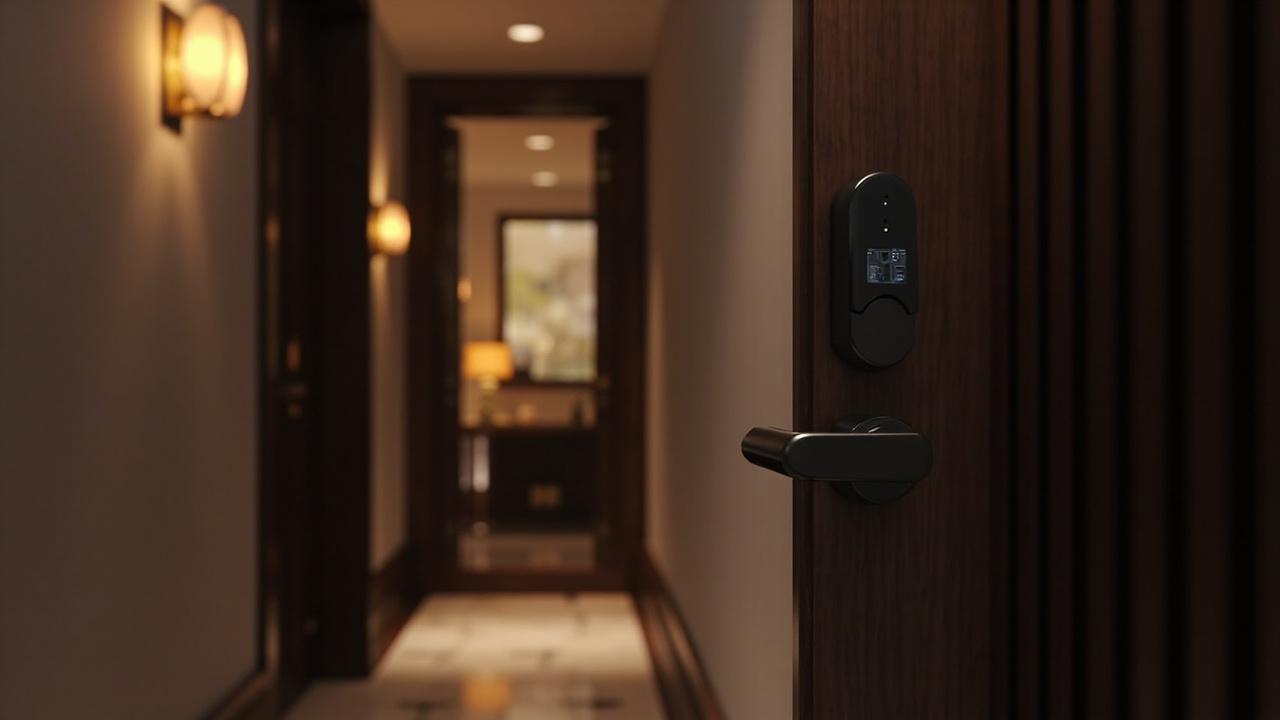
What Should I Check Before Ordering Smart Locks?
Before a smart lock order goes out, six questions have to be answered in writing, not in expectation. They are: do the doors physically accept the lock; does the access method suit the people using it every day; is the lock bound to an app or management platform you can actually operate; what credential lifecycle and audit history does your operator require; how will quantity be phased rather than bought in one block; and is the supplier documentation complete enough to be checked by someone who will never visit the factory. Any order raised with one of those six still open is an order whose failure mode is already decided — you have simply not read it yet.
That is the whole answer. Everything below is the working version of it.
Here is the blunt reason it matters. Smart locks are not a consumable you can reorder next month. The model you commit to determines the drilling in your doors, the app in your staff's pockets, the credential format in your guests' wallets and the software your front desk learns to run. Two of those six decisions can be undone cheaply. Four of them cannot be undone at all before the building is finished and the people are trained. So the check happens before the order, or it happens as an emergency afterwards.
Six Gates, One Order: How This Article Divides the Ground With Its Neighbours
This piece is the umbrella gate-check — the reading you do before you raise anything. Four sibling articles own the checkpoints that come after, and two existing checklists own the paperwork itself. Stating the split explicitly avoids the trap where every pre-purchase article repeats the same twelve lines.
| Article | Checkpoint it owns | Scope boundary | What this article deliberately does not do |
|---|---|---|---|
| 990 (this article) | Before ordering — six decision gates | Fit, method, platform, credentials, phasing, documentation | Derive unit counts, write the RFQ, inspect a physical sample |
| 991 | Before approving a sample | Hands-on sample verdict, function-by-hand checks | — |
| 992 | Before mass production | Line-ready confirmations, pre-production sign-off | — |
| 993 | Before shipment | Packing, marking, outbound verification | — |
| Smart Lock RFQ Checklist for China Suppliers | The enquiry you send | Question wording, line items to demand in a quote | Repeat the RFQ question list |
| Smart Lock Purchase Order Checklist | The PO you sign | Contract text, specification annexes, tolerance clauses | Repeat the PO line-item list |
Cells marked — have no documented value in this article’s sources; obtain the figure from the supplier’s written specification.
Read in this order: settle the six gates here, then use 681 to ask, 680 to commit, 991 to approve the sample, 992 to release the line, 993 to release the box. A gate that fails here makes the later checkpoints decorative.
The Pillar Decision Map
Each pillar has one exit test. Do not carry an unresolved pillar forward — most expensive orders fail because Pillar 1 was treated as a footnote to Pillar 2.
graph TD
    START["Model shortlist from the catalog"] --> P1["PILLAR 1 — Door fit<br/>Does every opening physically accept this lock?"]
    P1 -->|"NO: edge too thin, glass, non-standard bore"| FIX1["Change model family or change door<br/>Escalate to supplier engineering"]
    P1 -->|"YES, per measured door"| P2["PILLAR 2 — Access method fit<br/>Who touches this door daily?"]
    P2 --> P3["PILLAR 3 — Platform and app<br/>Which ecosystem binds the lock?"]
    FIX1 --> P2
    P3 -->|"binding irreversible for the project life"| P4["PILLAR 4 — Credentials and audit<br/>Enrol, revoke, log"]
    P3 -->|"unconfirmed"| STOP1["HOLD: product-page confirmation needed"]
    P4 --> P5["PILLAR 5 — Quantity phasing<br/>Pilot scope, then roll"]
    P5 --> P6["PILLAR 6 — Supplier documentation<br/>Verifiable without a factory visit"]
    P6 -->|"all six closed"| GO["Raise the RFQ / PO"]
    P6 -->|"any gap"| STOP2["HOLD: write the gap into the enquiry"]
Pillar 1 — Door Fit: Millimetres Before Models
Everything else in this article is optional if this pillar is wrong. A lock that cannot be mounted is not a lock; it is a paperweight with a nice finish.
The mistake pattern is consistent. A buyer looks at a product page, likes the handle and the reader placement, and puts the model on a list. Door measurement happens later, usually by a contractor on site, usually in the week before installation. Then the call comes.
The measured fields you need per opening, not per building:
| Field | Why it decides the order | Where buyers get it wrong |
|---|---|---|
| Door leaf thickness | Most smart door locks publish a thickness band; a leaf outside the band is simply incompatible | Measuring one door and assuming the whole property matches — old and new wings rarely agree |
| Door edge (stile) width | Narrow-stile doors need a narrow-edge body class rather than a standard one | Confusing leaf thickness with edge width; the second is what kills a standard body |
| Bore and drilling pattern | Existing holes from a previous lock may or may not align with the new body | Planning a retrofit without a drilling photo of the current lock |
| Backset | Determines whether the latch and deadbolt reach the frame strike correctly | Copying a backset from a different door type in the same building |
| Frame clearance and strike geometry | A swollen or warped frame makes an electronically perfect lock jam physically | Blaming the lock in month two for a frame problem from year six |
| Door material and construction | Solid timber, hollow metal, aluminium-framed and frameless tempered glass are different mounting families | Assuming a glass-door lock and a wooden-door lock are interchangeable hardware |
| Handedness and swing direction | Handle orientation and latch reversal vary by model | Ordering a whole floor before confirming handed coverage |
| Weather and temperature exposure | Outdoor and gate positions get rain, sun and dust load the interior models never see | Specifying one model across an entire property because consolidation looked tidy |
| Emergency egress and fire-rating context | Local rules and hardware constraints on exit hardware sit above any aesthetic preference | Treating this as the installer's problem rather than a pre-order gate |
On thickness specifically, the catalog's own hotel workhorse shows the shape of a published band. For SLK-9936S only — its spec block covers door thickness 36–100 mm, with a 5-pin cylinder, 3-point latch, stainless steel and alloy body, multiple finish options, and mechanical emergency access. Another hotel model, SLK-9905A with its hidden reader, sits at roughly 38–100 mm on its own page. Two models, two bands, one lesson: thickness coverage is per model and you read it per model. Never let a band from one product slide onto another in your own spreadsheet.
A glass storefront and a narrow aluminium patio door are not variations of the same problem. The glass-door selection sequence and the wooden-door specification treat those two families as separate engineering conversations, because they are. If your property mixes door families — and mixed-use buildings nearly always do — you are not choosing one lock, you are choosing a small set and a rule for which door gets which.
Exit test for Pillar 1: every opening has a measurement record, and every measurement record maps to a model whose published fit band covers it. Fewer than two unverified openings per site is the point where I would stop calling this a plan.
Pillar 2 — Access Method Fit: Whose Hand Reaches the Door
The catalog carries the methods plainly: fingerprint, passcode, RFID/IC card, mechanical key, app and Bluetooth via TTLock, Tuya or Doodle, remote control, 3D face on a small number of models, hotel PC software, camera/cat-eye, and some 4G-equipped models. Category counts, for scale: 77 smart door locks overall, 37 fingerprint, 24 hotel locks, 18 keypad, 10 outdoor, 9 RFID, 6 face recognition, 6 cabinet, 3 video-camera and 3 glass models. 79 published models in total.
The wrong question is "which method is most secure". The right question is "which method survives contact with the people who actually use this door at 6 a.m.".
| User in front of the door | Method that survives | Method that fails in practice |
|---|---|---|
| Guest with a card at check-out | RFID card issued by reception; hotel PC software handles expiry | Keypad code shared across the whole property |
| Cleaner or contractor on rotating shifts | Fingerprint or issued card with a defined revocation owner | Physical key — the copy you cannot recall |
| Resident expecting a delivery | Passcode or app grant with a validity window | Anything requiring a phone to be paired in advance |
| Family sharing one entrance | Multi-method lock: SLK-8831, for instance, combines fingerprint, password, card, key and app in one body | Single-method bodies that leave no fallback |
| Warehouse or gate crew, gloves and cold | Card or remote control | Small-target passcode pads, or enrollment-quality fingerprint sensors working against wet, worn fingers |
| Front desk running 24 rooms | Card plus management software with an event log | Anything where the log lives only inside the lock |
Two notes on method reality, from a manufacturer's side of the table. First, fingerprint performance is a sensor-plus-finger problem, not a spec-sheet number: enrollment quality, wet or worn skin, and gloved use decide whether your staff keep the method or quietly revert to the mechanical key they were told to abandon. Second, every method you choose creates an administrative duty. Choose cards and you have chosen to run a card issuance process. Choose app access and you have chosen to run a phone-loss reset process. The lock is the easy half.
Exit test for Pillar 2: for each door group, one primary method plus one named fallback, and one named human owner for enrolment and revocation.
Pillar 3 — Platform and App Compatibility: The Binding You Cannot Undo
This pillar gets the least scrutiny before ordering and the most grief after. A Bluetooth smart lock is not "an app lock"; it is a lock bound to a specific platform family, and in this catalog that means TTLock, Tuya or Doodle. The binding is set at model level. Mixing three platform families across one property means three apps for your staff, three credential databases, and three integration paths for anyone who later wants a single dashboard.
Treat these as the real questions:
- Which platform is this model bound to? Read it from the product page, or ask for it in writing. Platform is a compatibility decision, not a preference.
- Is Wi-Fi or any remote connectivity offered on this specific model? Check the model’s published specification whether Wi-Fi is offered. Do not reason from "Bluetooth models usually have a Wi-Fi bridge" — connectivity is per model and per configuration, and a property that depends on remote access must have that dependency confirmed for the exact SKU, in writing, before the order.
- What about Matter, Thread, Zigbee, Z-Wave, Apple Home Key, ultra-wideband or vein recognition? They are not in this catalog. If your specification or your client's technical brief requires any of them, Pillar 3 is where you discover that the project needs a different product category — not a supplier who will quietly say yes.
- Hotel management software: which side of the line are you on? The standalone/centralised distinction is a genuine architecture fork: a standalone lock carries its own records inside the unit, while a centralised deployment talks to management software with a shared database. SLK-9936S, for that model alone, supports multilingual management software and runs either standalone or centralised database modes, with audit and event records up to 1,000 in the unit. Whether your other shortlisted models share that capability is a per-model confirmation.
- Whose account owns the administrator role? Whoever holds the platform administrator account controls credential issuance and the log. That is an organisational decision you should make before the first lock is configured, not after three departments each started their own rollout.
A practical consequence: a distributor building a brand across many models consolidates around one or two platform families. A hotel group consolidates around one management-software workflow. A system integrator consolidates around whatever exposes a documented integration path. All three of those are the same discipline arrived at from different directions.
Exit test for Pillar 3: every shortlisted model has a named platform, a named connectivity status confirmed on its page, and a named administrator account owner.
Pillar 4 — Credential Lifecycle and Audit Needs
Nobody orders a lock for its audit log. Then the first incident happens, and the audit log becomes the only thing anyone cares about.
Write the lifecycle down as states, because a lock that cannot move a credential cleanly through them is a lock you will end up replacing wholesale:
| Lifecycle state | The question you ask before ordering | Failure signature you will see at month eight |
|---|---|---|
| Issue | Who creates a credential, and how long does it take at 11 p.m. with a late arrival? | Reception starts writing down codes because issuance is slower than the queue |
| Activate / expiry | Does expiry happen automatically or does someone remember? | A guest card still opens room 214 in March |
| Suspend | Can a credential be paused without destroying it? | Housekeeping badges get deleted and reissued constantly |
| Revoke | How fast, and does it require being near the door? | Staff turnover leaves live credentials behind |
| Log | What is recorded — every read, only successful reads, or nothing readable? | No answer available when a dispute arises |
| Export | Can records leave the lock or software into something you control? | History exists but is unreadable outside one vendor's tool |
| Emergency access | What happens when the battery is flat or the reader fails? | A locked-out guest becomes a maintenance call at midnight |
Two things to calibrate honestly. First, log depth: it is a per-model figure, and the range across the market is enormous — from a few hundred entries held in a unit to a full centralised event history. SLK-9936S's own page states up to 1,000 audit and event records for that model; that number belongs to it and no other. Ask what your operator genuinely needs: a hotel rotating guests daily has different history needs from a warehouse with twelve badge holders.
Second, battery reality. A lock that dies without warning is worse than a mechanical lock. Ask what low-battery warning the model gives, how power is supplied (SLK-9936S runs on 4 × AA with battery operating cycles stated above 15,000 for that model — again, a model-specific figure, not a catalog average), and whether external emergency power is supported. SLK-9936S additionally carries mechanical emergency access and an RFID read specification of Mifare 1 at 13.56 MHz, 0–5 cm read distance, under 0.25 s read time — a useful illustration of the granularity a proper product page gives you, and the standard against which a thin datasheet should be judged.
Exit test for Pillar 4: a written lifecycle map naming the person who performs each state change, plus the log depth the operator will accept as sufficient.
Pillar 5 — Quantity Phasing: Buy Evidence Before Units
Counting is its own problem and it is not this article's job. The unit-count method for hotels, apartments, offices and pilot projects is developed in how many locks to order for a hotel, and the pilot-sizing logic in how many locks to order for a pilot project. Read those for the arithmetic.
What belongs to the pre-order gate is the sequencing rule: what does your first order represent?
| Phasing approach | What the first tranche buys | What you learn | Typical failure |
|---|---|---|---|
| Model-coverage tranche | One unit per shortlisted model per real door family | Fit and install behaviour on your own doors | Treating the tranche as a purchase rather than an experiment |
| Single-floor rollout | One complete floor or wing | Staff workflow, credential issuance pace, guest behaviour | Choosing a floor with atypical doors and learning nothing transferable |
| Whole-property single order | Everything | Nothing, all at once | Discovering the platform binding after 200 doors are drilled |
| Rolling deployment by building | One building at a time | Budget pacing and change management | Letting the model spec drift between phases |
The logic underneath: every model decision you have not yet tested on your own doors is a decision you should buy one of, not two hundred of. Phasing is not caution, it is the cheapest way to make the remaining phases a repeat instead of a gamble. The tranche sizes and any order thresholds are set in the quote conversation — see Smart Lock RFQ Checklist for China Suppliers for how to ask; the pre-order decision is only that you phase at all.
Exit test for Pillar 5: the first order is defined as a scope line — a floor, a door family, or a model-coverage set — with an explicit exit criterion for the next phase.
Pillar 6 — Supplier Documentation: Verifiable Without a Factory Visit
Most buyers will never stand in the factory. Your protection is therefore documentary, and the honest test for each paper is simple: could a third party check it?
| Document | What it proves | Red flag when |
|---|---|---|
| Per-model specification sheet | Fit bands, method set, power, materials — the numbers that go in your own door schedule | One generic sheet covers many visibly different models |
| Dimensional or drilling drawing | Whether the body fits your openings and existing bores | No drawing exists; "standard" is offered instead |
| Installation instructions, in your language | Whether your contractors can fit it without calling you | English-only text for a French- or Arabic-speaking crew |
| Software and administrator manual | Credential workflow, log access, who can revoke | The manual exists only as a vendor-hosted page |
| Platform binding statement | TTLock / Tuya / Doodle status for this SKU | Silence, or "supports most platforms" |
| Connectivity confirmation for the exact SKU | Whether Wi-Fi or other remote connectivity is offered on that model | A brochure-level claim with no SKU-level answer |
| Sample approval record | What the sample was, and what it was tested against | Sample shipped as a marketing unit, never benchmarked |
| Finish and colour schedule | What you will actually receive | Same photo used for four finishes |
| Packaging and marking detail | What arrives, labelled how | Only relevant when it is too late |
| Test and certificate documents | What you ask to see and verify yourself | A name dropped with no document behind it |
On certifications and test reports specifically: this is buyer self-check territory. Ask for the document, check that it names the product, and check the issuing body independently. A certificate reference without a matching document is not evidence, and no supplier statement in a chat window substitutes for the paper itself. What any given factory holds is something you verify, not something this article asserts for them.
Documentation quality is also a forecast. A supplier whose spec sheet gives you read distance, read time, power supply and record depth for a named model — the shape SLK-9936S's block has — is a supplier who will answer your awkward questions later with specifics. Thin documentation is not a paperwork problem; it is a communication problem you will live with for years.
Exit test for Pillar 6: every document either received or written into the enquiry as an explicit open item. No blank rows.
The Six-Pillar Readiness Scorecard
Score it yourself, honestly. Two points means the pillar is closed and documented; one means you know the question but not the answer; zero means you have not asked.
| Pillar | Exit test | 0 | 1 | 2 | Your score |
|---|---|---|---|---|---|
| 1. Door fit | Every opening measured and mapped to a model whose fit band covers it | Not measured | Some doors, spot-checked | Full door schedule, per opening | |
| 2. Access method | Primary method plus named fallback plus named owner per door group | Method chosen by looks | Method chosen, no fallback | Lifecycle owner named | |
| 3. Platform binding | Platform, SKU-level connectivity status and admin account owner all confirmed | Unknown | Platform known, connectivity vague | All three confirmed in writing | |
| 4. Credential and audit | Log depth, revocation speed and emergency power documented against operator need | Not considered | Discussed | Written lifecycle map signed off | |
| 5. Quantity phasing | First order defined as a scope line with a phase-two exit criterion | Whole property | Tranche intended, criterion missing | Tranche plus criterion | |
| 6. Supplier documentation | Every document received or logged as an open enquiry item | Nothing collected | Partial | Full pack or explicit open list |
Twelve is ready. Under nine, the order is a hypothesis. Anything scoring zero on Pillar 1 should not proceed regardless of total — a single zero there can invalidate a twelve.
Consider a 64-Door Mixed-Use Building: The Gate Walk
Illustrative scenario, constructed to show how the pillars interact rather than to describe anyone's project.
Northline Residences is a conversion: 48 rental apartments, 12 serviced-stay units used for corporate guests, one shared rear service door, three ground-floor storefronts with frameless glass leaves, and a plant room. A buyer arriving with a shortlist of three keypad models and one fingerprint model looks efficient. The gate walk takes a different shape.
Pillar 1 finds the problems immediately. The apartment doors are solid timber at 42 mm and 45 mm across two eras of construction. The storefronts are 12 mm tempered glass with a 20 mm gap to the floor — no keypad body on the shortlist fits them; they belong in the glass-door family. The service door is aluminium-framed with a narrow stile. Three door families, not one. The shortlist splits into three sub-selections on the spot.
Pillar 2 splits it further. Residents want a code they can give a delivery driver, so the apartments lean passcode with fingerprint as a convenience. Corporate guests in the serviced units carry nothing but a phone and expect no friction, so those units want app-issued credentials with automatic expiry. Housekeeping and the plant room need the same credential type, which points at card or fingerprint with a revocation process — and plant room access cannot depend on a battery that nobody monitors.
Pillar 3 nearly fails the project quietly. Two of the three original shortlisted models sit on one platform family, one on another. The buyer assumed a single app regardless; the resident-facing app and the operator-facing admin app are different surfaces, and mixing platform families across 60 doors meant two credential databases for one building. Connectivity was the harder question: remote access for the serviced units was a requirement, not a nice-to-have, and the answer had verified in writing per SKU on the product page rather than inferred from a Bluetooth feature list.
Pillar 4 produced the most useful decision of the whole walk. The rental side needed nothing beyond "who opened this and when"; the serviced-stay side needed history retained long enough to settle a billing dispute, which put log depth and export on the requirement list instead of the nice-to-have list. The mechanical key override, initially dismissed as old-fashioned, became the plant room's specified fallback.
Pillar 5 stopped the single order. 64 doors in one block would have committed every one of those four conclusions before anyone had tested them. Instead: one apartment floor, the three storefronts, and one serviced unit — a model-coverage tranche chosen so that each door family appeared at least once.
Pillar 6 made the tranche useful. The drilling drawing from the supplier contradicted the assumption that existing bores would align — that contradiction, found on paper and cheap, is the reason the tranche existed at all.
One honest note on the glass doors and the plant room: they ended up on a different product family than anything on the original shortlist, which is exactly what a gate is for. The three keypad models never got reconsidered on aesthetics, price or brand familiarity. They were reconsidered on whether they fit.
Where Buyers Skip the Gate, and What It Costs
Four patterns, in rough order of how often they show up.
The catalogue-first order. A model list assembled from product pages with no door measurements at all. This is Pillar 1 skipped, and it converts a purchase into a refurbishment project. The correction is cheap and completely boring: a door schedule.
The platform assumption. "It has an app, so it will work with our app." No. In this catalog the binding is TTLock, Tuya or Doodle at model level, and a property that has standardised on one family cannot quietly take delivery of another. Ask which, before you ask how many.
The connectivity inference. A brochure mentions remote functionality, so remote connectivity is planned into the operating model. The correct discipline is narrower: check the model’s published specification whether Wi-Fi is offered for that model, in writing for that SKU, before anything depends on it. If remote access is load-bearing for your operation, an unconfirmed answer is a failed pillar, not a footnote.
The documentation postponement. "We'll get the papers with the sample." Documents requested after the specification is frozen arrive as confirmations of whatever you already assumed. Documents requested before the enquiry arrive as answers.
Before You Send It
Take the scorecard to twelve, or take your open items into the enquiry as written questions — the second path is usually faster, because a supplier who can answer all six pillars in specific, model-level language is a supplier you can plan around, and one who cannot has just told you something useful for free. Start with the RFQ checklist to frame the questions, then request a quote with your door schedule attached, and request the catalog if your shortlist is still one family wide. When the sample arrives, the hands-on verdict is a separate discipline — that checkpoint is article 991, and 992 and 993 govern mass production and shipment after it.
The six gates cost you a week of unglamorous paperwork. Skipping them costs you a building full of locks that fit the wrong doors, bind to the wrong app and log the wrong history. Measure the doors, name the platform, write the lifecycle, phase the quantity, collect the papers — then order.