
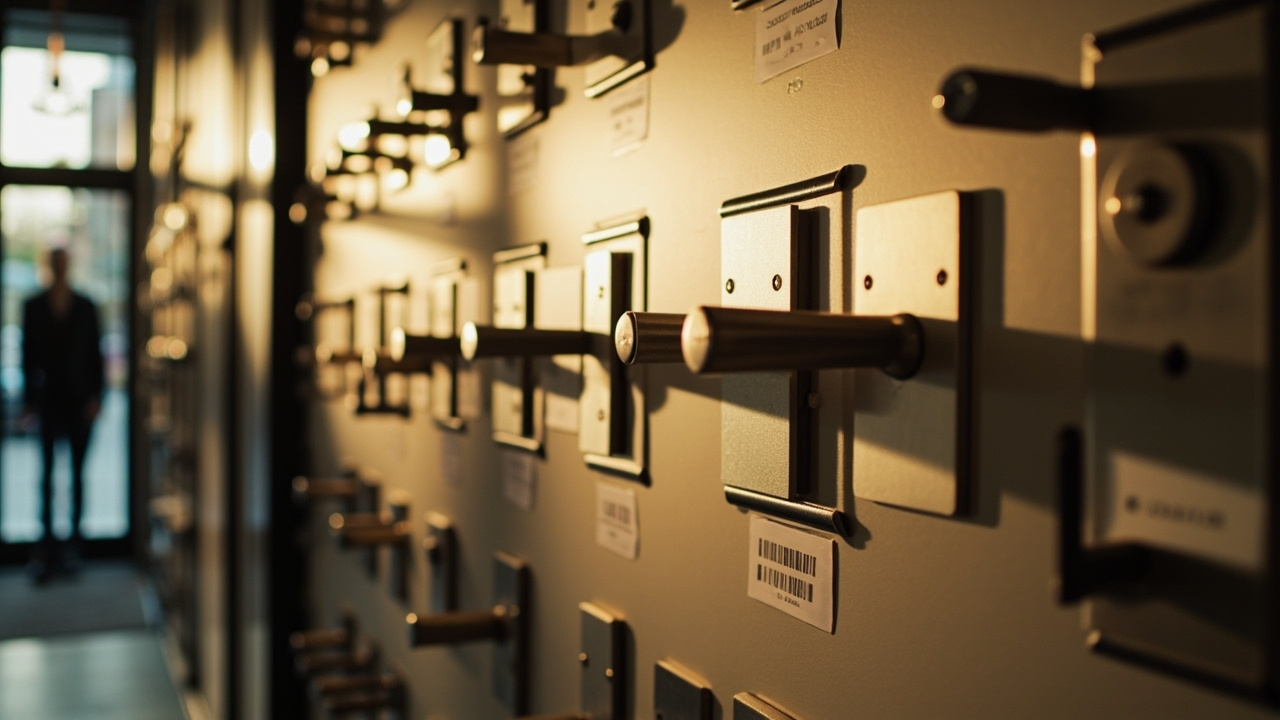
Finish and Aesthetic Coordination: A Smart Lock Specifier Guide
Use this fill-in workbook to turn a finish concept into controlled door-set decisions. The finish and aesthetic coordination specifier guide helps a door hardware consultant capture visual intent, route it for review and leave a record that the client, designer, installer and supplier can use. It covers the smart lock finish specification, adjacent frame and hardware references, a physical mock-up finish review and handover notes. Complete the fields by door set; one project-wide colour decision does not replace checking each assembly.
1. Open One Finish Record per Door
Direct answer. Start with one traceable record per door set. A door hardware finish schedule should identify the lock and adjacent components that affect its appearance. List the lock body, reader, faceplate, strike and any related pull or lever separately. Attach the drawing revision and designer’s visual intent. Do not collapse different components into one finish name; a lock may be reviewed beside a lever, frame or door surface that changes its perceived colour. Before the next supplier meeting
| Field | Complete before review |
|---|---|
| Drawing and door set | Project name, door schedule, frame reference and current drawing revision |
| Components in scope | Lock body, reader, faceplate, strike, pull, lever or related hardware |
| Colour identifier | RAL colour reference or project colour system, plus sheen where it applies |
| Visual intent | Contrast, texture, grain direction or the specific feature to preserve |
| Evidence source | Marked sample, drawing or approved schedule, identified by issue and date |
Use the RAL colour reference as the identifier, not as a substitute for review. A photograph shows the finish; it does not specify it. Mark the sample identifier and drawing revision beside every entry so each reviewing party examines the same item.
2. Run the Physical Mock-Up Finish Review
Use a physical mock-up finish review after the components and colour references are listed. Place the sample beside the actual door, frame and adjacent hardware under the agreed lighting. The sample evidences fit and appearance for the reviewed example; it does not evidence operational performance.
| Review point | Record | Decision |
|---|---|---|
| Lighting | Natural and artificial sources agreed for the review | Repeat under another light condition? |
| Surface | Hue, sheen and texture compared with the sample | Accept or revise |
| Interfaces | Transitions, edges and fixings checked against adjacent parts | Accept or revise |
| Door context | Contrast with door leaf, frame and surrounding hardware | Accept or revise |
Record who reviewed the mock-up, the date, the light condition and each disposition. If an element changes, identify whether the change applies to the product sample, the interface or the surrounding design. Do not leave a general instruction such as “match the door” without a reference and an identified reviewer.
3. Use the Finish and Aesthetic Coordination Specifier Guide
Use the finish and aesthetic coordination specifier guide as an evidence filter. A decision comparison separates what each record proves from what it leaves open.
| Evidence option | What it establishes | What it does not establish | Workbook use |
|---|---|---|---|
| Physical mock-up | Appearance and fit for the reviewed sample | Performance or later production variation | Primary visual and fit review |
| Marked sample and finish schedule | Selected colour reference and component scope | Installed condition | Approval basis |
| Dated photograph | Visual reference at the time of capture | Exact colour, sheen or production match | Supporting record only |
| Verbal finish description | Intended wording | A unique physical selection | Not sufficient alone |
Convert that decision into a finish sample approval record:
- Sample identifier and issue: ___
- Drawing and schedule revision: ___
- Reviewing party: ___
- Disposition: ☐ Approved ☐ Revise ☐ Further evidence required
- Conditions or notes: ___
- Review date: ___
Ask the supplier to answer open points without assigning approval to itself. The response remains input to the specifier’s decision. Finish and Aesthetic Coordination: How Suppliers Respond provides a useful structure for that exchange. The submittal is not approved until the review is recorded and dated.
4. Translate Approval into Installation Protection
Installation protection is part of the finish decision because handling damage can invalidate an otherwise accepted sample. Record the required protection at each handover point rather than assuming the installer will infer it from the finish name.
| Stage | Protection entry | Evidence of completion |
|---|---|---|
| Before delivery | Original sample identification and approved handling condition | Packing or storage record |
| During installation | Approved covering method and protected contact surfaces | Installer confirmation |
| Final inspection | Cleaning method and treatment of visible interfaces | Dated inspection entry |
| Handover | Instructions for ongoing care and removal of temporary protection | Accepted handover record |
Supplier instruction to complete:CONFIRM-PER-SUPPLIER: Provide dated cleaning, handling and protection instructions applicable to the selected finish, including any restrictions on adhesives, films or cleaners.
At installation, compare the fitted lock with the approved sample under the recorded viewing conditions. Record any departure as an observation, then identify who decides whether it requires adjustment, replacement or acceptance.
5. Assemble the Handover and Submittal Record
The submittal record should connect the requirement, the reviewed evidence and the installed result. Give each document a clear owner and retain the reference rather than relying on an email attachment that may be separated from the review history.
| Record | Required content | Holder after handover |
|---|---|---|
| Approved finish schedule | Door sets, components, colour identifiers, revisions and disposition | Project document controller |
| Sample approval record | Sample identifier, conditions, notes and dated decision | Project document controller |
| Installation instruction | Cleaning, handling and protection requirements | Installer and facility owner |
| Installed-finish inspection | Door set, observed condition and resolution of deviations | Project document controller |
| Outstanding-item record | Unresolved observations, decision owner and closure date | Named project representative |
Assign the record owner before handover and state the acceptable format and location. A paper sheet, electronic schedule and photographed installation record are not automatically equivalent. Finish and Aesthetic Coordination: What Goes Wrong on Smart Lock Projects highlights ambiguities that otherwise reappear during installation.
6. Close the Coordination Loop
flowchart TD
  A[Open finish decision record] --> B[Identify physical sample]
  B --> C[Review sample with adjacent finishes]
  C --> D{Approval recorded and dated}
  D -->|Yes| E[Release finish schedule]
  D -->|No| F[Revise and resubmit]
  F --> B
  E --> G[Protect finish during installation]
  G --> H[Inspect and close handover record]
Use the final gate to confirm that:
- Every scheduled lock component has a colour identifier, source and revision.
- The reviewed physical sample is traceable to the door set.
- Finish sample approval identifies the decision, conditions and date.
- Installation protection instructions came from the applicable source.
- Installed observations are recorded and assigned for closure.
- The handover record has a named owner and defined location.
Use Finish and Aesthetic Coordination: Template Language for a Specification when converting these fields into project requirements. Apply Finish and Aesthetic Coordination: Reviewer Checklist before releasing the finish schedule for installation.
The quote request is where the decision turns into a number: request a quote.