
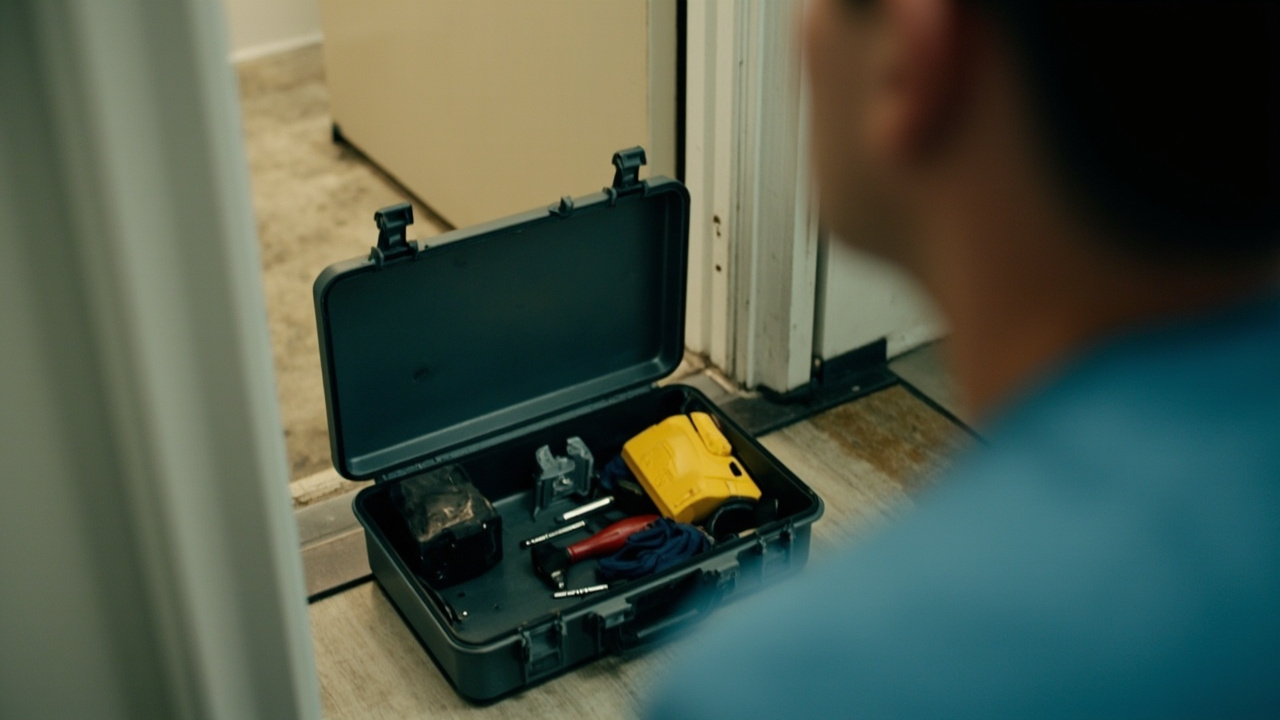
Physical Damage Repair Worksheet: What to Write Down and Why
This physical damage repair worksheet is the controlled record used when an installed smart lock has suffered physical damage. It gives the Facility Manager one place to capture the reported condition, observed evidence, diagnostic checks, repair or replacement decision, authorization, and completed work.
Direct answer. In short, physical damage repair worksheet is the subject of this piece. physical damage repair worksheet is where the work on physical damage repair worksheet sits. physical-damage-repair is what has to be evidenced before anyone signs. A physical damage repair worksheet sets out the maintenance record for a system in service. physical damage repair worksheet carries the early-warning signal for physical damage repair worksheet.
physical damage repair worksheet means here what physical damage repair worksheet sets out. It is a working definition of physical damage repair worksheet for this market and product. It is drawn from the evidence below, and it is not a general marketing phrase.
Use the form from first report through final sign-off. Complete it at the door when possible, because observations are easier to verify while the condition is still present. If work happens later, attach dated photographs, test results, and supplier responses rather than replacing the original observations with a summary.
flowchart TD
    A["1 Define the record and dispositions"] --> B["2 Assign decision and approval roles"]
    B --> C["3 Prepare the dispatch packet"]
    C --> D["4 Open the incident header"]
    D --> E["5 Capture field service evidence"]
    E --> F["6 Describe the damage without inferring cause"]
    F --> G["7 Run checks and record exclusions"]
    G --> H{"Physical damage supported by evidence"}
    H -->|No| I["Route to the applicable fault procedure"]
    H -->|Yes| J{"8 Select the disposition"}
    J -->|Repair| K["9 Record the repair action"]
    J -->|Replace| L["9 Record the unit swap"]
    J -->|Interface issue| M["Open a separate building work item"]
    J -->|Hold and escalate| N["15 Build the escalation packet"]
    N --> O{"Escalated issue resolved"}
    O -->|No| N
    O -->|Yes| J
    K --> P["10 Confirm explicit authorization"]
    L --> P
    M --> P
    P --> Q{"Authorization and access conditions clear"}
    Q -->|No| N
    Q -->|Yes| R["11 Verify completion with recorded tests"]
    R --> S["12 Close the record"]
    S --> T["13 Audit the worksheet for evidence gaps"]
    T --> U["14 Use the copy ready worksheet"]
    U --> V{"Escalation needed"}
    V -->|Yes| N
    V -->|No| W["16 Apply the final acceptance check"]
    W --> X{"Required fields and evidence complete"}
    X -->|No| T
    X -->|Yes| Y["Close the work order"]
Mark unavailable information as unknown rather than guessing. A clear gap can be assigned and closed; an invented entry cannot.
1. Define the record before the technician arrives
For this procedure, physical damage means an observed alteration to the lock, its mounting interface, its visible finish, its moving components, or the door-and-frame interface. The record must describe what changed without assuming who caused it. Impact, attempted forced entry, crushing, tool contact, and ordinary wear can leave different evidence and may require different decisions. What the buyer's own file needs is in Fingerprint Smart Locks for Facility Managers. The catalogue side of this is the smart door locks.
The worksheet supports four dispositions:
- Repair: restore the identified function through an authorized method.
- Replace: exchange the unit through an authorized route when repair is not an acceptable technical outcome.
- Hold and escalate: retain the door status while evidence, safety, access, or commercial responsibility remains unresolved.
- Return to service with a limitation: use an approved operational workaround while the permanent disposition stays open.
A completed physical damage repair worksheet must connect the condition to the door, preserve the evidence, show what each check ruled out, and record who authorized the final action. “Repairable” is not a synonym for “approved,” “covered,” or “safe to return without further work.” Those are separate decisions.
2. Assign the decision and approval roles
Name the roles before dispatch. Use the buyer’s delegation schedule or service agreement rather than assuming that the person who attends the door can make every commitment.
| Role | Responsibility in the worksheet | Boundary |
|---|---|---|
| Facility Manager | Owns the operational outcome, prioritizes access, and confirms who may approve the chosen route | Does not alter supplier commitments without an authorized commercial decision |
| Technician or inspector | Records observations, photographs, checks, exclusions, parts, and test results | Does not approve cost, coverage, or a permanent replacement unless that authority is delegated |
| Security or access-control owner | Confirms temporary access controls and the required credential state | Does not authorize physical repair outside the established maintenance process |
| Supplier or service partner | Answers the exact-SKU question and states the evidence or authorization required for the proposed route | Its response is recorded as evidence, not treated as an automatic promise |
| Finance or procurement owner | Confirms the commercial route for an approved repair or replacement | Does not alter the technical diagnosis |
Put the role title beside each approval. If authority changes between reporting and closure, add the new approver and preserve the earlier decision. This prevents the door damage record from showing a technical conclusion with no accountable owner.
3. Prepare the dispatch packet
The technician should leave with enough information to identify the asset and avoid changing evidence unnecessarily.
- Door and unit identifier. Copy the identifiers from the object schedule. A room number alone is not a unit and door identifier because room names, numbers, and uses can change.
- Model and variant. Record the marking visible on the label. Confirm on the dated product page for the specific SKU before relying on a dimension, component, accessory, or operating specification.
- Reported condition. Preserve the reporter’s words, then separate them from the technician’s measured observation.
- Current operability. Record whether the door can be opened, secured, and used through each function relevant to the site.
- Recent history. Note repeated damage, recent service, related calls on the same unit, or similar symptoms on other doors.
- Access and safety constraints. State who can authorize entry, temporary controls, make-safe work, or shutdown of the door.
- Evidence status. Confirm whether the condition was already altered, cleaned, aligned, powered down, or replaced before attendance.
CONFIRM-WITH-LOCAL-ACCESS-AND-SAFETY: Confirm site access, make-safe authority, fire-door obligations, and applicable local security requirements with the responsible site authority before work begins.
If a site emergency requires immediate action, preserve safety first. Record who acted, what was changed, and why immediate intervention took priority over a complete baseline.
4. Open the incident header
Start with identification fields that cannot be reconstructed later without ambiguity.
| Header field | Required entry |
|---|---|
| Incident reference | Unique internal reference used on the ticket, work order, and correspondence |
| Date and time reported | Local timestamp from the agreed reporting channel |
| Reporting channel | Portal, email, telephone, or another named channel |
| Reported by | Role and contact route, subject to the buyer’s privacy rules |
| Door and unit identifier | Identifier for the door, installed unit, or both where they are separately scheduled |
| Model and variant | Marking from the label, with source and date captured |
| Symptom in reporter’s words | Verbatim or near-verbatim description before diagnosis |
| Operability at intake | What could be opened, secured, read, or used at that moment |
| Temporary control | Access arrangement applied while the incident remains open |
| Initial evidence index | File names or record references for photographs and readings |
The door damage record should distinguish reported facts from observed facts. “Someone hit the lock” is a report. “A visible deformation appears beside the mounting point” is an observation. “The deformation caused the failure” is a conclusion that still needs supporting checks.
The reported timestamp and the timestamp when the door was operable again support the buyer’s own resolution-time measurement. The worksheet supplies the inputs; the operating plan supplies the target. Do not replace that measurement with a subjective statement such as “fixed quickly.”
5. Capture field service evidence in a fixed order
Field service evidence becomes useful when another person can follow the same sequence and understand what each item proves. Use an overview image first, then progressively narrower views.
- Door context. Photograph the full door, frame, handle, lock position, and an identifier card.
- Condition overview. Capture the complete damaged area before moving, cleaning, or dismantling anything.
- Close views. Show the shape, break, abrasion, displacement, or contamination rather than only the most conspicuous mark.
- Scale reference. Place a scale or known reference beside the feature without covering it.
- Label view. Record the model or variant marking without inferring a missing character.
- Interface view. Show the relationship among the lock, door, frame, mounting points, and moving parts.
- Access state. Capture the relevant credential or control state before intervention where a credential is involved.
- Action log. Note every test, adjustment, disconnection, removal, or cleaning action performed before the final condition image.
Do not alter the condition merely to obtain a cleaner photograph. If immediate safety or access work requires alteration, take what baseline evidence is possible and document the intervention and its purpose.
Store each image under the incident reference and retain the original file. The index should identify the door, viewpoint, subject, photographer, capture time, and whether the image was taken before or after intervention. A photograph without context may show a mark but cannot identify the affected asset.
CONFIRM-WITH-LOCAL-INCIDENT-RECORD: Confirm photograph retention, incident-numbering, privacy, insurance-notification, and records-access requirements with the buyer’s local authority before the record is circulated.
6. Describe the damage without overstating its cause
Use the observation table below as a starting point, not as a forced classification. Add local categories if the site uses them in its asset or maintenance system.
| Observation class | What to record | Evidence to retain | Avoid |
|---|---|---|---|
| Housing deformation | Location, extent, direction of movement, and visible separation | Overview and close views with scale | Assuming impact caused the operating failure |
| Mounting or fastener damage | Damaged point, looseness observed, and condition of the interface | Interface view and recorded movement | Claiming structural suitability from appearance alone |
| Damaged moving component | Which movement was attempted and what happened | Before-and-after position and test result | Naming an internal failure mode without evidence |
| Abrasion, gouging, or finish loss | Surface location, depth if measurable, and whether a function changed | Close view, scale, and functional test | Treating every visible mark as an operational failure |
| Door or frame deformation | Gap, alignment, swing, or closing condition visible at the interface | Wide view, latch area, and measured observation | Replacing the lock when the interface may be the controlling issue |
| Seal or foreign-material observation | What was seen and where, without inferring unseen effects | Close view and handling record | Asserting an environmental rating or internal condition |
A scratch and a deformation can both be “physical damage,” but they need different decisions. One may have no effect on the required function, while the other may prevent safe operation. The site must define what function and condition matter for that door.
Do not describe a specific unit as repairable until the supplier confirms the available route for the exact model and variant.
7. Show what every diagnostic check ruled
Physical damage should not be used as a shortcut around diagnosis. Before selecting the damage branch, record the checks that distinguish visible damage from alignment, power, control-state, or credential symptoms.
| Check | Observation to enter | What the check can rule out |
|---|---|---|
| Lock state and handle movement | Locked or unlocked state and whether the handle moves freely by hand | Door alignment, closer force, or latch preload may explain resistance rather than a motor or body fault |
| Manual operating path, where fitted | Whether a mechanical key or override moves the mechanism and what that movement reveals | A seized lock body may be ruled out for that symptom when the manual path operates |
| Indicator or application message, where present | Exact displayed message, indicator state, and time of observation | Low-power, jam, and no-response indications are different branches |
| Power state, where relevant | Result of the permitted power check and the condition observed | Power is separated from the mechanical and electronic branches |
| Physical state against recorded state | Door position shown on site and the state displayed in the control record | A configuration or synchronization mismatch is separated from physical damage |
| Credential path, where involved | Whether an authorized credential operated the relevant function | The credential layer is separated from the lock mechanism |
| Similar doors | Whether another unit of the same model shows the same observation | A configuration, firmware, or supply-batch pattern may need a different route |
Enter the result, the evidence, and the inference under each check. “Checked battery” is too weak. “Permitted power check produced no visible indicator response; photograph and exact message recorded; power branch remains open” is useful because it states both what was seen and what remains unresolved.
If no visible alteration explains the symptom, do not force the record into physical damage. Route it to the applicable fault procedure. The companion guide, Physical Damage Repair: Which Branch Do You Take, provides a useful branch reference when the evidence does not support an early conclusion.
8. Make the repair or replacement decision from evidence
The repair or replacement decision is not a preference based on convenience. Apply the same criteria to every door and record the evidence behind the selected disposition.
| Disposition | Select it when | Required basis | Resulting record |
|---|---|---|---|
| Repair | The damage is isolated, an authorized technical route exists, and the required functions can be verified after work | Exact-SKU confirmation, applicable method, fitted-part record, and successful completion tests | Repair action, parts, tests, authorization, and operable timestamp |
| Replace | Damage prevents reliable operation, connected parts are affected, or the supplier confirms that replacement is the appropriate route for the exact SKU | Exact-SKU confirmation, removed-unit record, installation record, and successful completion tests | Unit swap, old-unit custody, credential state before and after, and operable timestamp |
| Correct the door or frame interface | The controlling issue lies outside the lock | Interface evidence and the relevant building-work scope | Separate work item; the lock decision remains open until retest |
| Hold and escalate | Evidence conflicts, access or safety is unresolved, responsibility is disputed, or similar doors show a pattern | Complete evidence index and a specific written question | No unsupported closure; named owner and next review point |
| Return to service with a limitation | An authorized temporary control restores the required function while permanent work remains open | Interim control, approver, limitation, and follow-up reference | Open incident with the temporary status clearly stated |
Use four questions in order. What was observed? Which checks changed the interpretation? What route is authorized for this exact asset? What evidence proves the door is operable again?
A replacement does not correct a deformed door or frame, and a loose repair does not resolve a broader configuration problem. Conversely, replacing every visibly marked unit can remove evidence without identifying why similar events occur. The field supports the decision; the approved route determines the action.
For consistent timestamp definitions and portfolio measurement, use How to Measure and Record Physical Damage Repair alongside this worksheet rather than inventing local dates or intervals later.
9. Record the physical action as a traceable transaction
A repair action and a unit swap leave different records. Do not combine them under a vague note such as “replaced faulty part.”
| Action field | Repair record | Unit-swap record |
|---|---|---|
| Action selected | Repair method and authorized route | Replacement route and authorized route |
| Removed item | Part removed, condition retained, and storage location | Old unit, condition, identifiers, and retained location |
| Item fitted | Part fitted and its identifying marking | New unit, model, variant, and installation reference |
| Pre-work state | Door and mechanism condition before work | Credential and recorded state before work |
| Post-work state | Result of each relevant function test | Result of each relevant function test and credential state after work |
| Evidence created | Before, during, and after images linked to the incident | Before removal, installed unit, and restored door images |
| Closure | Operable timestamp and signed completion | Operable timestamp, old-unit custody, and signed completion |
Retain the old unit as required by the buyer’s process, or record where and why it was released. A removed unit is evidence. Its condition may explain the incident, confirm the repair decision, or support investigation of similar doors.
Where a credential is involved, record its state before and after the work. If the credential check is not applicable, state why. Do not assume that a successful lock test proves credential continuity.
CONFIRM-WITH-LOCAL-REMOVED-UNIT-DATA: Confirm handling, storage, access, and disposition requirements for any information associated with a removed unit through the buyer’s local security and privacy authority.
10. Obtain an explicit authorization before permanent work
The authorization packet should contain a short technical summary, the exact asset identifiers, the proposed action, the supporting evidence index, and the operational consequence of waiting.
Use the supplier’s written response as part of the record. Ask the supplier to identify the exact model and variant considered, the available repair or replacement route, the evidence still required, who must authorize the action, and what must be returned.
CONFIRM-PER-SUPPLIER: Confirm which repair or replacement routes are available for the exact SKU, what evidence and return steps are required, and who provides written authorization.
Keep technical acceptance, commercial responsibility, and access approval as separate lines in the decision record. Do not infer one from another. A part being available does not by itself establish who bears its cost, and an operational instruction to keep the door usable does not settle the permanent repair route.
Unless immediate safety or access work requires otherwise, do not dismantle, exchange, or irreversibly alter the unit before the required authorization is recorded.
11. Verify completion with recorded tests
Completion means the door passes the functions required for that site, not merely that a replacement receives power or appears in an application. Use a test table in the incident record.
| Test | Evidence to capture |
|---|---|
| Door operation | Result of opening and closing through the authorized route |
| Handle and latch or bolt behavior | Observed movement, engagement, and any alignment condition |
| Mechanical operation, where fitted | Result of the permitted key or override test |
| Electronic operation, where applicable | Response observed at the lock and in the relevant system |
| Credential behavior, where involved | Before-and-after state and any reissue or recovery action |
| Physical installation condition | Security of fitted items, visible condition, and removal of temporary controls |
| Post-intervention imagery | Final image linked to the incident and asset identifiers |
For each test, enter the expected result, actual result, evidence reference, tester role, and time. Do not mark a test “pass” without describing what was observed.
The post-award operations team can then distinguish a completed repair from a visit that only changed the appearance. The timestamp when the door is operable again closes the buyer’s resolution-time interval for this incident. A first-time-fix label means there was no repeat visit for the same symptom; it does not remove the need to record the underlying cause.
The practical counterpart to this point is smart lock five pin cylinder. That is the same question physical damage repair worksheet has to answer here.
12. Close the record without erasing the original observations
Close the incident only when all required fields are complete and the evidence is attached or linked. The final status should identify the completed disposition, the approval, the completion tests, and any retained components.
A closed door damage record should contain:
- the original report and each reported update;
- the technician’s observations before intervention;
- the checks performed and what each one ruled out;
- the physical-damage conclusion and its supporting evidence;
- the repair or replacement authorization;
- the parts fitted or unit exchanged;
- credential state before and after, where applicable;
- the completion tests and the operable-again timestamp;
- the old-unit custody record, where relevant;
- named role approvals and any open follow-up work.
Do not overwrite the initial observation with the final diagnosis. Keep both and show the reasoning that connects them. Corrections should be dated and attributed.
The related fill-in reference, Physical Damage Repair Documentation Set, can help teams align this incident record with the wider maintenance file, but this worksheet remains the field decision record for the damaged asset.
13. Audit the worksheet for evidence gaps
Review closed records periodically against the following failures. Correct missing information at the source process, not by filling historical gaps with assumptions.
| Weak record | Why it fails | Corrective action |
|---|---|---|
| Room name only | The asset cannot be matched reliably to the object schedule | Add the door and unit identifier |
| “Lock is damaged” | The reader cannot distinguish appearance from function | Record location, extent, and operability |
| Photograph without context | The image cannot be tied to the asset or condition | Add overview, close-up, scale, and index reference |
| Parts listed without tests | The record proves an action but not restored function | Add expected result, actual result, and evidence |
| Model inferred from appearance | A variant may be recorded incorrectly | Use the label and dated SKU evidence |
| Repair selected without exclusions | The reason for not following another fault path is missing | Add what each check ruled out |
| Final conclusion overwrites observations | Original evidence and changed interpretation become indistinguishable | Preserve dated versions |
| No operable-again timestamp | The buyer cannot calculate its own resolution interval | Enter the observed local timestamp |
| Removed unit has no location | Chain of custody and later investigation are weakened | Record where the item is held and by which role |
A missing field is an operational signal. Assign it, set the reason it was missed, and revise the collection method so the next record arrives complete.
14. Use this copy-ready physical damage repair worksheet
Create one record per door and incident. If a fault affects several doors, link each worksheet to its own asset identifier and use a separate parent issue for the common pattern.
| Section | Field | Entry rule |
|---|---|---|
| Identification | Incident reference | Enter the unique reference used by the buyer |
| Identification | Date and time reported | Enter the local timestamp from the reporting channel |
| Identification | Door and unit identifier | Copy both identifiers from the object schedule |
| Identification | Model and variant | Record the label marking and its source |
| Identification | Reporter and channel | Enter the role and agreed reporting channel |
| Intake | Symptom in reporter’s words | Preserve the original description |
| Intake | Operability at intake | State which functions could and could not be used |
| Intake | Temporary control | Record the access arrangement and approving role |
| Condition | Physical-damage location and extent | Describe exactly what is visible or measured |
| Condition | Before-intervention evidence | List photographs, readings, or other retained items |
| Condition | Interface condition | Record the door, frame, mounting, and moving-part condition |
| Checks | Lock state and handle movement | Record observation and what it rules out |
| Checks | Manual operating path, where fitted | Record observation and what it rules out |
| Checks | Power and indicator, where relevant | Record exact result and what it rules out |
| Checks | Recorded versus physical state | Record any mismatch and its effect on the branch |
| Checks | Credential path, where involved | Record behavior before and after any intervention |
| Checks | Similar-door comparison | Record the comparison and its significance |
| Decision | Preliminary branch | Name the branch supported by the evidence |
| Decision | Repair, replace, hold, or limited return | Select one disposition and do not leave it implied |
| Decision | Basis for selection | Cite observations, exclusions, and supplier response |
| Authorization | Requested route | State the exact action being requested |
| Authorization | Supplier confirmation | Attach or reference the dated response |
| Authorization | Approver and date | Record the role that approved the action |
| Action | Parts fitted | Record part identity and fitted quantity |
| Action | Unit swapped | Record removed and installed unit identifiers |
| Action | Old-unit location | Record custody location and responsible role |
| Action | Credential state before and after | Complete both fields or mark a reason for non-applicability |
| Completion | Tests and actual results | Record each result rather than a general pass statement |
| Completion | Operable-again timestamp | Enter the local date and time observed |
| Completion | Evidence index | Link all final photographs and supporting records |
| Closure | Signatures and open items | Confirm approvals and identify any separate follow-up work |
The completed physical damage repair worksheet should remain usable by a person who was not at the door. That test exposes missing identifiers, unexplained conclusions, and unsupported decisions before the record becomes part of a supplier claim or portfolio review.
Readers comparing approaches usually start with best smart lock technology for factories. That is the same question physical damage repair worksheet has to answer here.
15. Build a complete escalation packet
Escalation should add clarity, not restart the investigation. Assemble the incident header, baseline evidence, check results, decision basis, requested action, authorization response, and any updated images into one indexed packet.
Use Raising Physical Damage Repair Without Losing the Case to structure the request around the unresolved decision. State the question in one sentence, then provide only the records needed to answer it.
For contractual or return questions, include the applicable clause and ask what action it requires rather than assuming the outcome. The companion guide, Physical Damage Repair: Contract Clauses that Make It Work, provides a structured review of the terms to examine.
When the same pattern appears across sites, keep each door record intact and link the common issue separately. The cross-site guide Running Physical Damage Repair Across Several Sites explains how to preserve local evidence while comparing the wider pattern.
CONFIRM-WITH-LOCAL-ESCALATION-AUTHORITY: Confirm who may submit external evidence, request an RMA, release a removed unit, or communicate with an insurer under the buyer’s local policies and requirements.
16. Apply the final acceptance check
Before closing the work order, confirm that:
- the door and unit identifier matches the asset record;
- the model and variant source are recorded;
- reported and observed conditions remain distinguishable;
- baseline and final evidence are linked;
- every diagnostic check states what it ruled out;
- the disposition follows from the evidence;
- the exact-SKU route and required approval are documented;
- fitted parts or exchanged units are traceable;
- the removed unit is retained or its disposition is recorded;
- credential state is captured where applicable;
- completion tests contain actual results;
- the operable-again timestamp is present;
- open building work or access actions remain linked rather than hidden.
Treat the worksheet as the handoff between site evidence, supplier support, and the portfolio record. In post-award operations, a repair is not closed because a part was ordered or a unit was exchanged. It is closed when the door is operable, the evidence supports the decision, authorization and completion are recorded, and the retained material remains traceable. When requesting supplier review, send the completed form, exact SKU evidence, decision question, and evidence index in the first request, and require a written disposition against each requested action.
The next step is to request a quote.